
Buy on time, pay on time.
Stebly Purchase lists what to buy before you run short. Each order is approved, received against the PO and billed from the receipt, and you see what you owe each supplier.
- Plan from orders and stock levels
- PO, receipt and bill linked
- Supplier dues by age
Real Stebly screens, shown with demo data.
This page is for you if…
- Material is ordered on a phone call, and nobody has the PO.
- You find out an item is short when the line stops.
- Bills are paid for goods that never came, or came short.
- Suppliers chase you for payments you lost track of.
Used by the purchase team, the stores, accounts and the owner.
How a purchase runs in Stebly, in 6 steps.
Real Stebly screens, with the demo company's numbers.
- step 1 of 6
Know what to buy before you run out
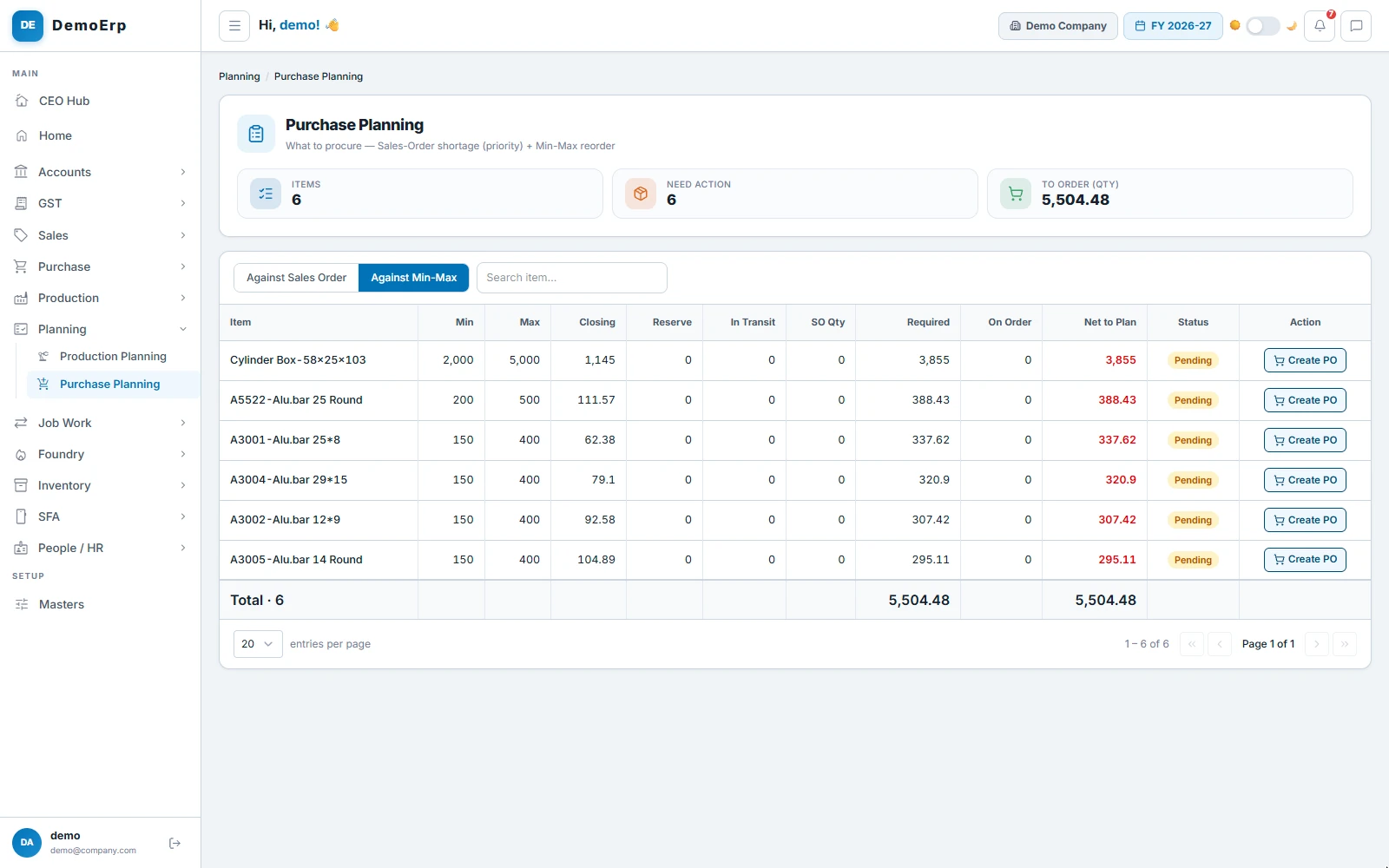
Stebly lists what to buy: first what your open sales orders are short of, then every item below its minimum stock.
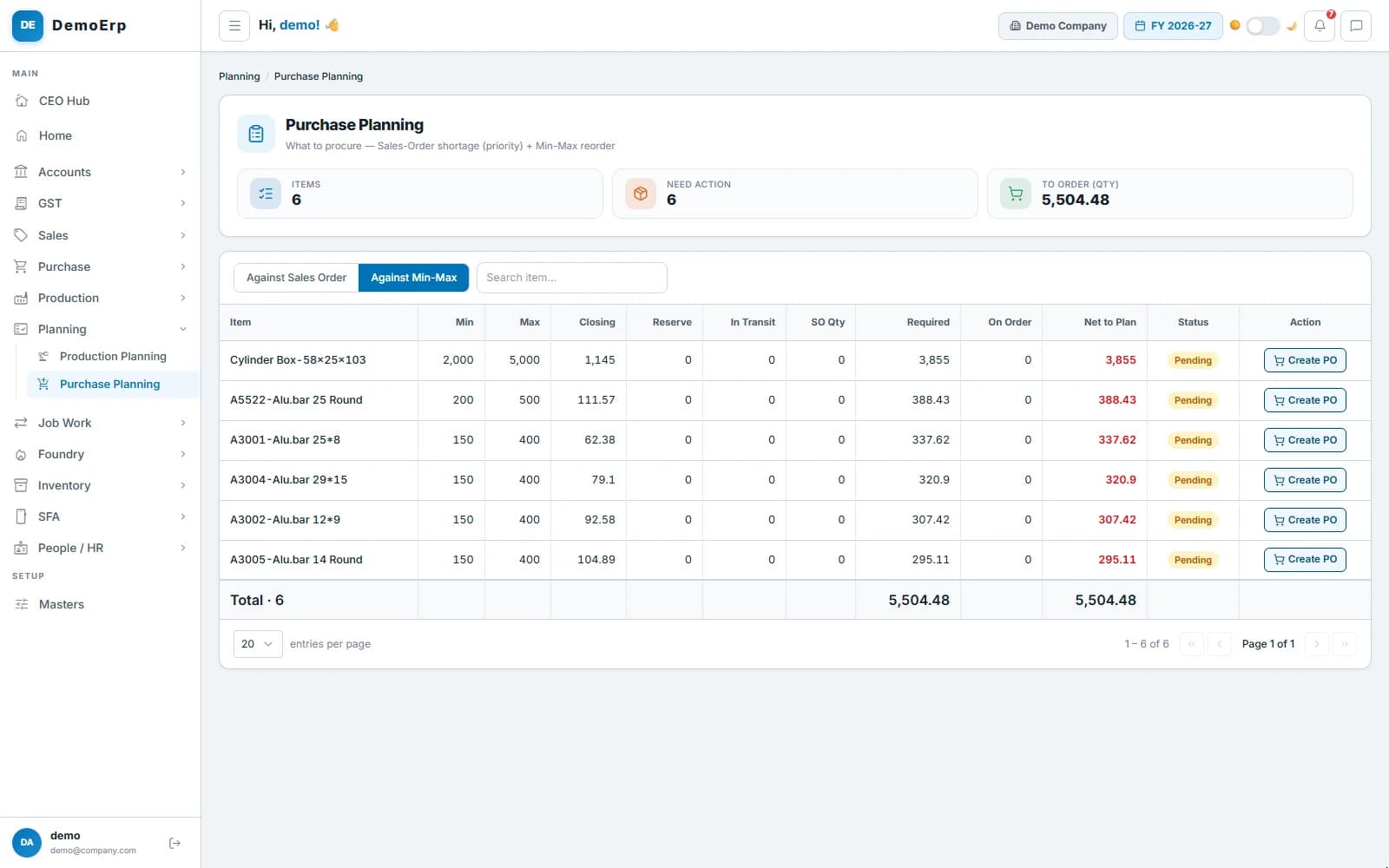 Six items below their minimum stock, and how much of each to order.
- Shortages against open sales orders come first.
- Items below their minimum, with the quantity that brings them back to their maximum.
- Stock already on order or in transit is taken off.
- Create a PO from any line, or tick many items and get one draft PO for each supplier.
- step 2 of 6
Raise a PO, get it approved
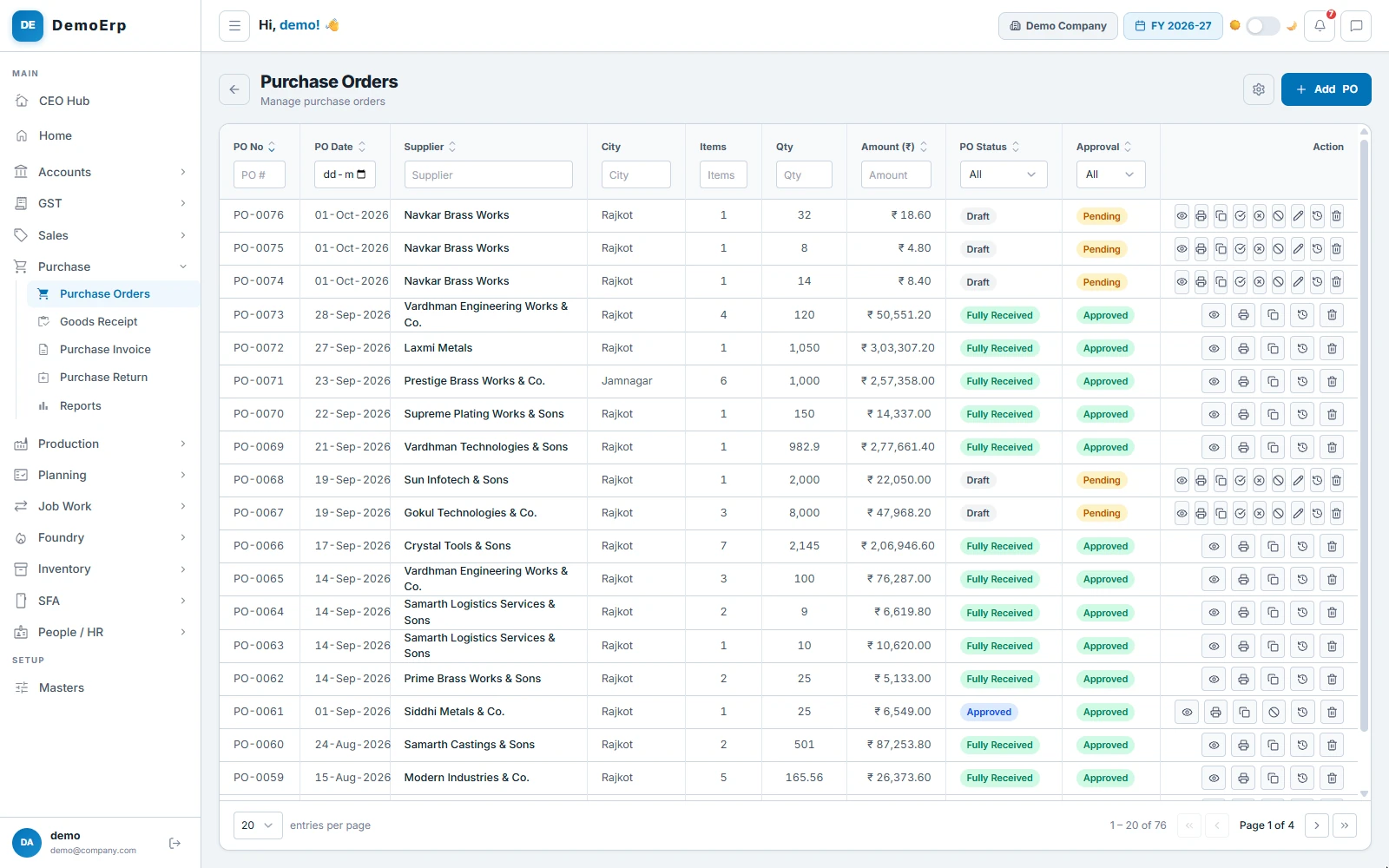
A purchase order carries the rates, delivery dates and terms. It waits in the approvals inbox, and goods are received only against an approved PO.
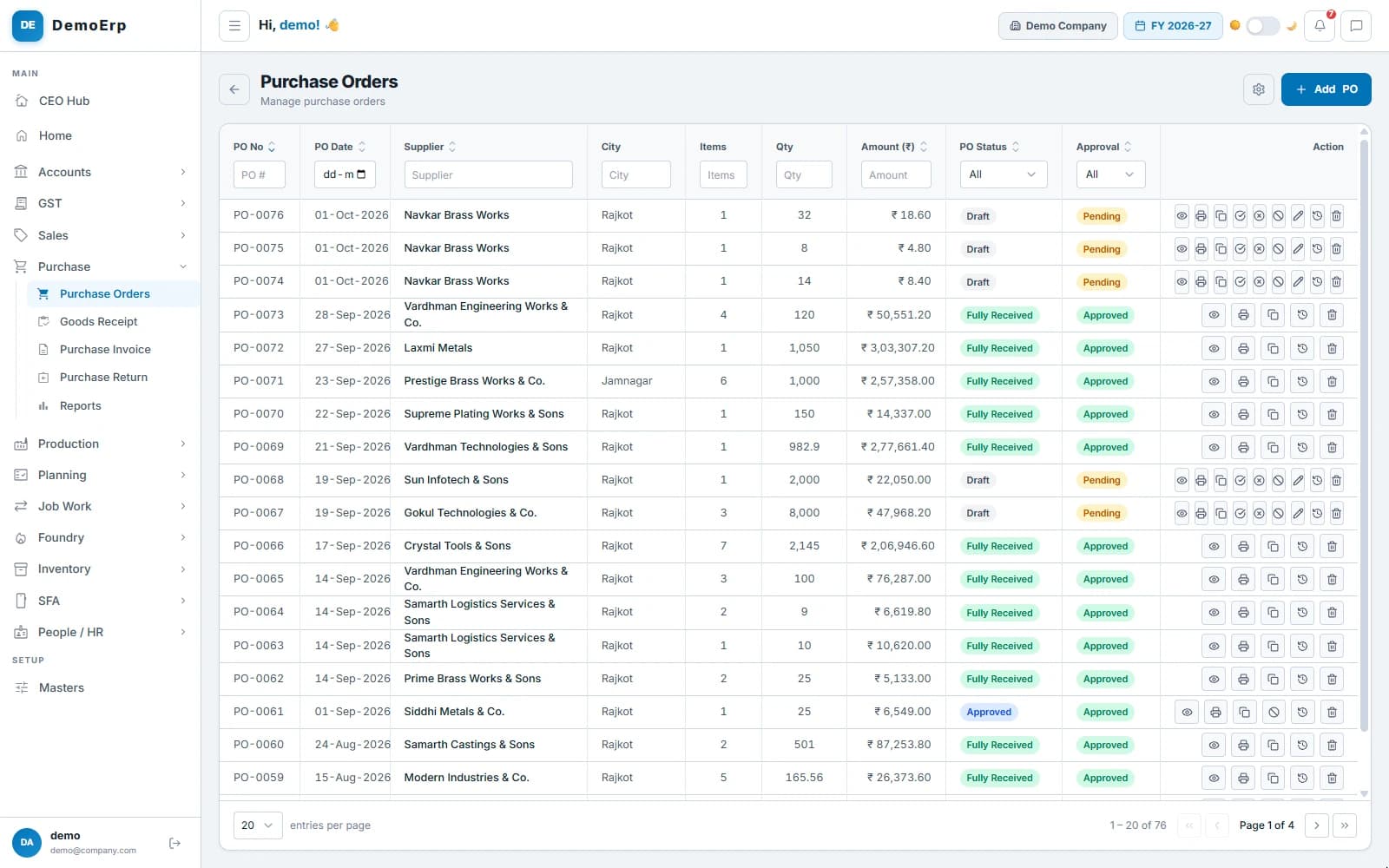 PO-0072 for ₹3.03 L from Laxmi Metals: approved, then received in full.
- The last 10 rates paid, the stock in each store and what is already on order, beside each line.
- A delivery date for each line, or a schedule in lots.
- An order that takes an item over its maximum stock is warned about or stopped, as you choose.
- Short close what will not come, and see every change to a PO in its history.
- step 3 of 6
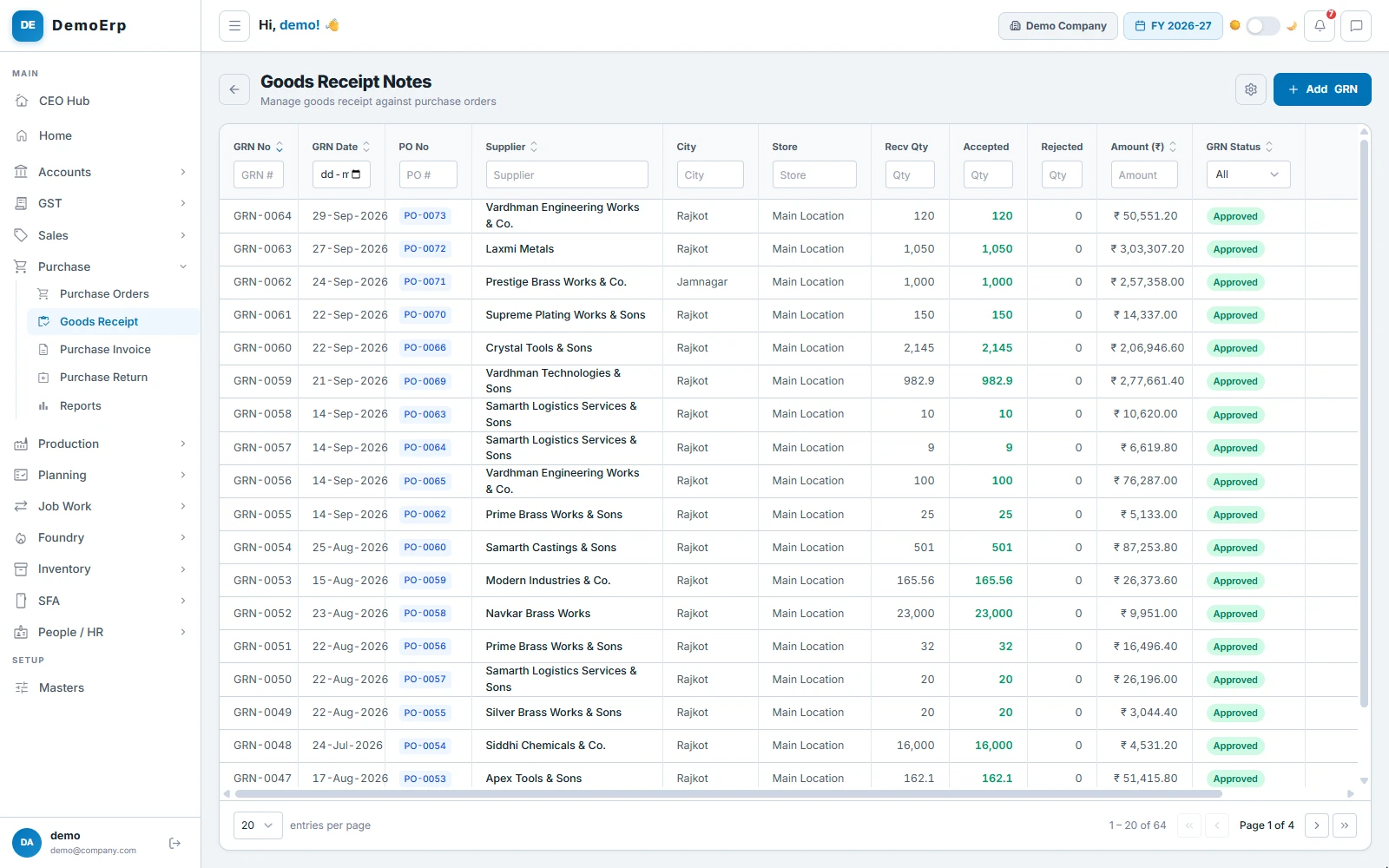
Receive the goods against the PO
Every receipt is made against an approved PO, so nothing comes in that was not ordered. Pieces you reject are counted and sent back.
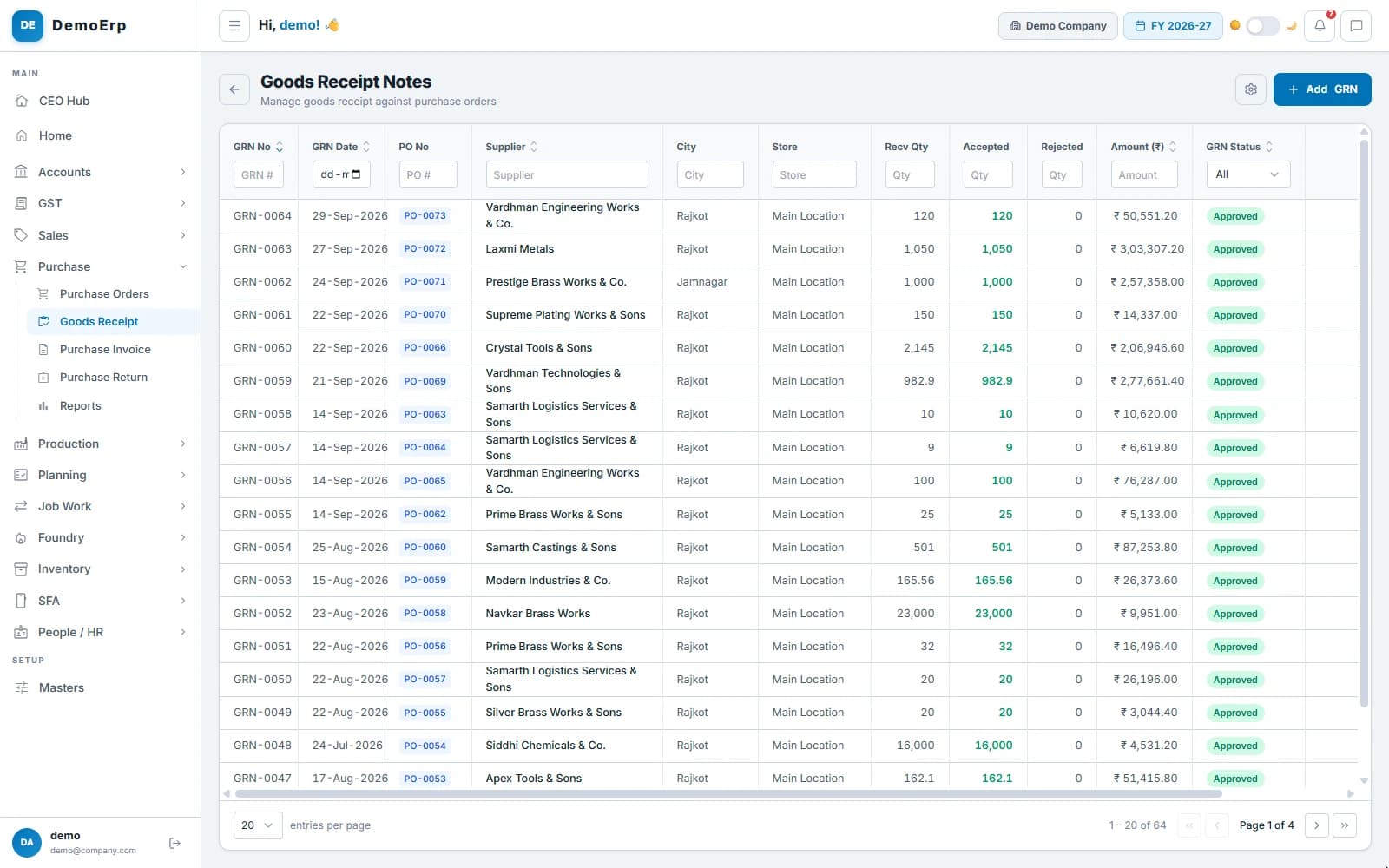 GRN-0063 received all 1,050 of PO-0072 into the main store, with none rejected.
- Receive in part or in full, and the PO shows what is still to come.
- Accepted and rejected quantity on each line, and the store it goes into.
- The supplier's challan and bill number, the transporter and the LR, noted on the receipt.
- Rejected goods go back on a purchase return, with an e-way bill when needed.
- step 4 of 6
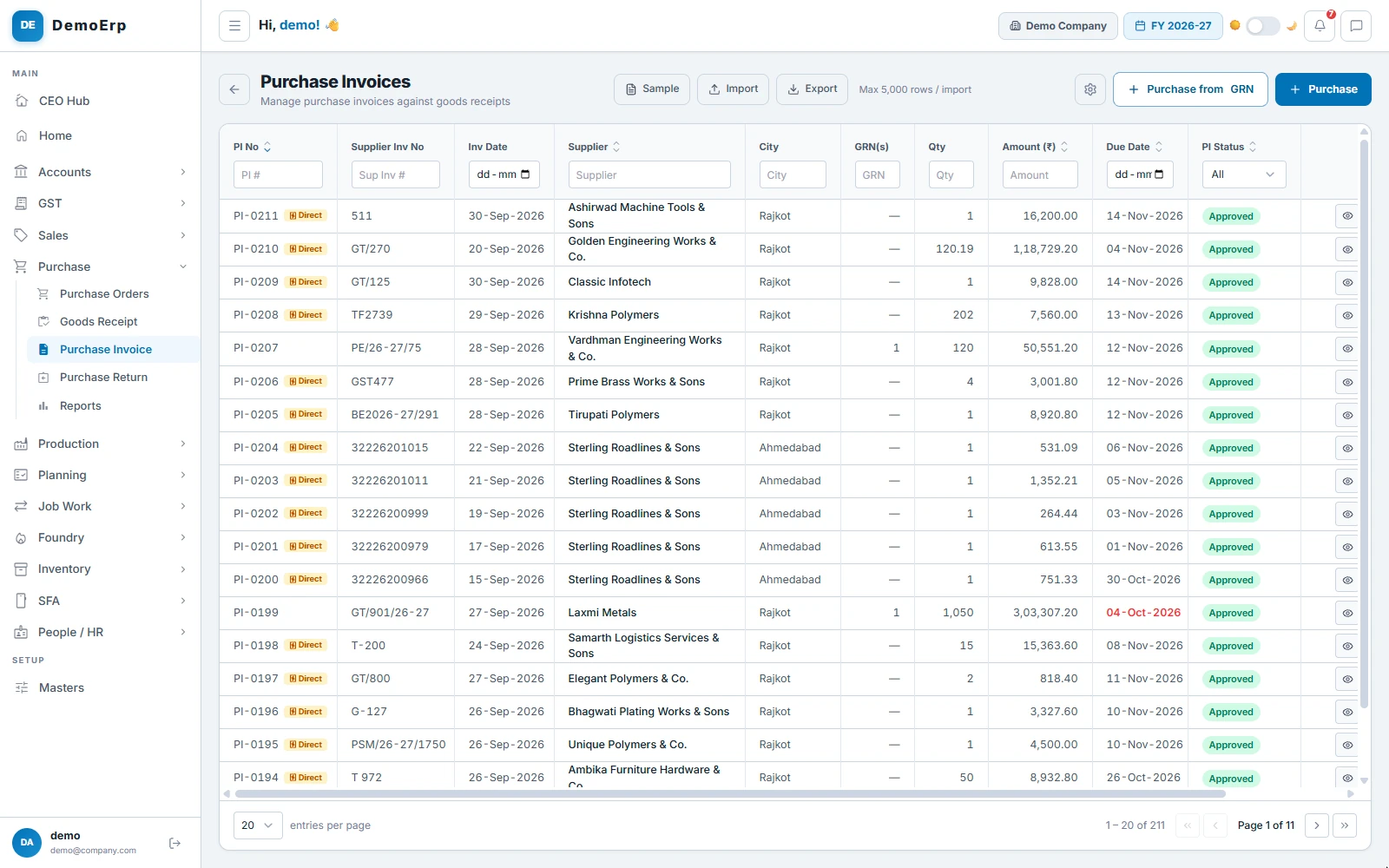
Book the bill from the receipt
The bill is made from the receipt, so you pay only for what you accepted. When it is approved, the input GST and TDS go to your books.
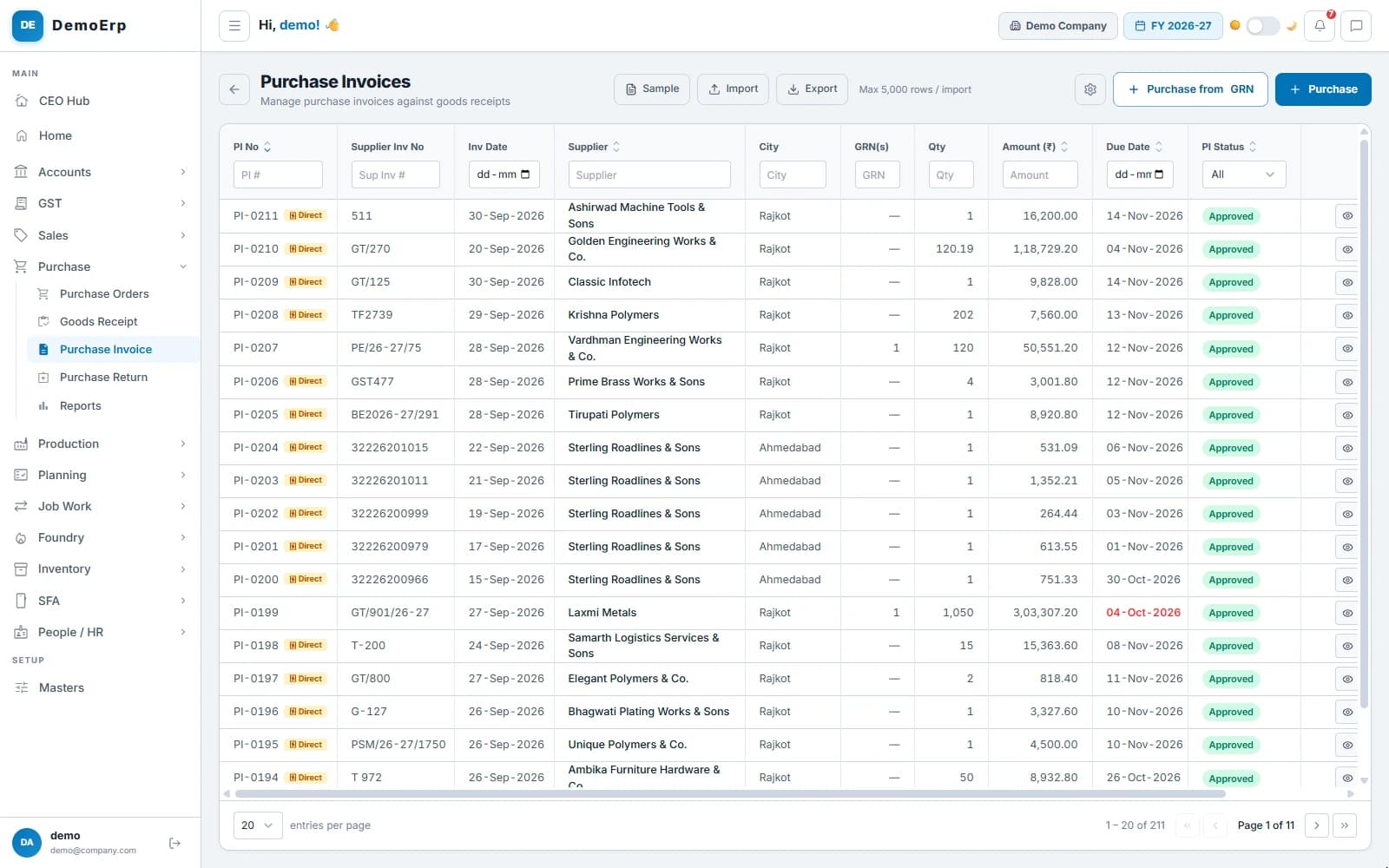 PI-0199 bills GRN-0063: ₹3.03 L from Laxmi Metals, due on 4 October.
- Bills from receipts, or direct bills for services and expenses.
- Only accepted quantity can be billed, and only once.
- Input GST, reverse charge and TDS, worked out from the supplier's details.
- Bills are matched with GSTR-2B, and a bill missing from your books can be entered from it.
- step 5 of 6
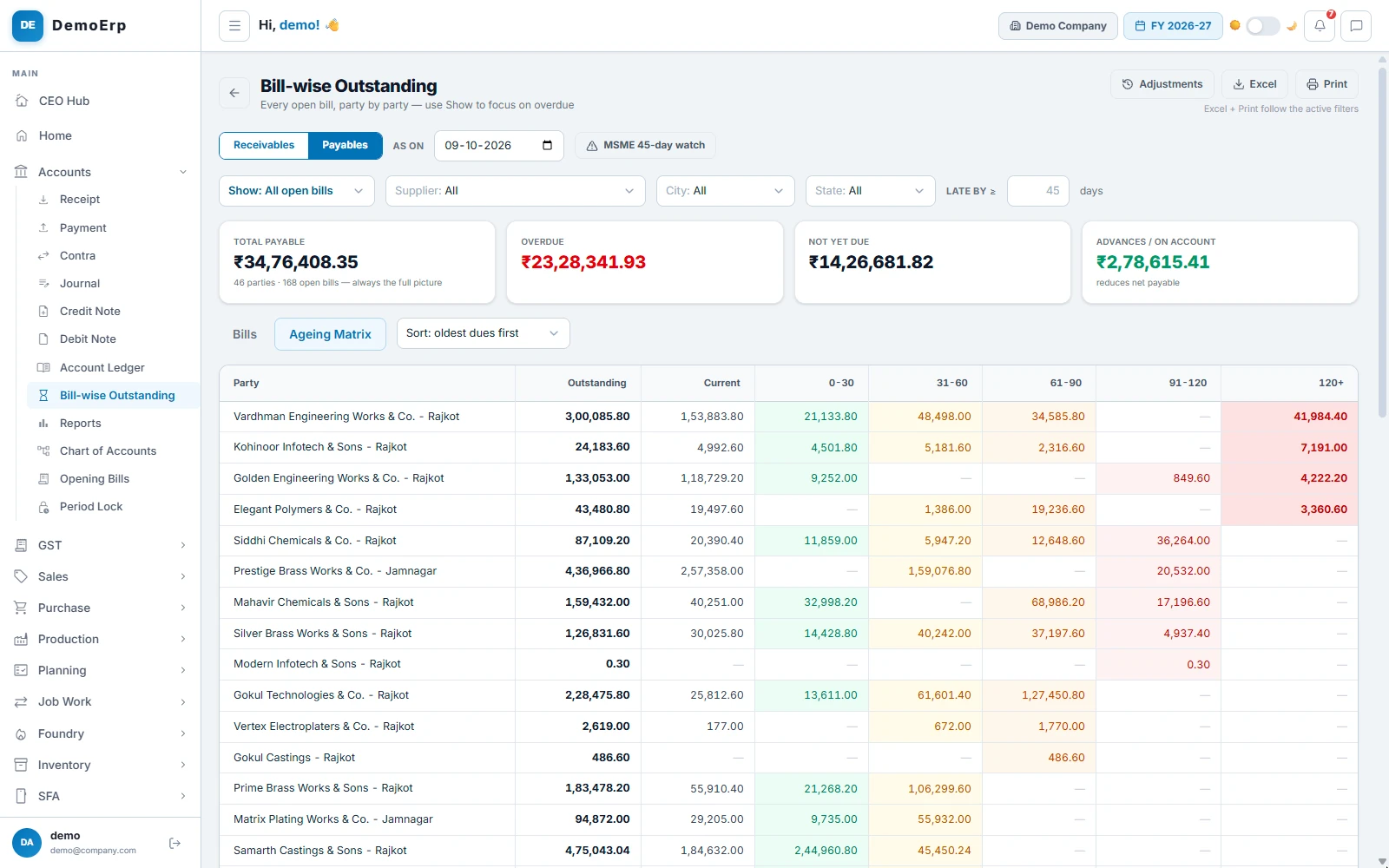
Pay every supplier on time
Every open bill, supplier by supplier and by age, so you see what is overdue and what falls due next.
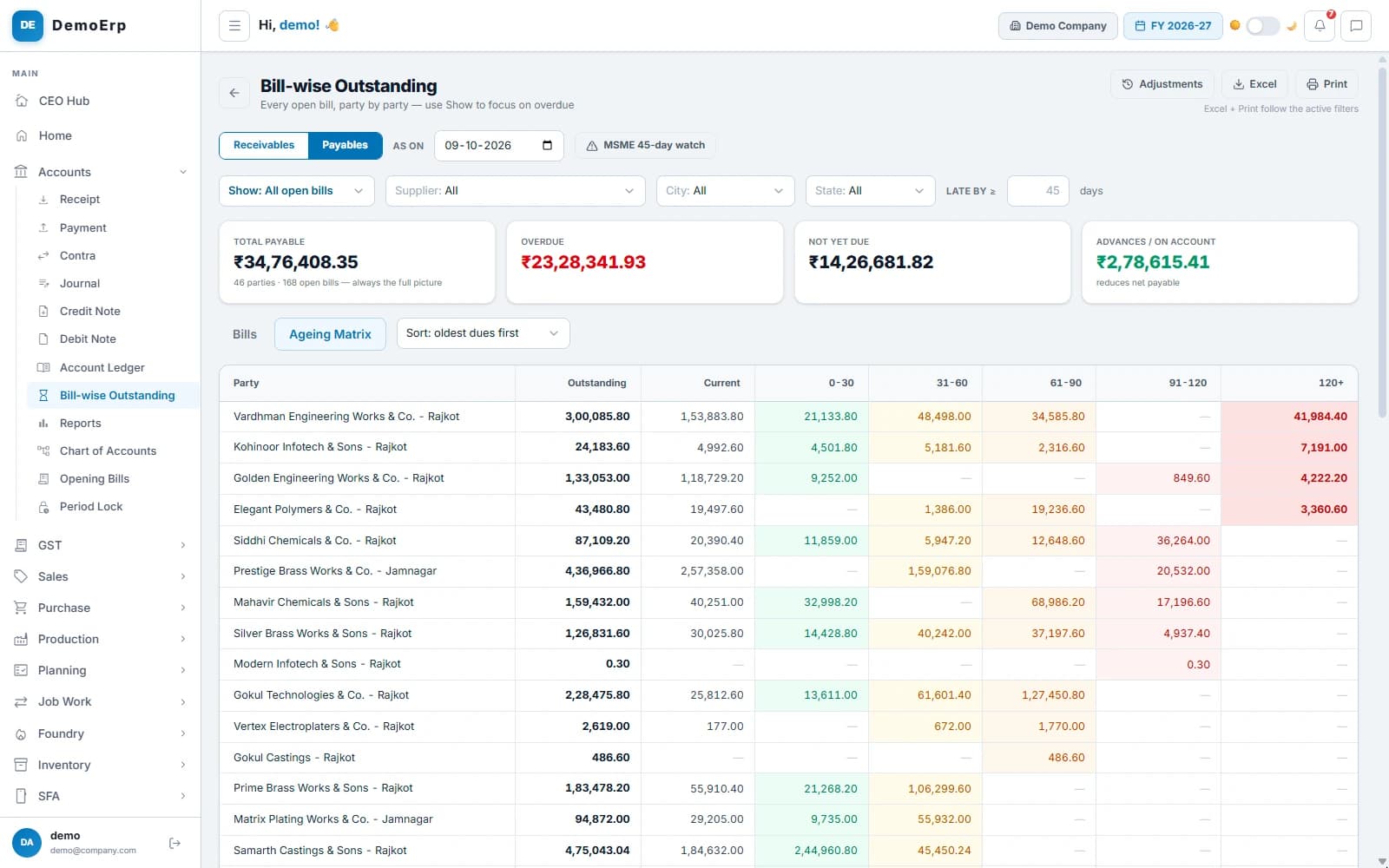 ₹34.76 L owed to 46 suppliers, ₹23.28 L of it overdue, with the age of each amount.
- What you owe each supplier, bill by bill, with the days each bill is late.
- An ageing matrix, from not yet due to over 120 days.
- A watch on MSME suppliers' bills as they near the 45-day limit.
- Payments by NEFT, RTGS, cheque or UPI, set against each bill, with TDS.
- step 6 of 6
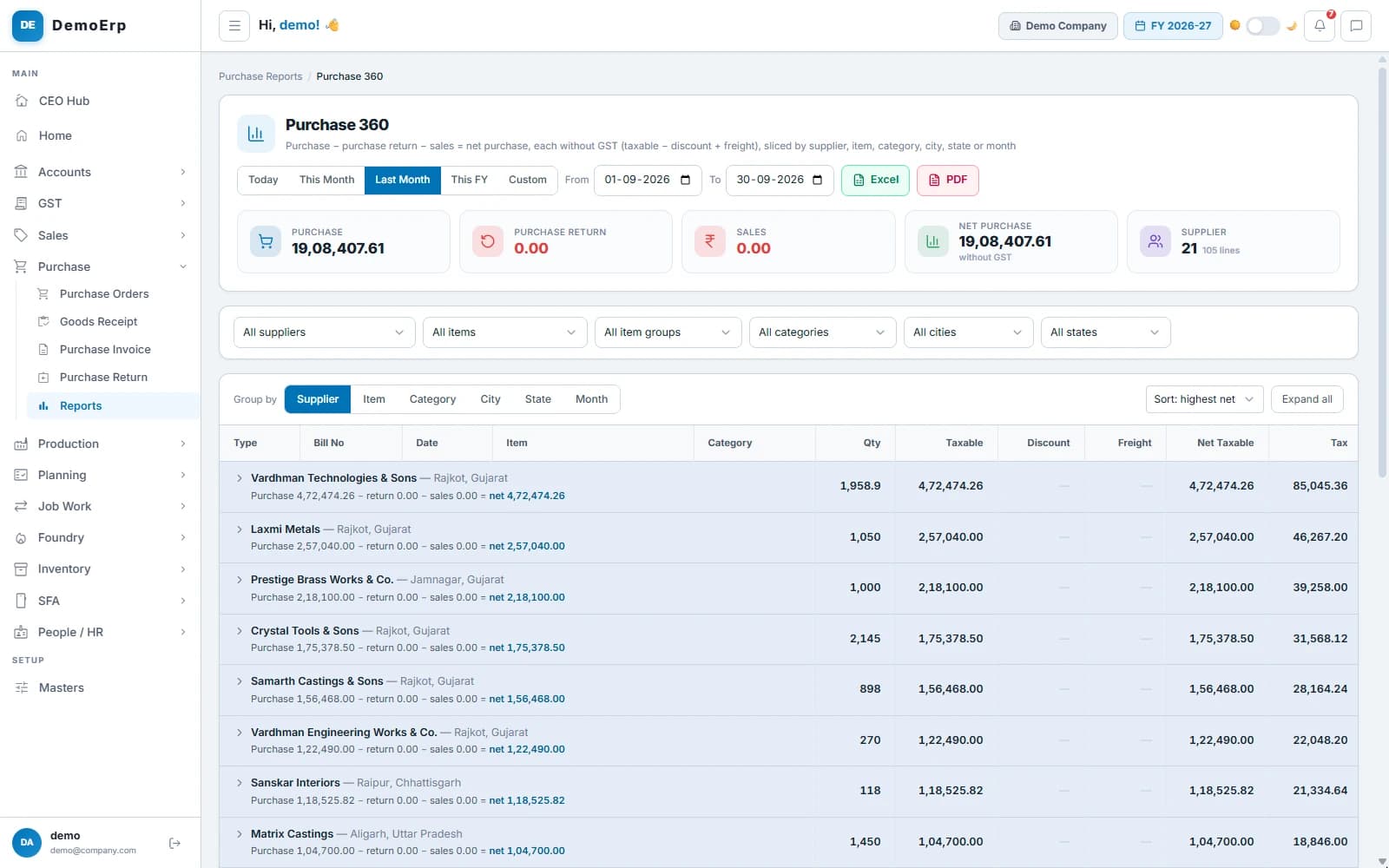
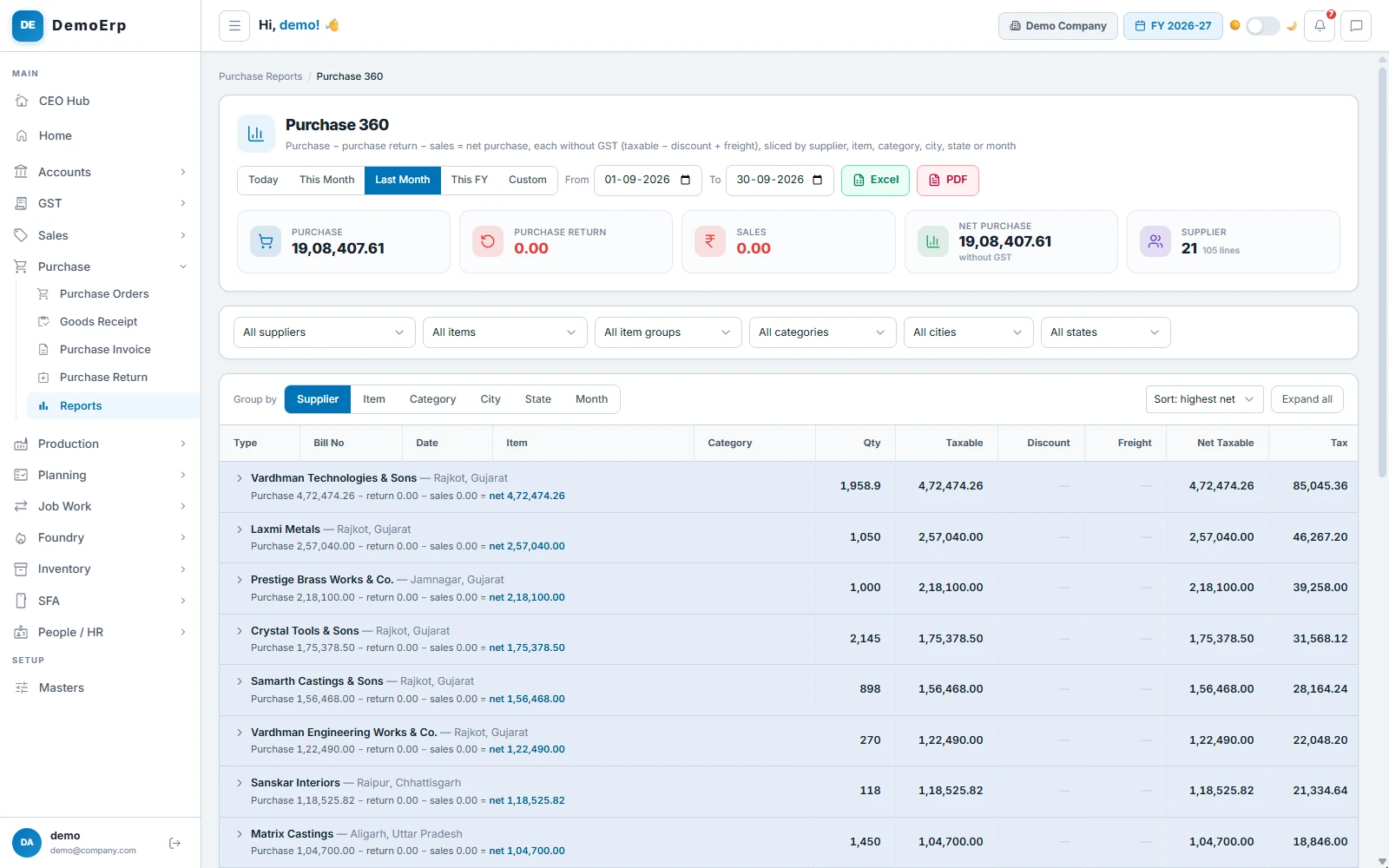
See what you buy, and from whom
Your purchases added up, less returns, by supplier, item, category, city or month, with every bill a click away.
September: ₹19.08 L bought from 21 suppliers, the largest first.- Net purchase by supplier, item, group, category, city, state or month.
- Open a supplier to see every bill behind the total.
- Approved POs still to come, with their pending quantity, value and days late.
- A bill-by-bill purchase register with the tax split.
Everything in Purchase.
- Purchase planning from sales orders
- Reorder from min and max levels
- Draft POs for many items at once
- PO approval in one inbox
- Last rates and stock on every line
- Delivery schedule for each line
- Max stock check on a PO
- Short close and PO history
- Goods receipt against the PO
- Accepted and rejected quantity
- Purchase returns with e-way bill
- Bills from receipts or direct
- Input GST and reverse charge
- TDS from the supplier's details
- GSTR-2B matching
- Supplier master with GSTIN lookup
- MSME 45-day watch on payables
- Payables by age
- Payments set against bills
- Pending PO report
- Purchase register
- Purchase 360 by supplier and item
Every module is in one plan, and they all work on the same data.
Questions about Stebly Purchase.
How does Stebly Purchase know what to buy?
Can goods come in without a purchase order?
Are purchase bills matched with GSTR-2B?
Does it warn about the MSME payment limit?
See what to buy, before you run short.
We walk you through planning, purchase orders, receipts and bills, set around what you buy. Send your item list on WhatsApp and we'll run it on your own data.