
Know your stock, in every store.
In Stebly Inventory, stock moves only on a document: a receipt, an issue, a transfer or a challan. Every item shows where its stock went, every store shows what it holds, and you see what has stopped moving.
- Stock in every store, valued
- Barcode and QR labels
- Dead stock found for you
Real Stebly screens, shown with demo data.
This page is for you if…
- Stock in the books never matches the store.
- Nobody can say where a missing kilo went.
- Money sits in stock that has not moved for months.
- Boxes go out with handwritten labels, or none.
Used by the stores, the production floor, dispatch and the owner.
How stock is kept right in Stebly, in 6 steps.
Real Stebly screens, with the demo company's numbers.
- step 1 of 6
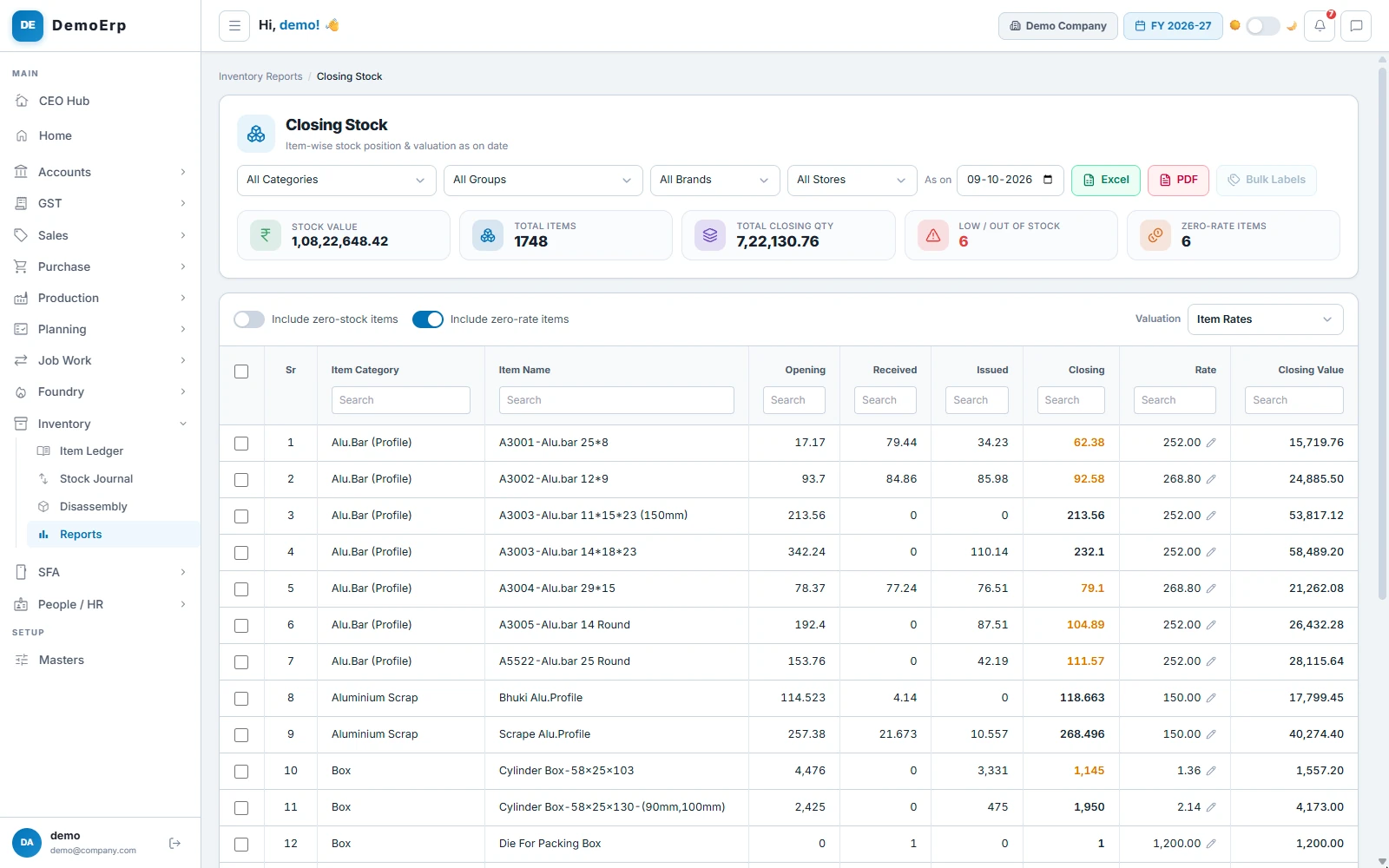
See your stock and its value
Every item's stock in each store, on any date, with its value at the rate you choose.
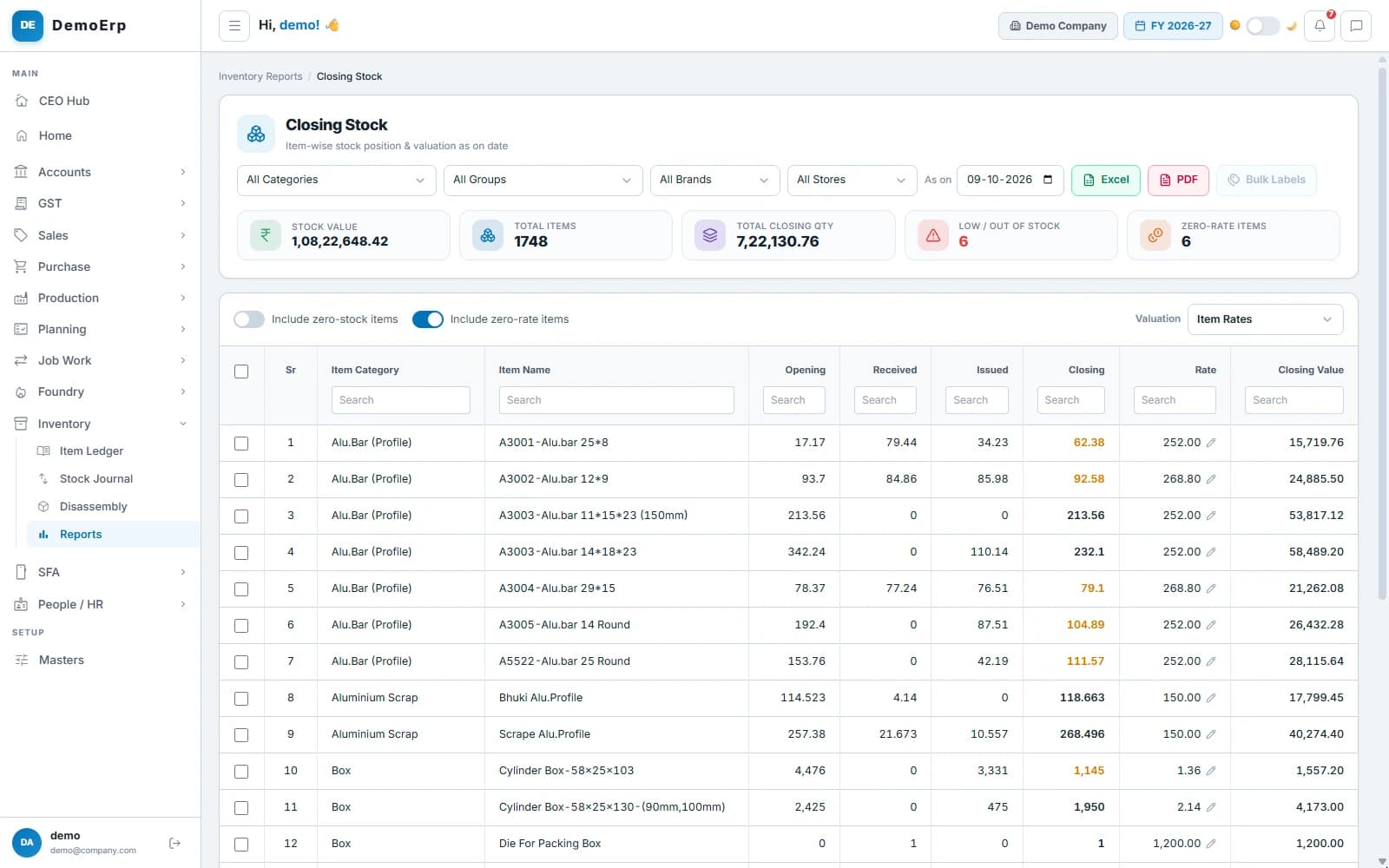 ₹1.08 Cr of stock across 1,748 items, with 6 low or out of stock.
- Stock on any date, by category, group, brand or store.
- Valued at item rates, weighted average or FIFO.
- Items below their minimum, and items with no rate, flagged at the top.
- Export to Excel or PDF, or print labels for the items you tick.
- step 2 of 6
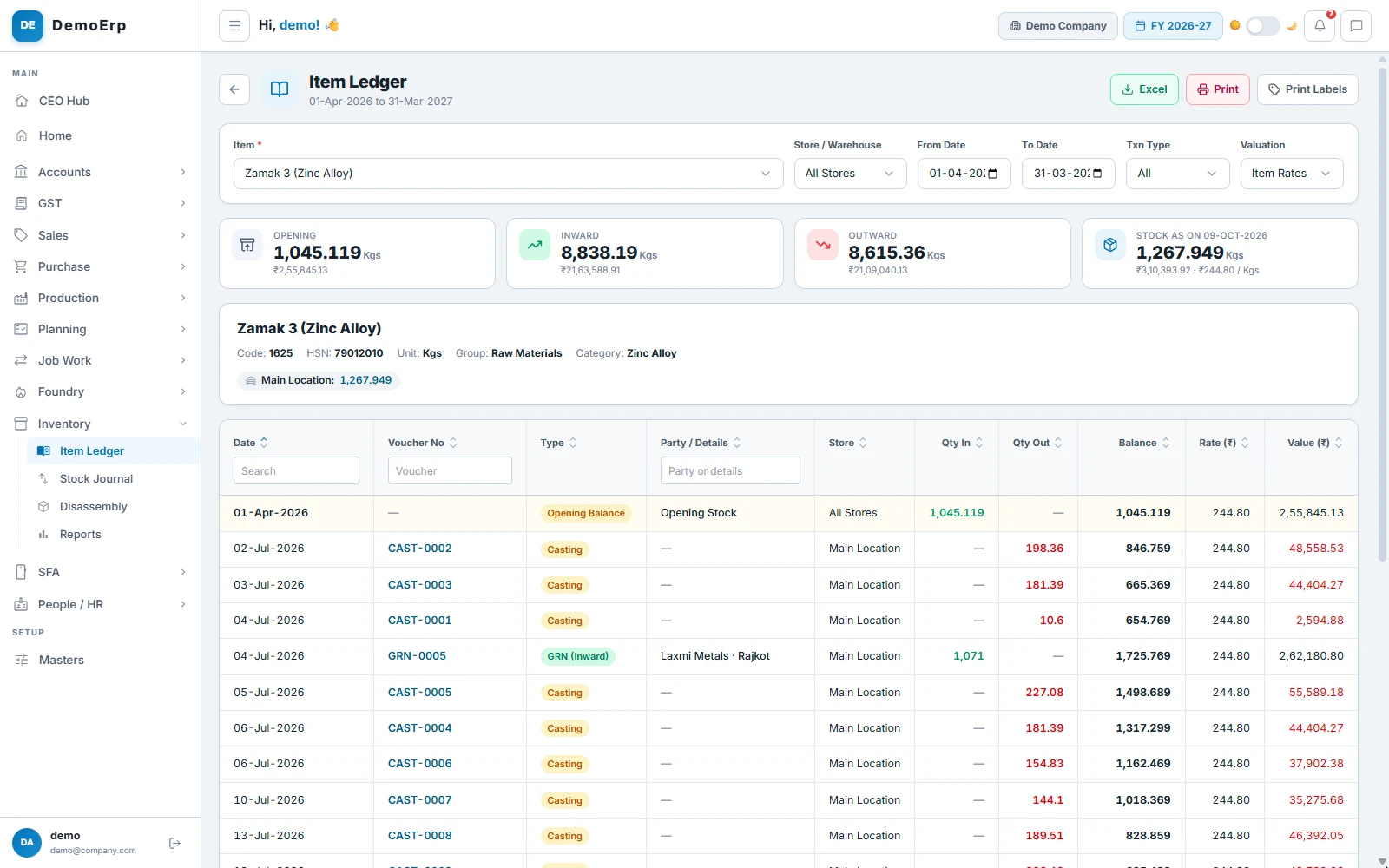
Trace every item, in and out
Each item has one ledger: every receipt, issue, transfer and challan, with the balance after each and the document behind it.
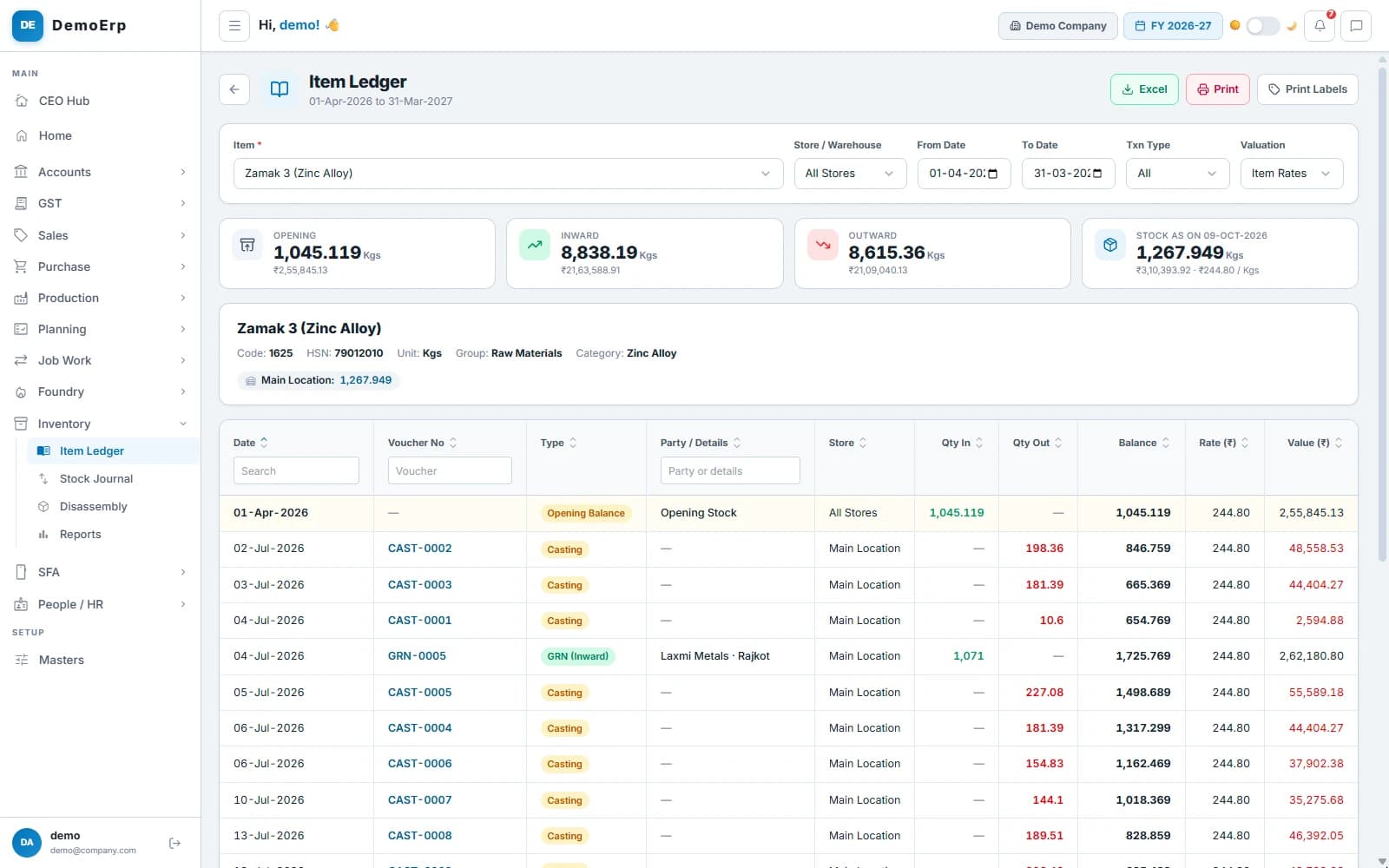 Zamak alloy: 1,071 kg received from Laxmi Metals, then issued to casting, with the balance after each.
- Every movement with its document, its store and the balance after it.
- Open the document behind any line with one click.
- The item's rack, minimum, maximum and stock in each store, on its card.
- Pick dates, a store or a type of movement, and export to Excel.
- step 3 of 6
Move stock between stores
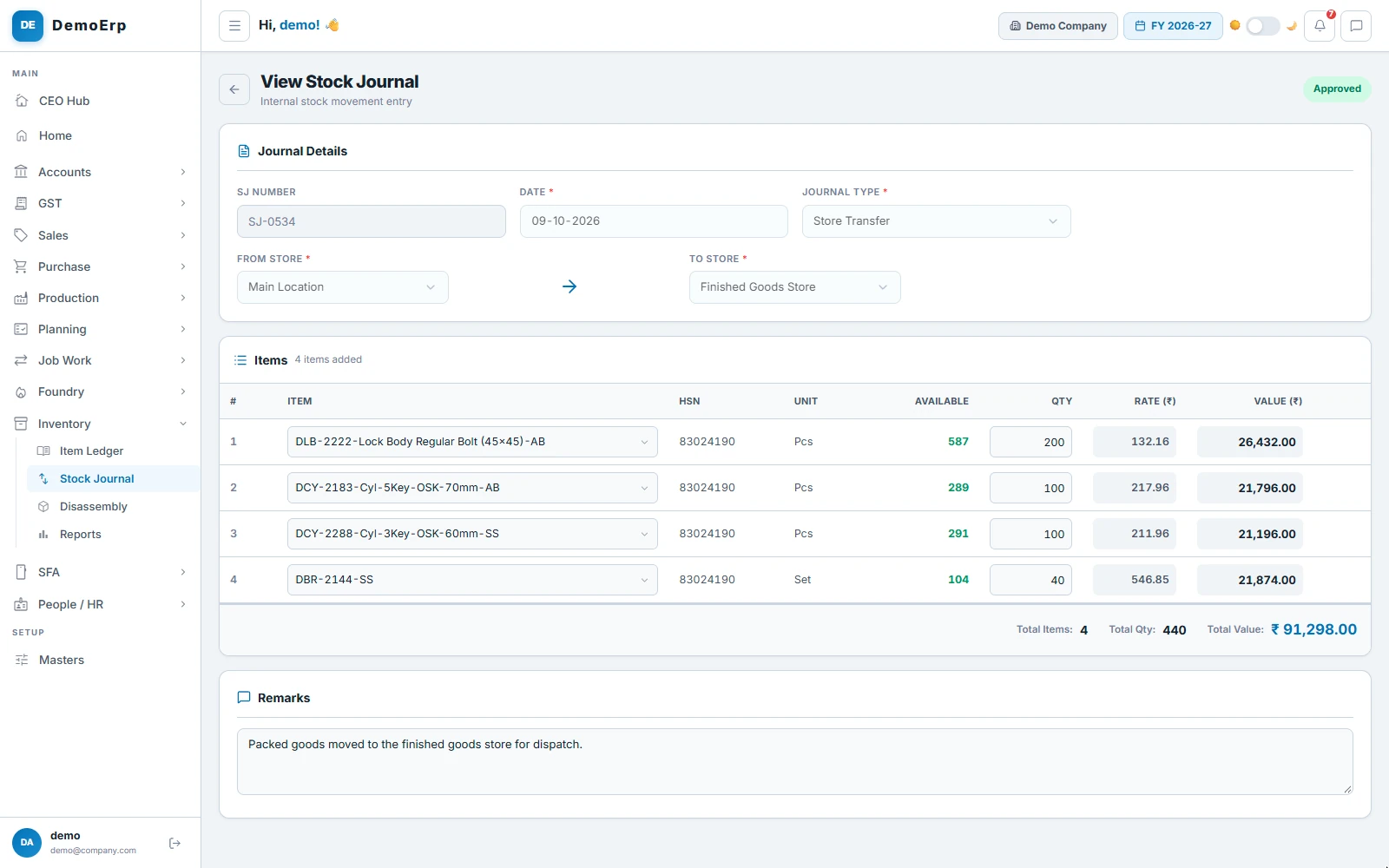
Transfers, adjustments and material issued to the floor go through one journal, so no stock moves without a record.
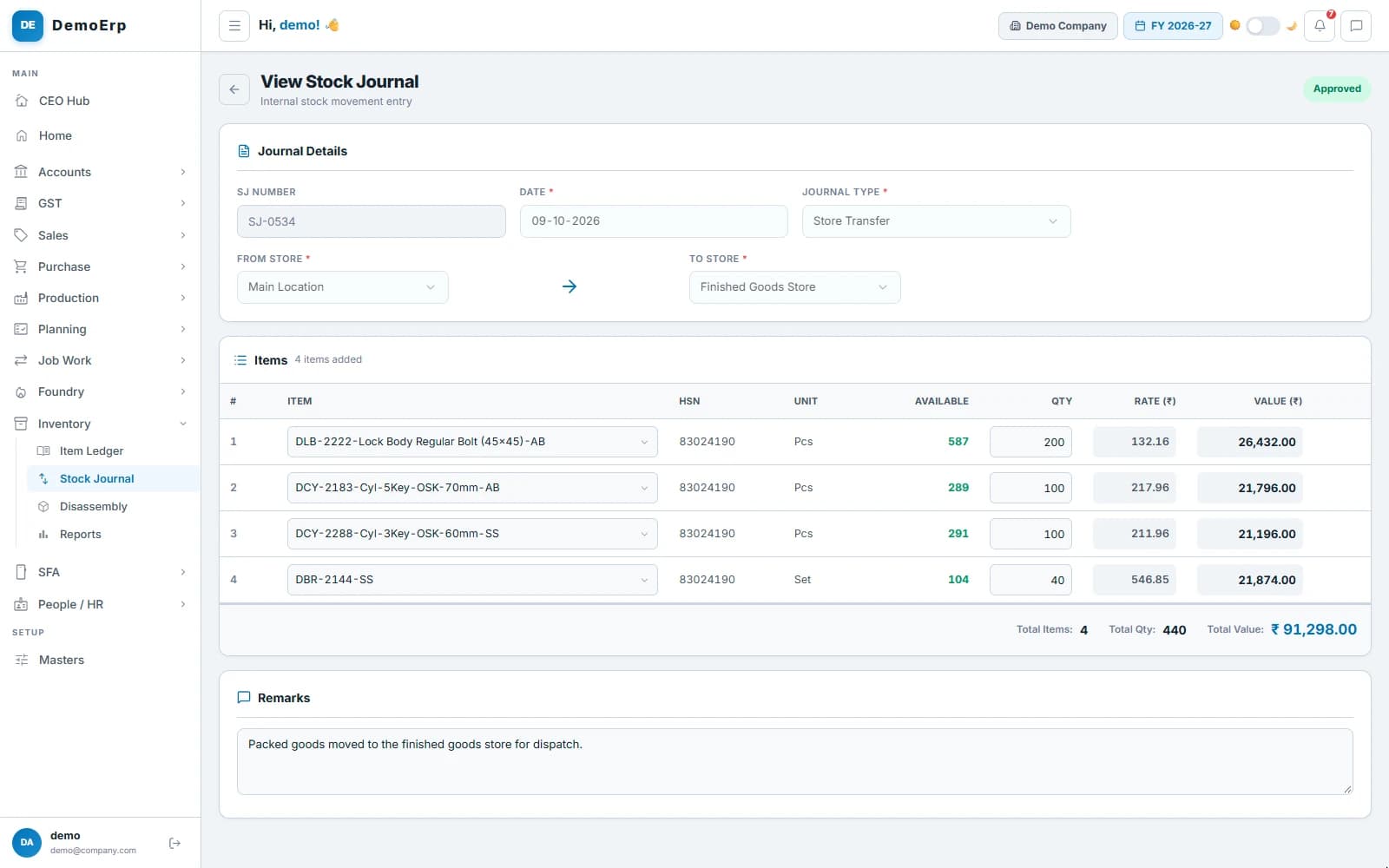 SJ-0534: 440 pieces moved from the main store to the finished goods store, approved.
- Move stock from one store to another, with what is available beside each item.
- Adjust stock up or down when a count is off, with a note.
- Issue material to a department or process, raised from a phone on the floor.
- Each journal waits for approval, and none can take a store below zero.
- step 4 of 6
Label every box with a barcode
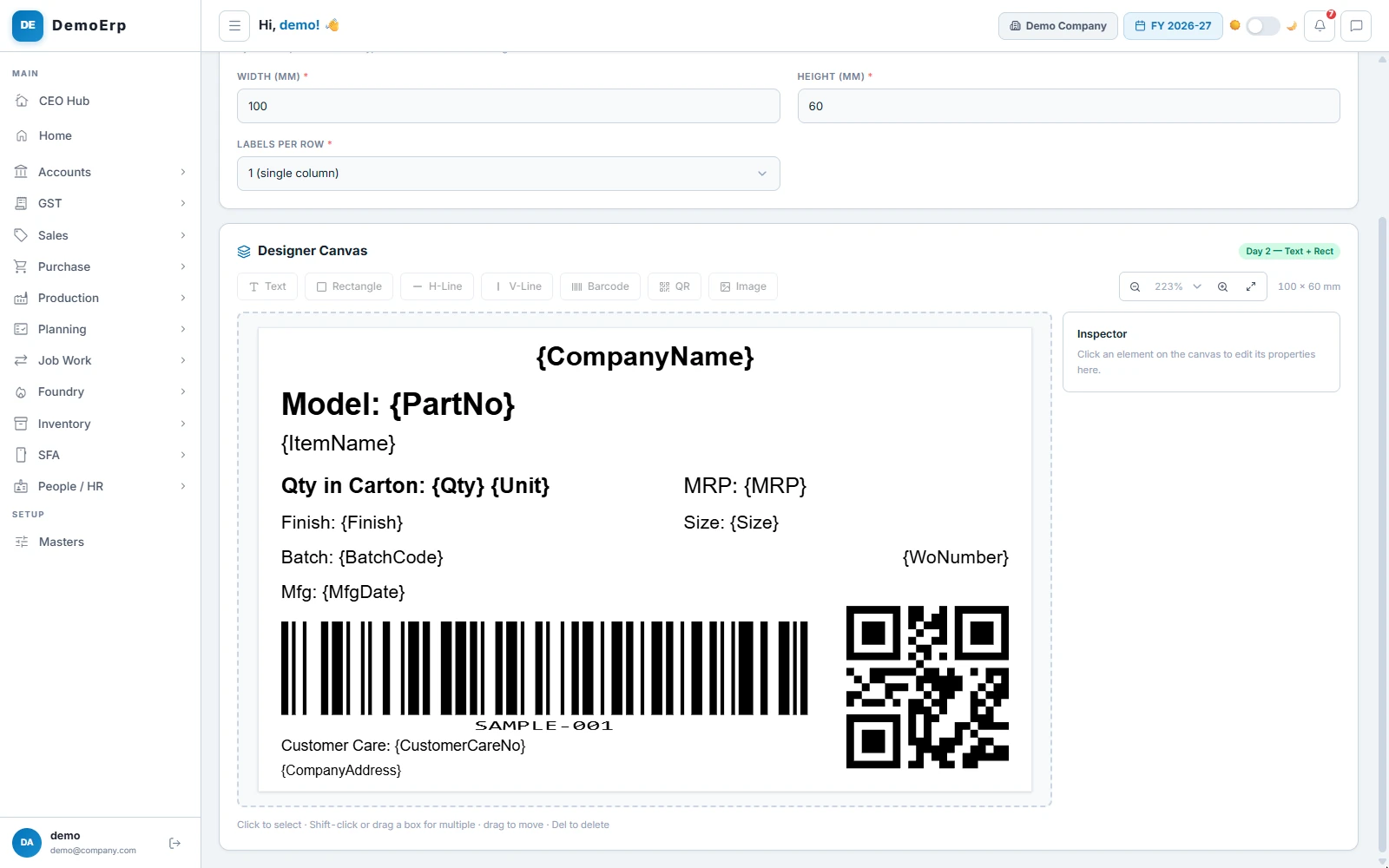
Design your own labels for boxes and cartons, with a barcode and a QR code, and print them on your thermal printer.
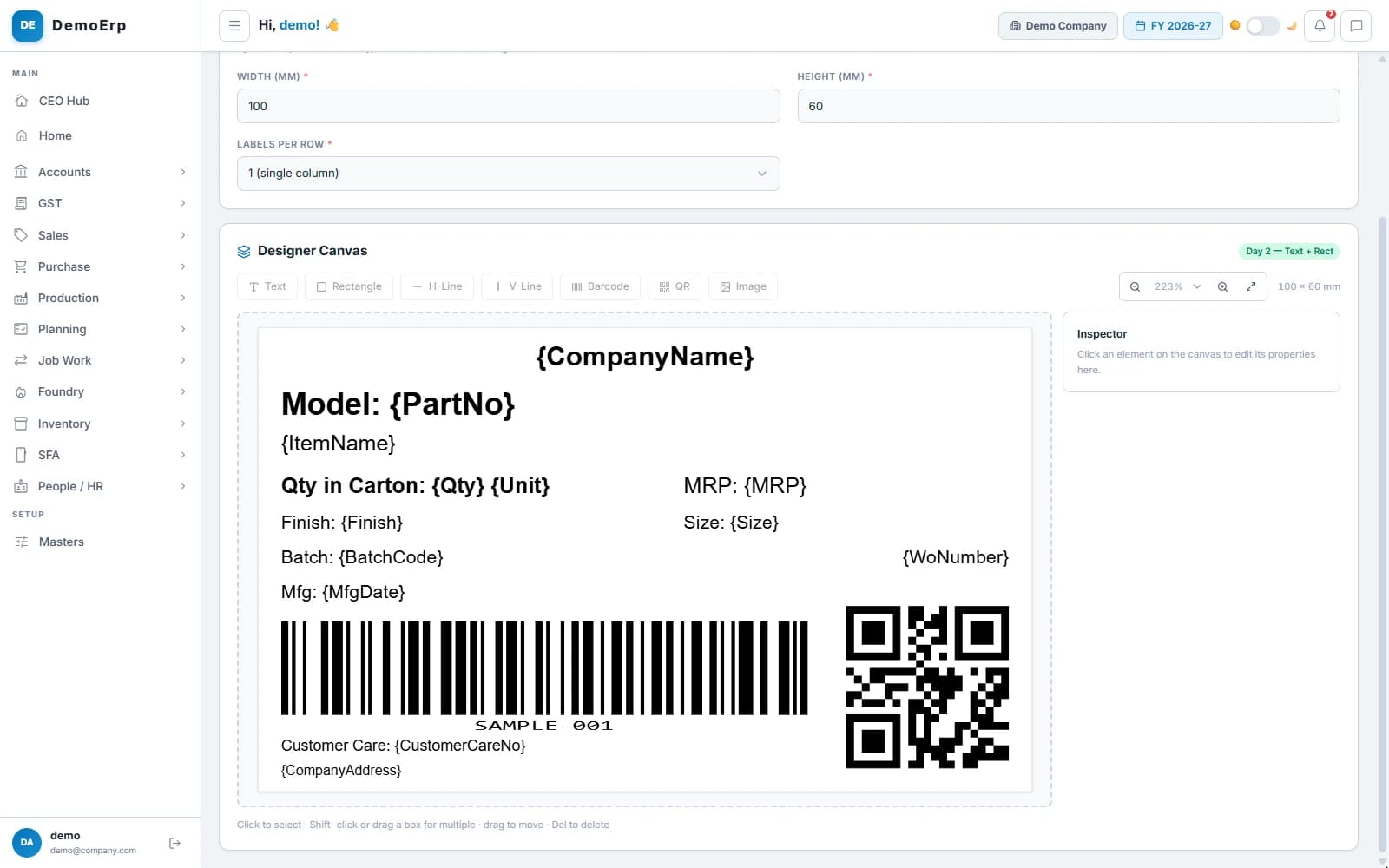 A carton label with the item, quantity, MRP and batch, and a barcode and a QR code.
- Design labels in mm, with text, lines, your logo, a barcode and a QR code.
- Templates for the single box, the master box and the carton.
- Print for one item, for many at once, or for a production lot with its batch number.
- With scanning on, a challan cannot be approved until every box is scanned.
- step 5 of 6
Count the stock on the floor
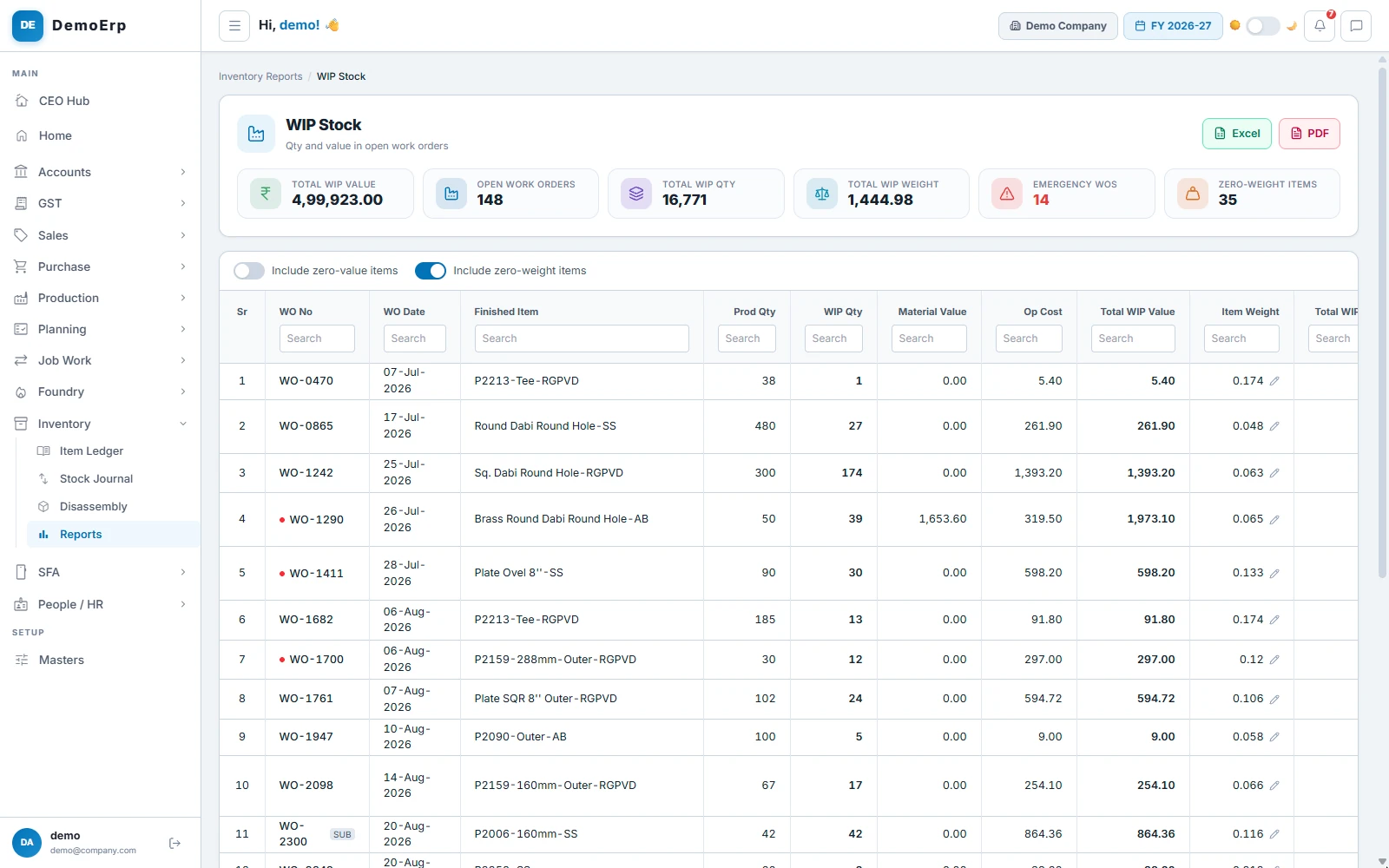
Material in open work orders is stock too. See what each order holds, and what it is worth.
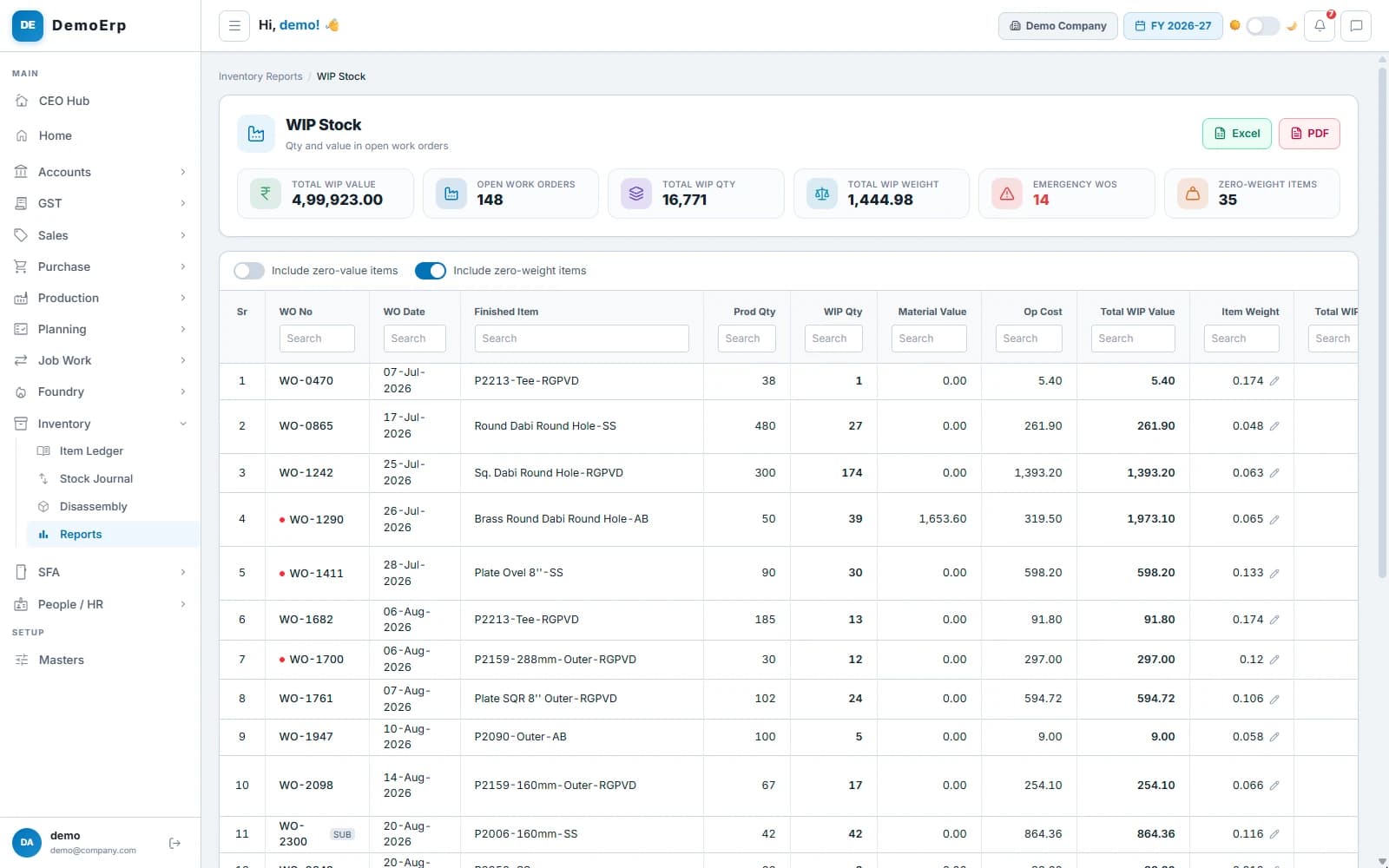 148 open work orders hold 16,771 pieces worth ₹5.00 L; 14 are emergency orders.
- Quantity, material value and the cost of work done, for each open work order.
- The stage each order has reached, and its weight on the floor.
- Emergency orders marked in red.
- Totals for the whole floor, in Excel or PDF.
- step 6 of 6
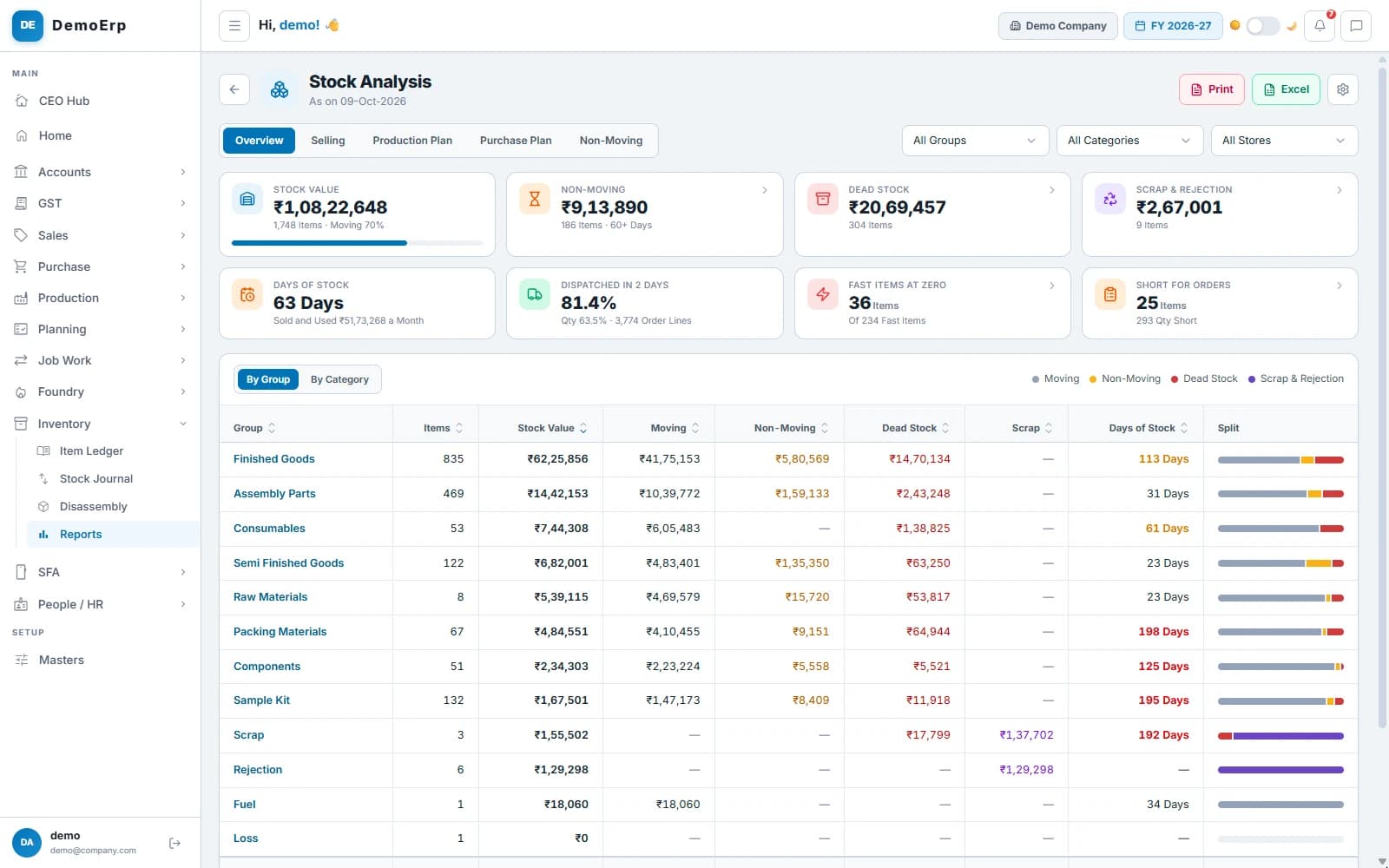
Find the stock that does not move
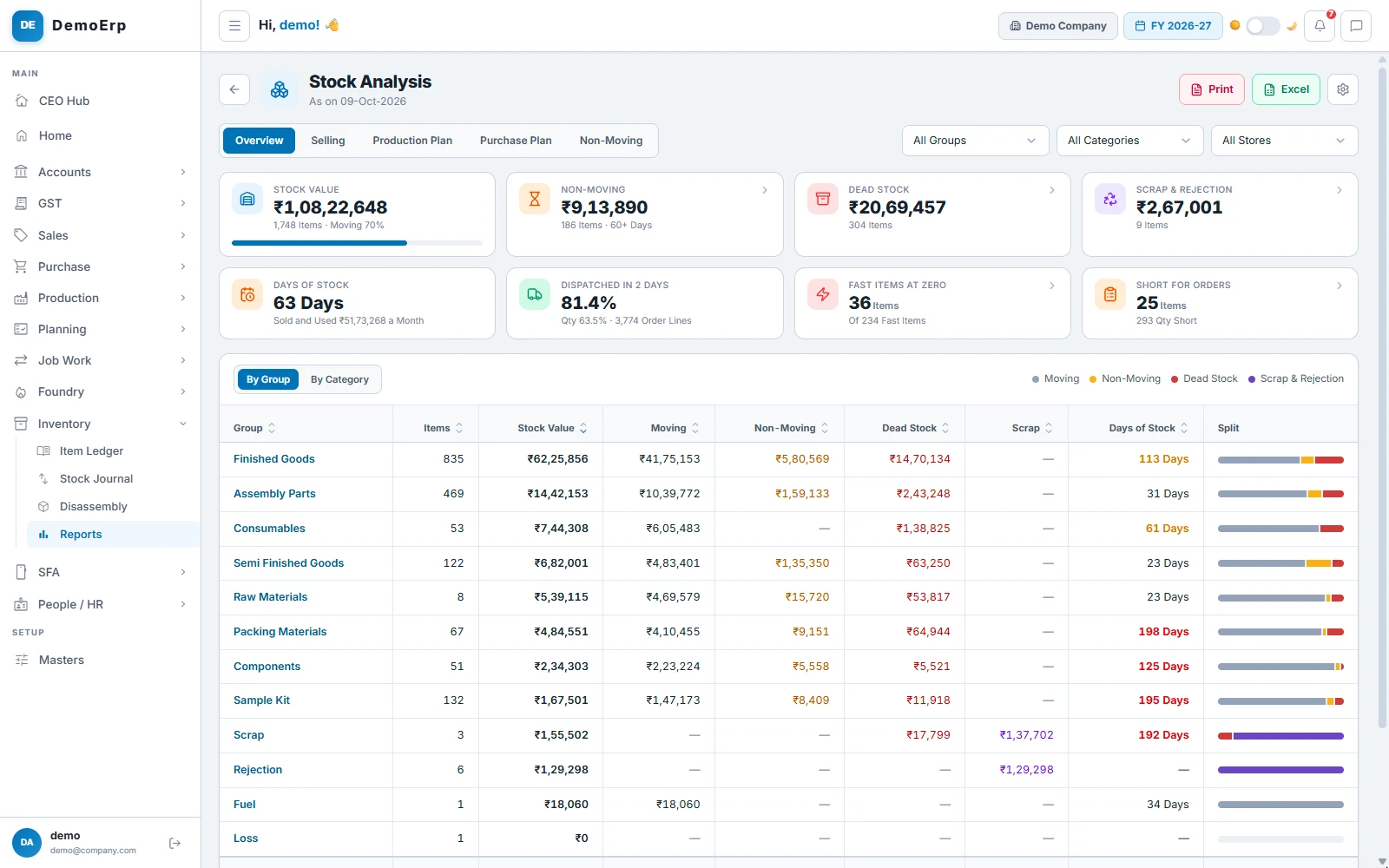
Every item is sorted as moving, non-moving, dead or scrap, with its value, so you see where money is stuck.
₹1.08 Cr of stock, 63 days' worth: ₹9.14 L has not moved in 60 days, and ₹20.69 L is dead.- Each item marked moving, non-moving, dead or scrap, with its value.
- Idle for 30, 60, 90 or 180 days, with its last sale, use and receipt.
- Days of stock, fast items at zero, and items short for open orders.
- Plans to make or buy from the last 13 weeks' sales, turned into draft orders.
Everything in Inventory.
- Stock in every store
- Closing stock on any date
- Item rates, weighted average or FIFO
- Low stock and zero-rate items flagged
- A ledger for every item
- Rack, min and max on each item
- Store transfers
- Stock adjustments
- Material issued to departments
- Approval for every journal
- Disassembly of returned goods
- Stock reserved for sales orders
- Label designer
- Barcode and QR labels
- Box, master box and carton labels
- Printing on thermal printers
- Scan check at dispatch
- WIP stock in open work orders
- Moving, non-moving and dead stock
- Days of stock
- Stock lookup from any screen
- Excel and PDF exports
Every module is in one plan, and they all work on the same data.
Questions about Stebly Inventory.
How does Stebly Inventory keep stock right?
Can I print barcode and QR labels?
How is stock valued?
Does it show stock that is not moving?
See your stock, store by store.
We walk you through your stock, its movements, your labels and the stock that has stopped moving, set around what you make. Send your item list on WhatsApp and we'll run it on your own data.