
Reward the people who recommend your products.
Stebly Loyalty puts a QR code on your boxes, and the people who recommend your products scan it to earn points. You set the rules, every scan is checked, and a weekly run gets their UPI payouts ready, with the TDS worked out.
- A QR code on every box
- Points the moment they scan
- UPI payouts with TDS
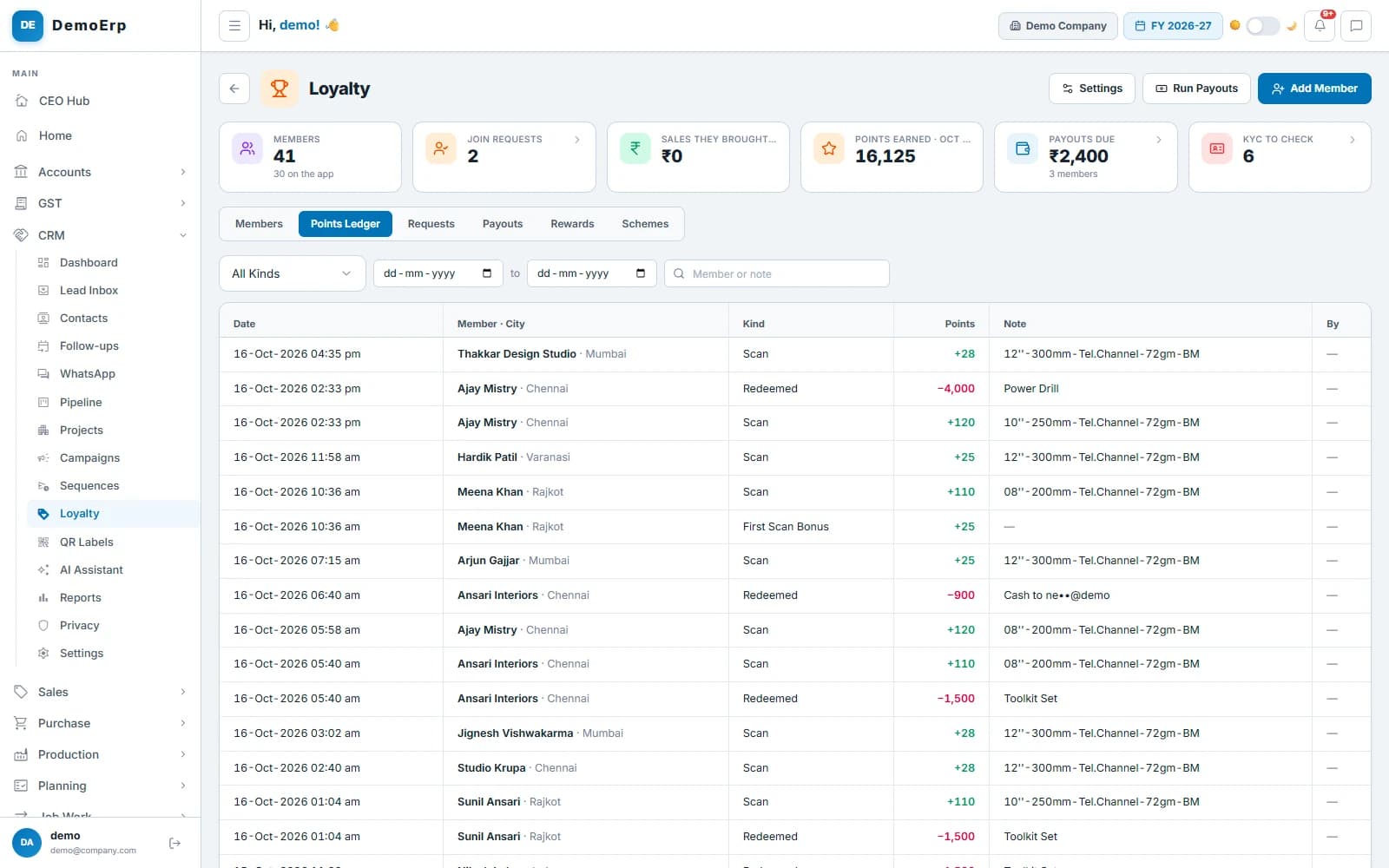
Real Stebly screens, shown with demo data.
This page is for you if…
- The people who recommend your products get nothing back.
- Points are kept in a register or a WhatsApp group.
- You cannot tell a real scan from a copied code.
- Paying rewards means a bank sheet and no TDS record.
Used by the sales office, accounts and the owner.
How a scan turns into a payout, in 6 steps.
Real Stebly screens, with the demo company's numbers.
- step 1 of 6
Your rules, set once
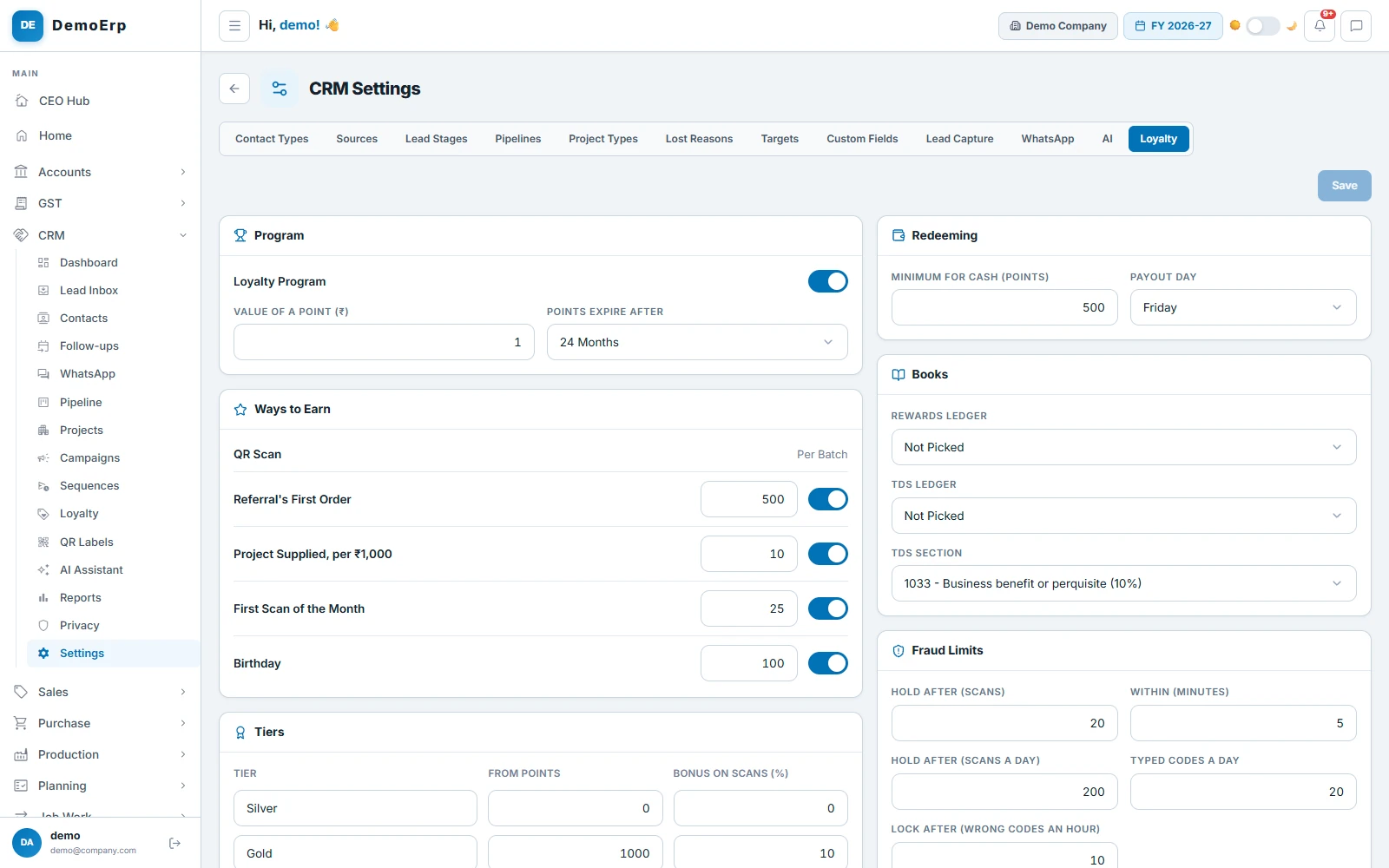
Decide what a point is worth and what earns one: a scan, a referral's first order, the month's first scan or a birthday. Tiers add a bonus on scans for those who do the most.
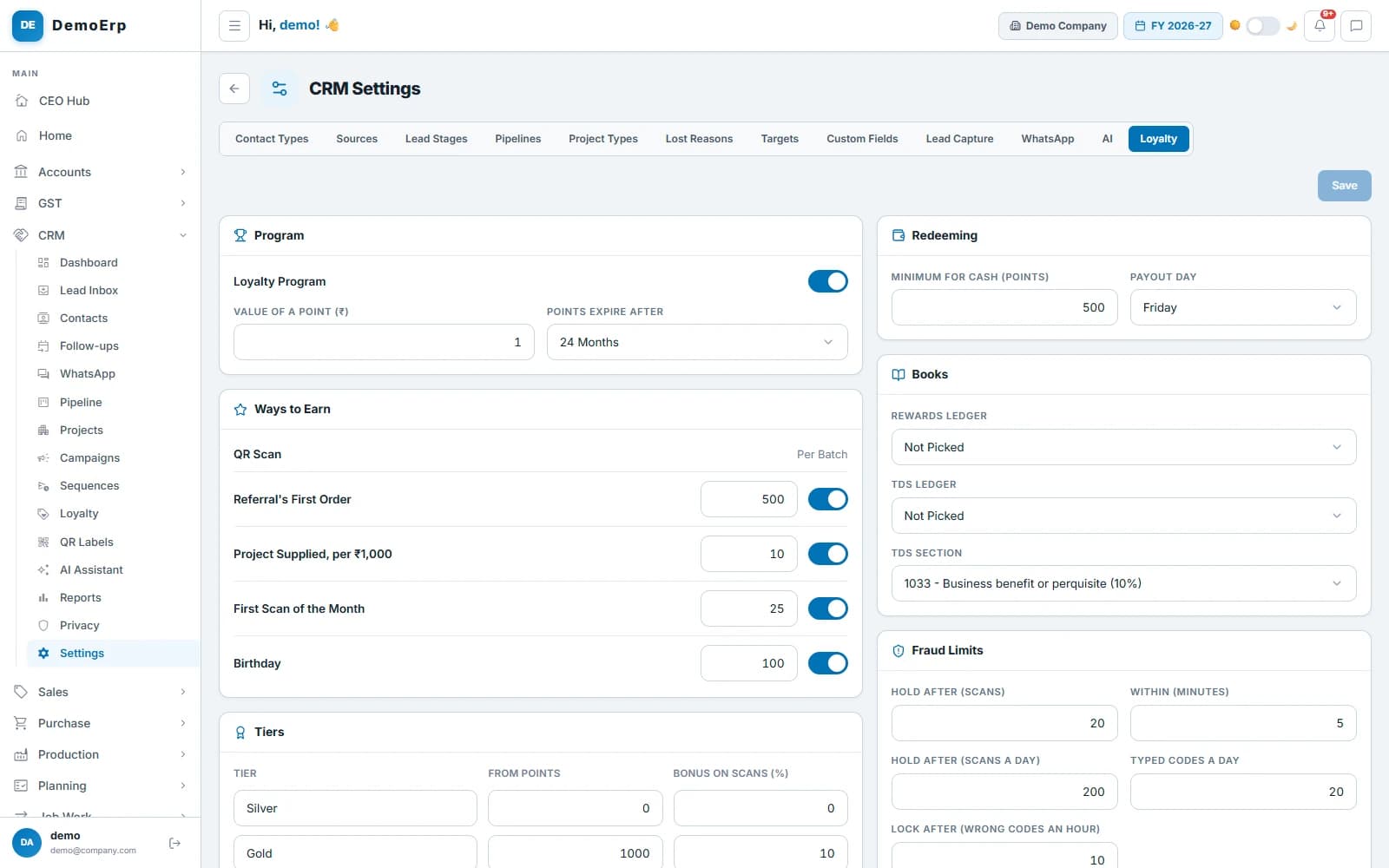 1 point = ₹1, points expire after 24 months, 500 points for a referral's first order, and a payout every Friday.
- 1 point is ₹1 unless you set another value, and points expire after the months you choose.
- Points for a referral's first order, the first scan of a month, a birthday, and supplies to a project they worked on.
- Silver, Gold and Platinum tiers on the last 12 months' points, each with its own bonus on scans.
- Limits that hold a burst of scans for a check, and lock scanning after repeated wrong codes.
- step 2 of 6
A code on every box
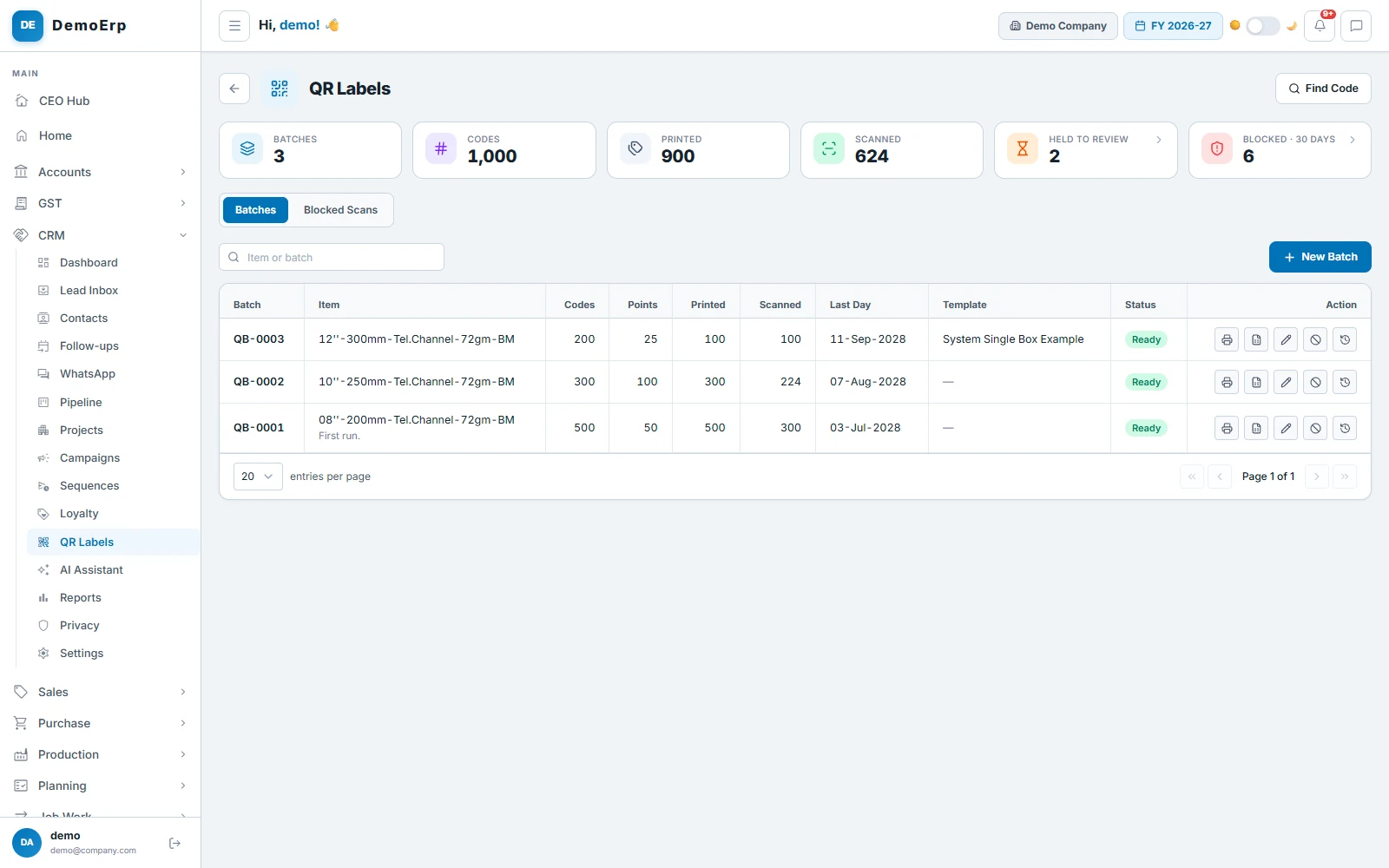
Make QR codes in batches for an item, with the points each one is worth. Print them on your labels, or send the codes to your printer.
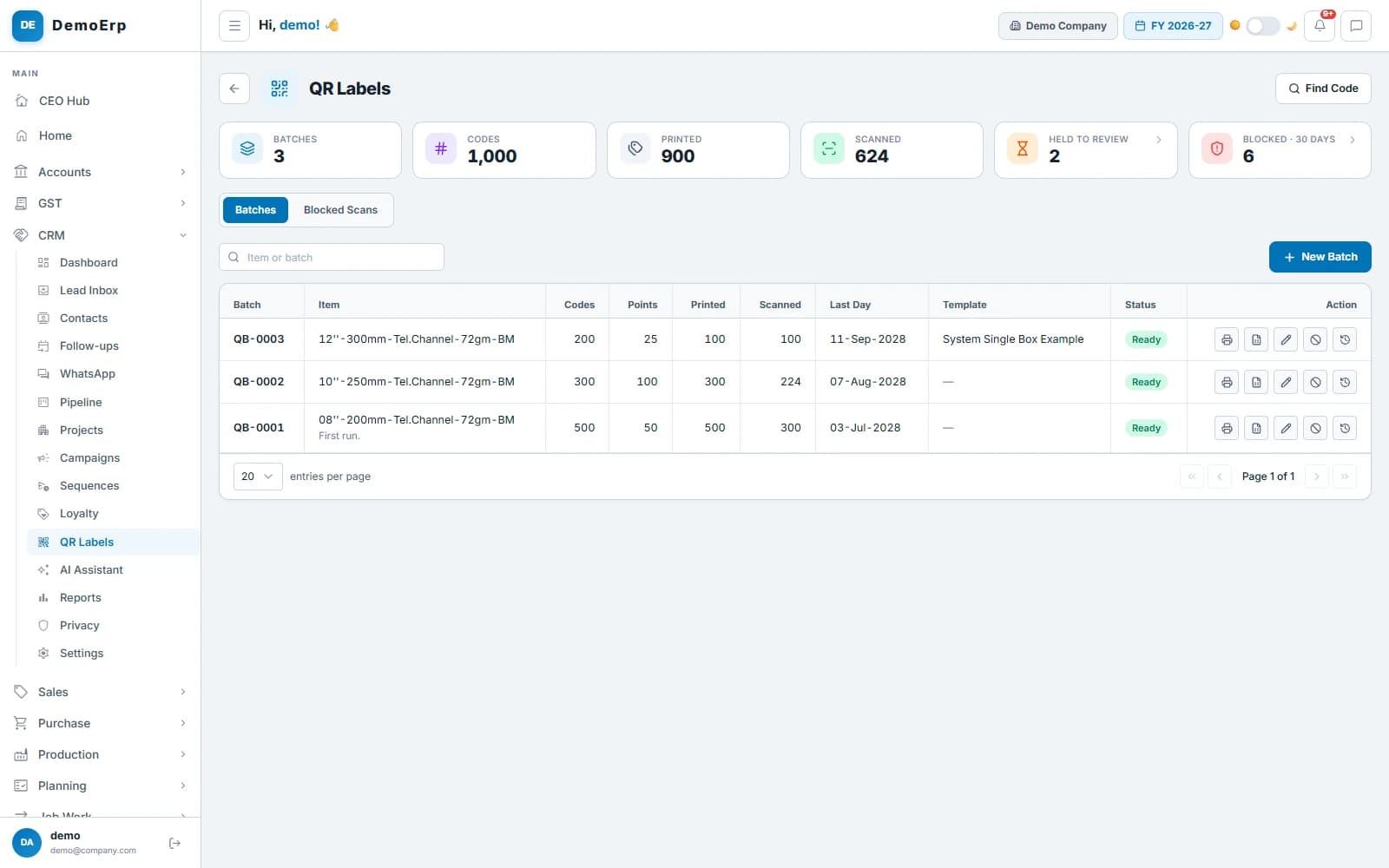 Three batches: 1,000 codes, 900 printed and 624 scanned so far.
- Every code is unique and works once; a second scan is told it was already scanned.
- Labels print from your label templates, one code each, or the codes go to a printing house in Excel.
- The code is printed in groups under the QR, to type in when a label is torn.
- Any phone camera opens your page for the code; points are earned only in your app.
- step 3 of 6
Every scan earns points
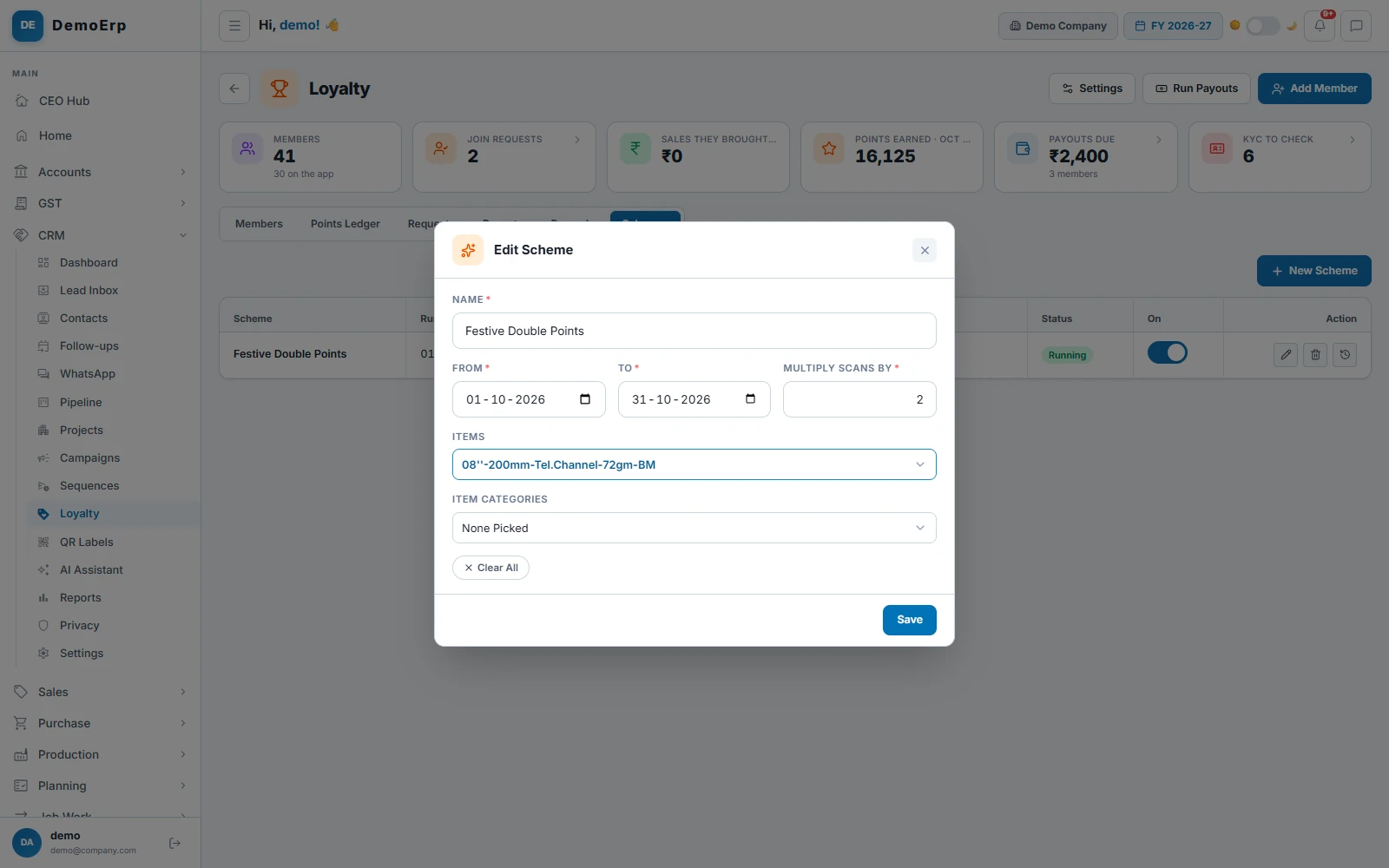
Members scan the code in their own app and the points land at once. A scheme can double them on chosen items for a festival or a slow month.
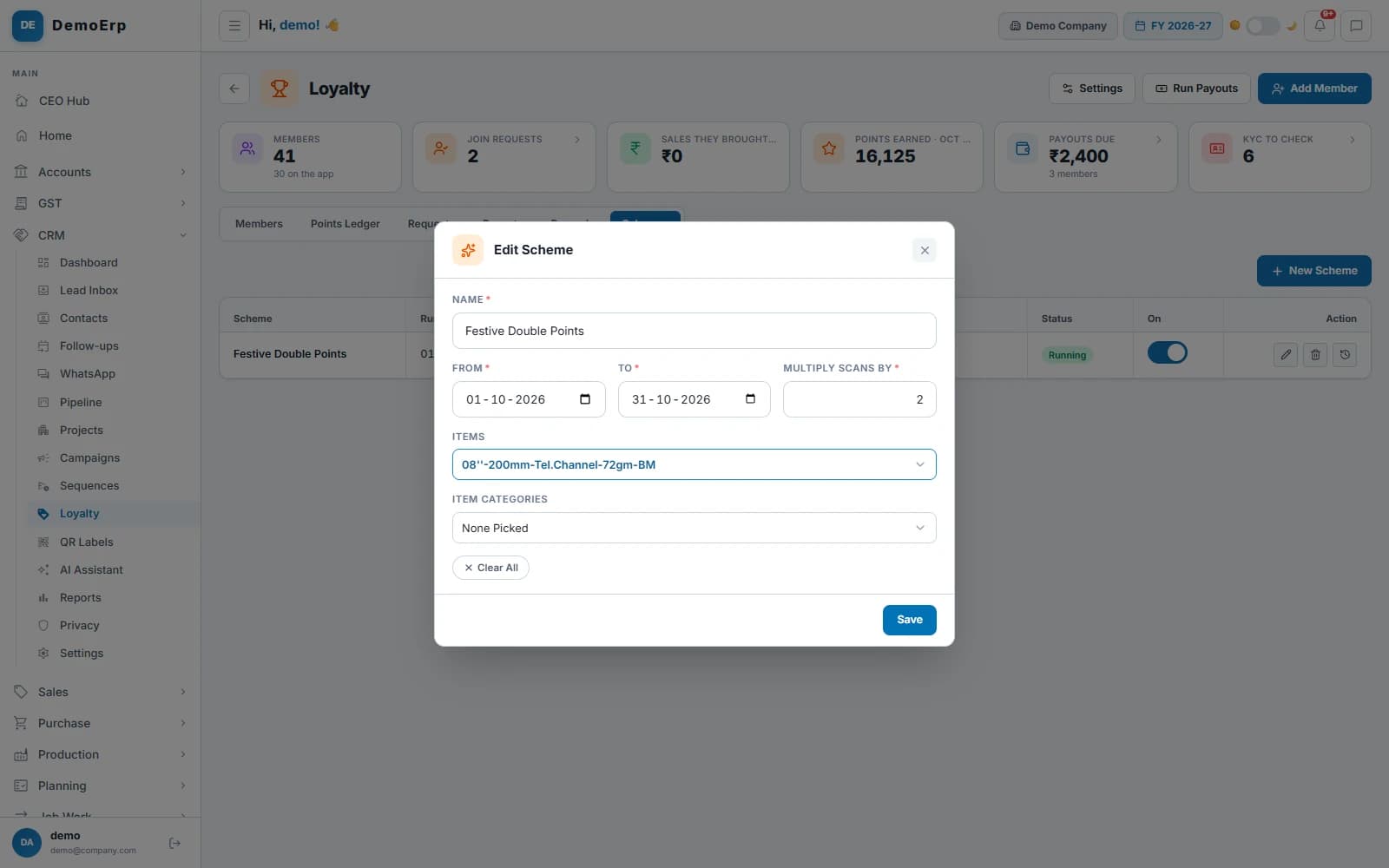 Festive Double Points: scans of one item earn double from 1 to 31 October.
- Points land the moment a scan goes through, with a bonus for the month's first scan.
- Schemes multiply the points on chosen items or categories between two dates.
- Every point earned or spent is a line in the ledger, never an edit.
- Members see their points, tier and history in their own phone app.
- step 4 of 6
No code pays twice
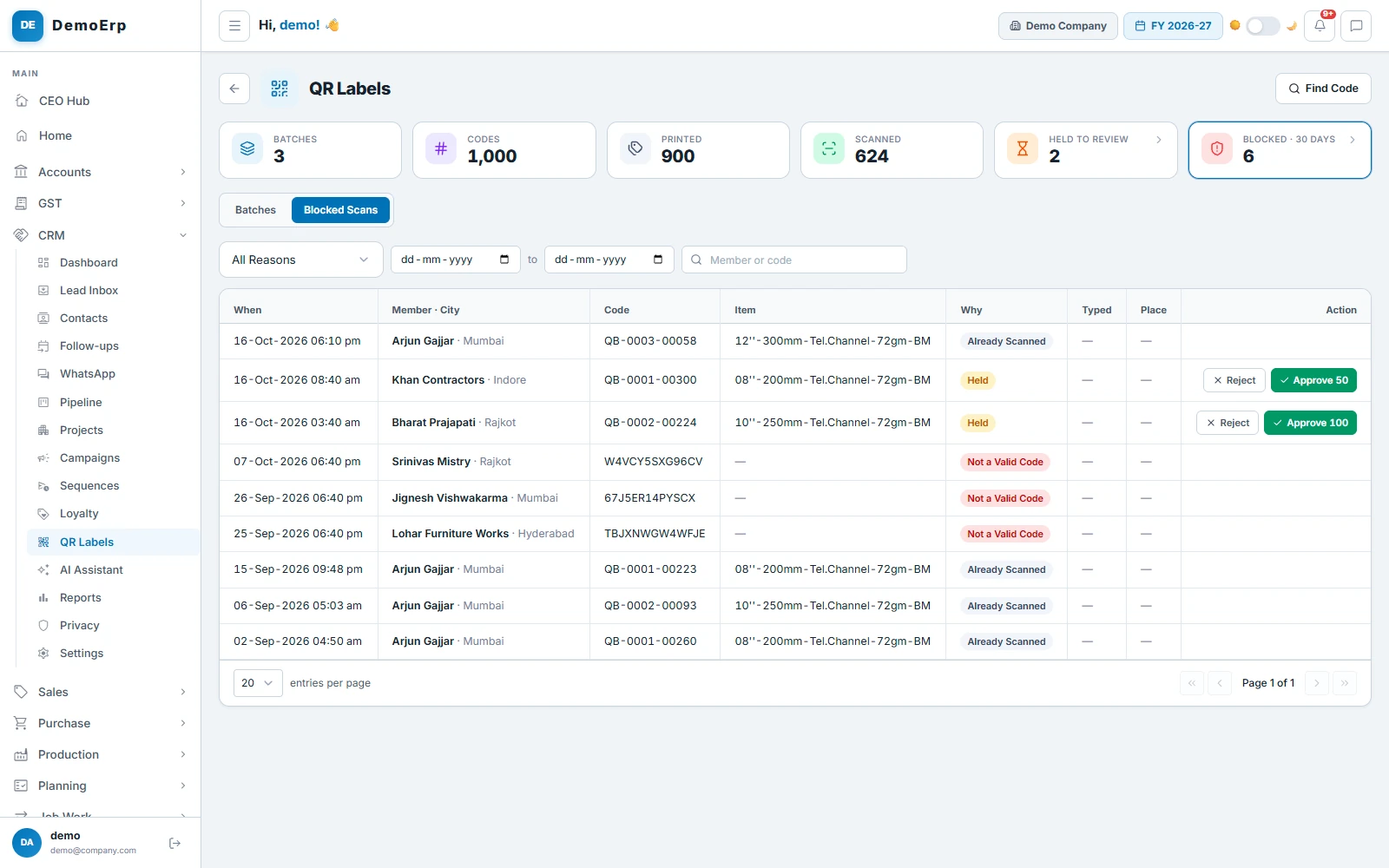
Every scan is checked before it earns. A used code, a wrong code or a burst of scans is stopped and listed for the office.
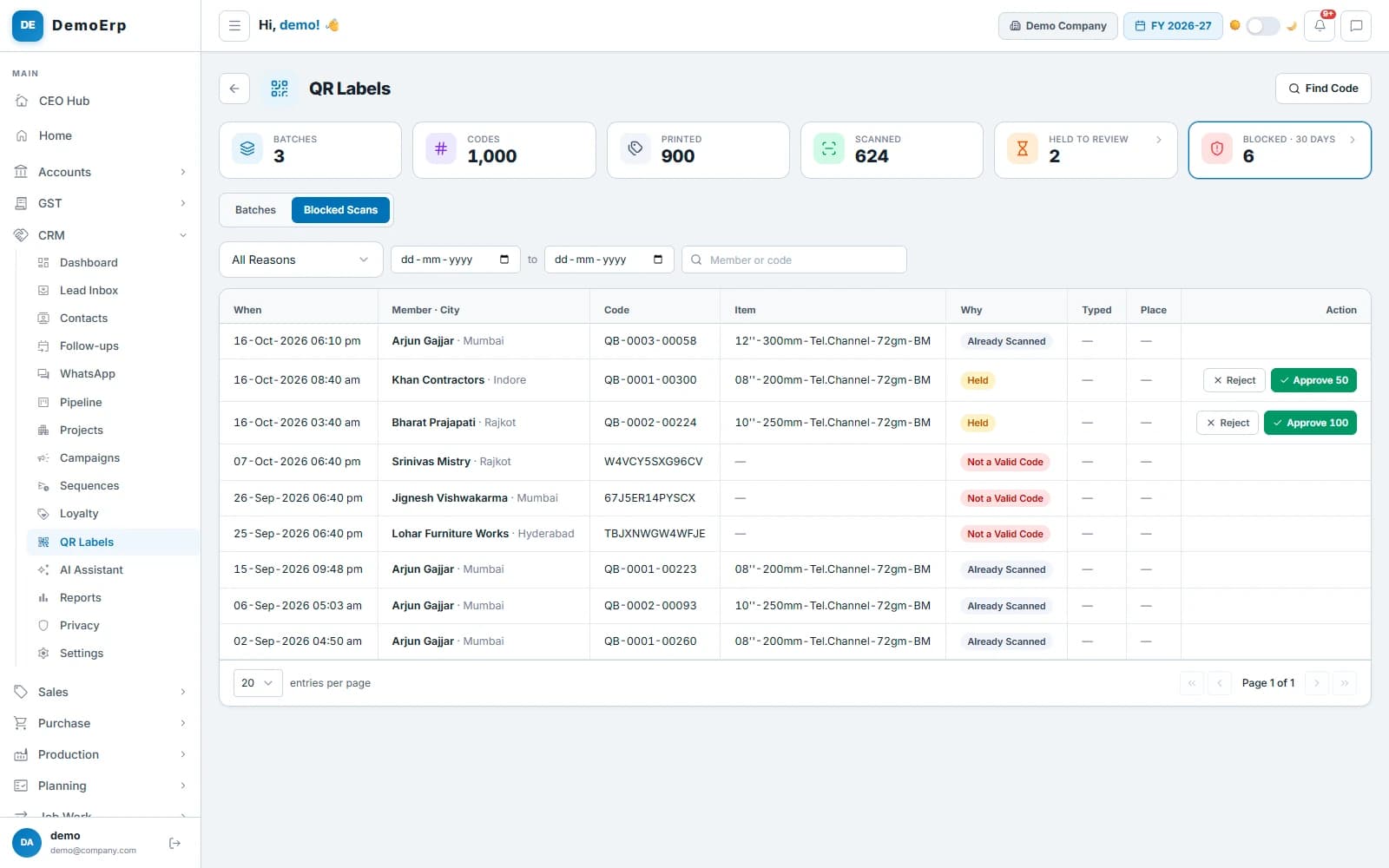 Six blocked in 30 days, and two held scans waiting for the office to approve or reject.
- A code works once; a second scan gets Already Scanned, with its date.
- Too many scans in a few minutes or in a day are held until the office approves or rejects them.
- Codes typed by hand are capped each day, and repeated wrong codes lock scanning for an hour.
- Each scan keeps the place it was made, when the member allows it.
- step 5 of 6
Cash on UPI, or a gift
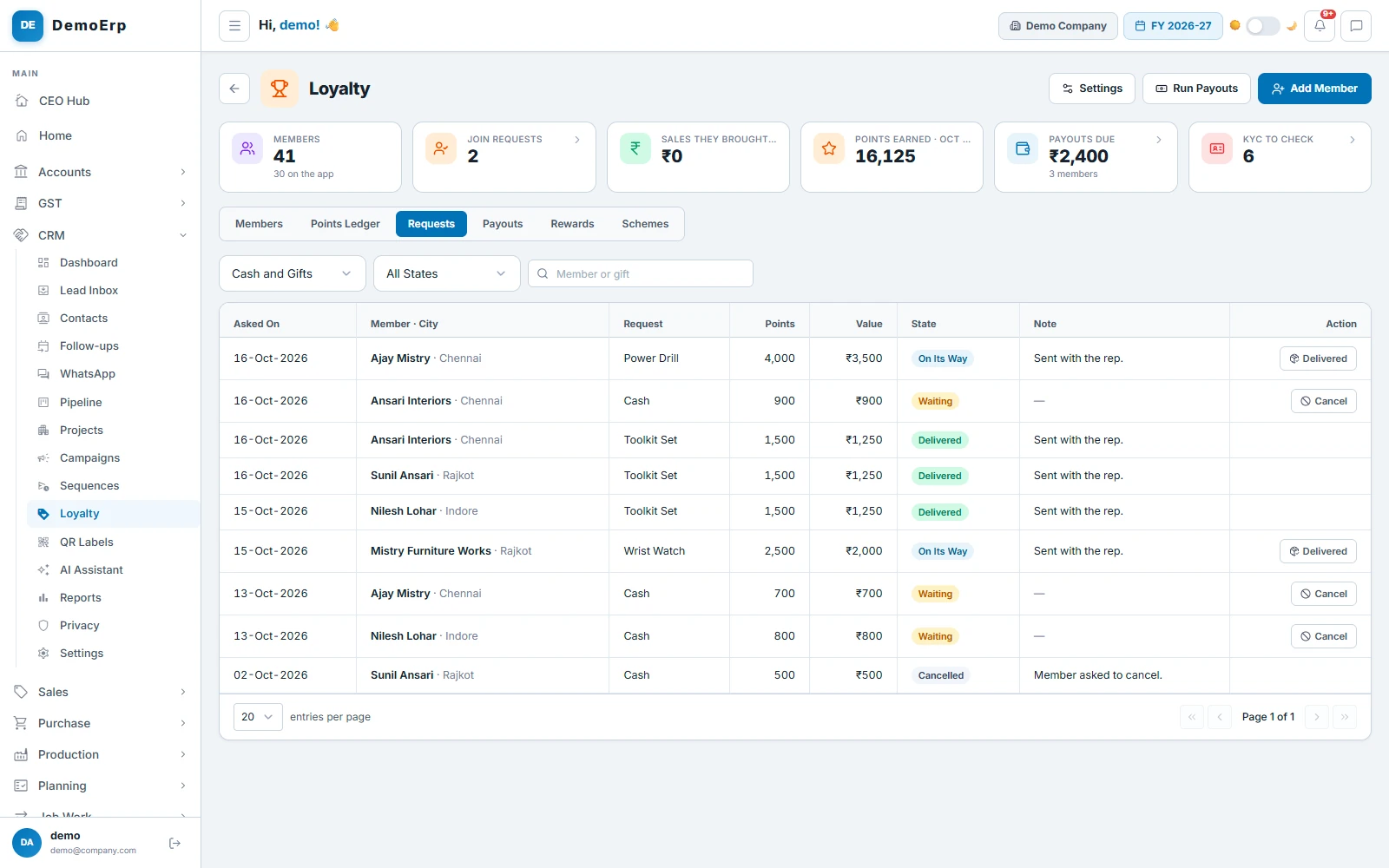
Members ask for cash to their own UPI ID or a gift from your catalogue. The points come off at once, and come back if a payout fails or a request is cancelled.
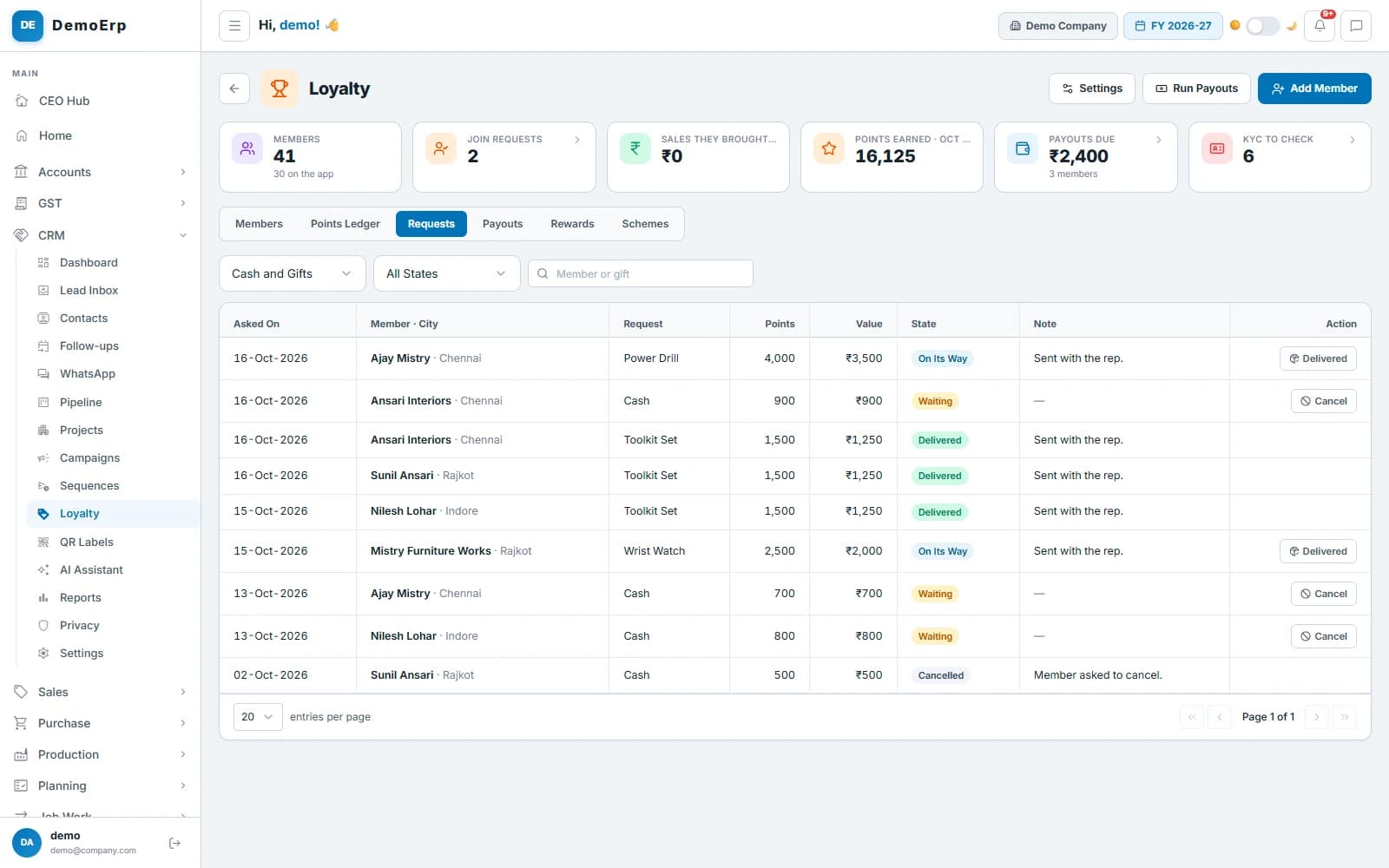 Gifts on their way or delivered, cash waiting for Friday's run, and a cancelled request whose points went back.
- Cash needs at least 500 points, and a PAN and UPI ID the office has checked.
- Gifts come from your own catalogue, each with its points and cost, and are marked delivered.
- A changed UPI ID is checked again and held for 48 hours before money goes to it.
- Members follow each request in their app: waiting, on its way or delivered.
- step 6 of 6
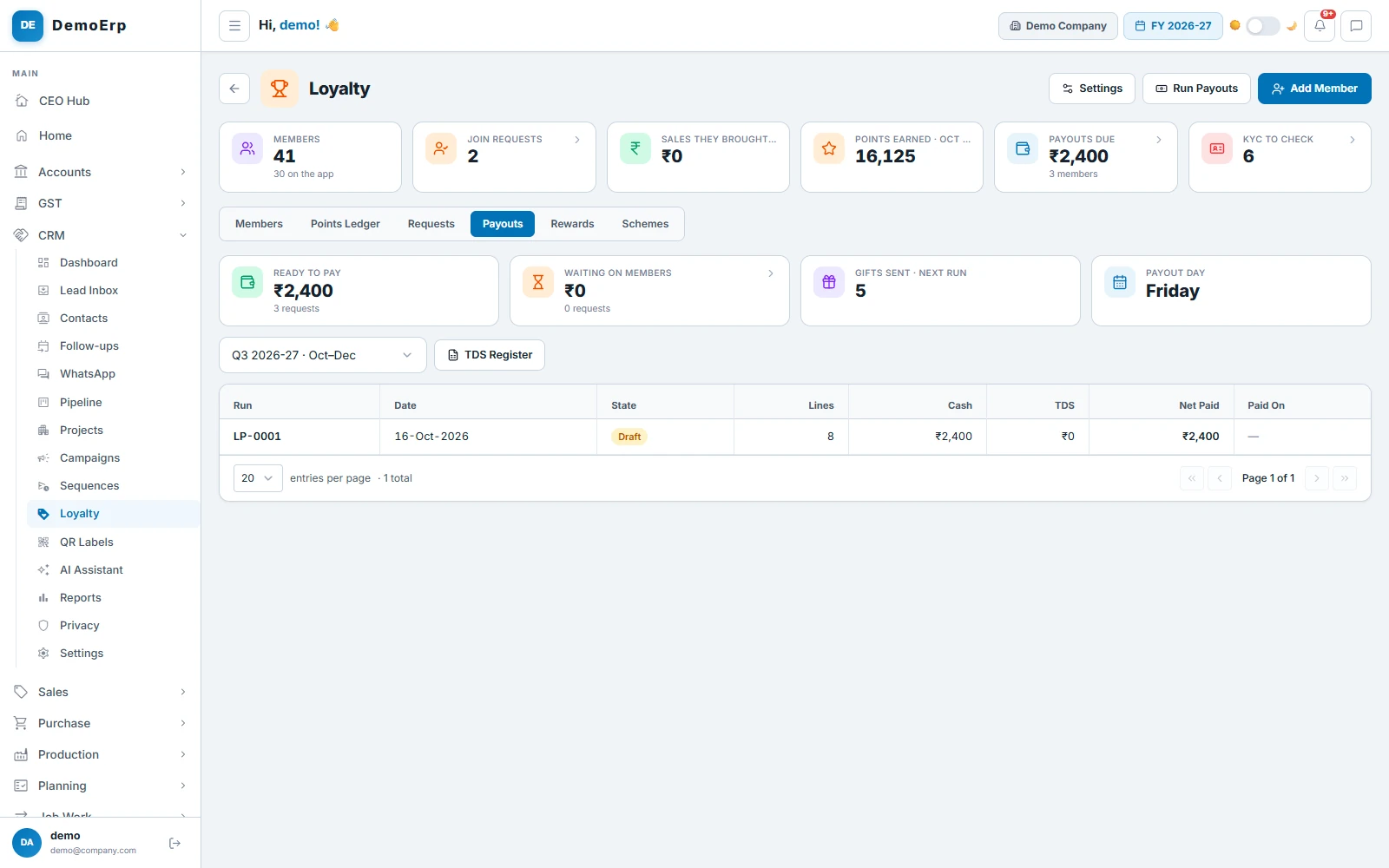
One payout run every Friday
On payout day the cash requests become one run. The office approves it, pays from its own bank with the bank sheet, and marks each line paid.
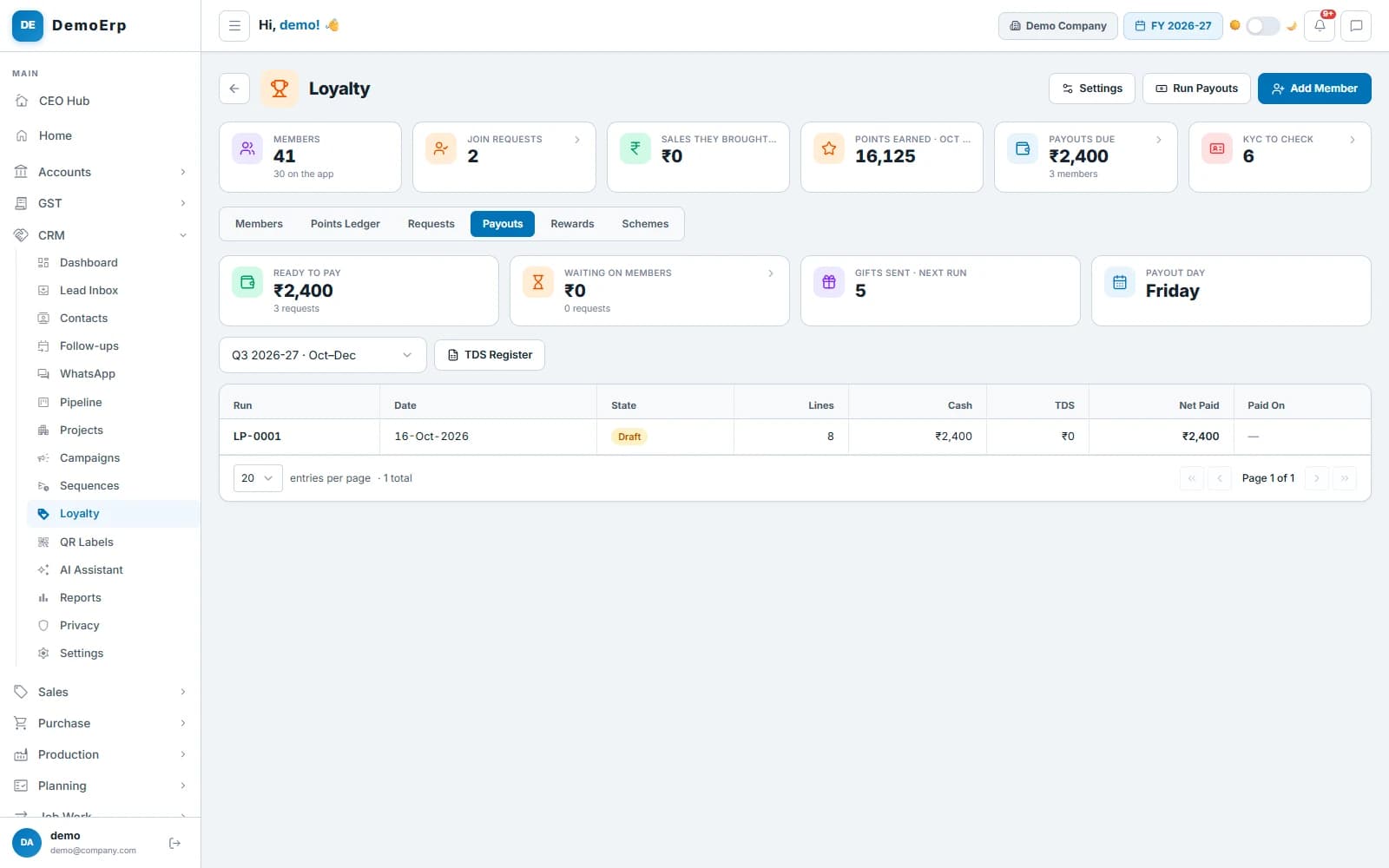 ₹2,400 ready to pay on Friday, and this week's run waiting for approval.
- Only members whose PAN and UPI ID have been checked are paid.
- TDS on the rewards is worked out on each member's year, and kept in a quarterly TDS register.
- Each run makes one journal voucher for the books: the rewards, the bank and the TDS.
- A payout that fails puts the points back.
Everything in Loyalty.
- Members added by the office or joining in their app
- Join requests approved or declined
- Value of a point and when points expire
- Points for scans, referrals, projects and birthdays
- A bonus for the month's first scan
- Silver, Gold and Platinum tiers
- Schemes on chosen items or categories
- QR batches by item
- Labels from your templates, or codes in Excel
- One scan for each code
- Held scans approved or rejected
- Limits on typed and wrong codes
- PAN and UPI ID checks
- Cash on UPI, or gifts from your catalogue
- A weekly payout run with a bank sheet
- TDS on rewards, with a quarterly register
- A journal voucher for each run
- Referrals that become leads in the CRM
- The members' own phone app
- Privacy notice, consent and account deletion
Every module is in one plan, and they all work on the same data.
Questions about Stebly Loyalty.
How does Stebly Loyalty work?
How do you stop a code being paid twice?
Is TDS worked out on the rewards?
What does a member need to be paid in cash?
See a scan become a payout.
We walk you through a batch of codes, a scan, a reward and a Friday payout, set up for your own products. Send your item list on WhatsApp and we'll run it on your own data.