
Every distributor, on one screen.
Stebly Distribution lets distributors order from your catalog on their phone, at their own price. You approve and ship, they mark the goods received, and you see each one's stock, sales and dues.
- Distributor portal and app
- Stock with every distributor
- Dealer app for your dealers
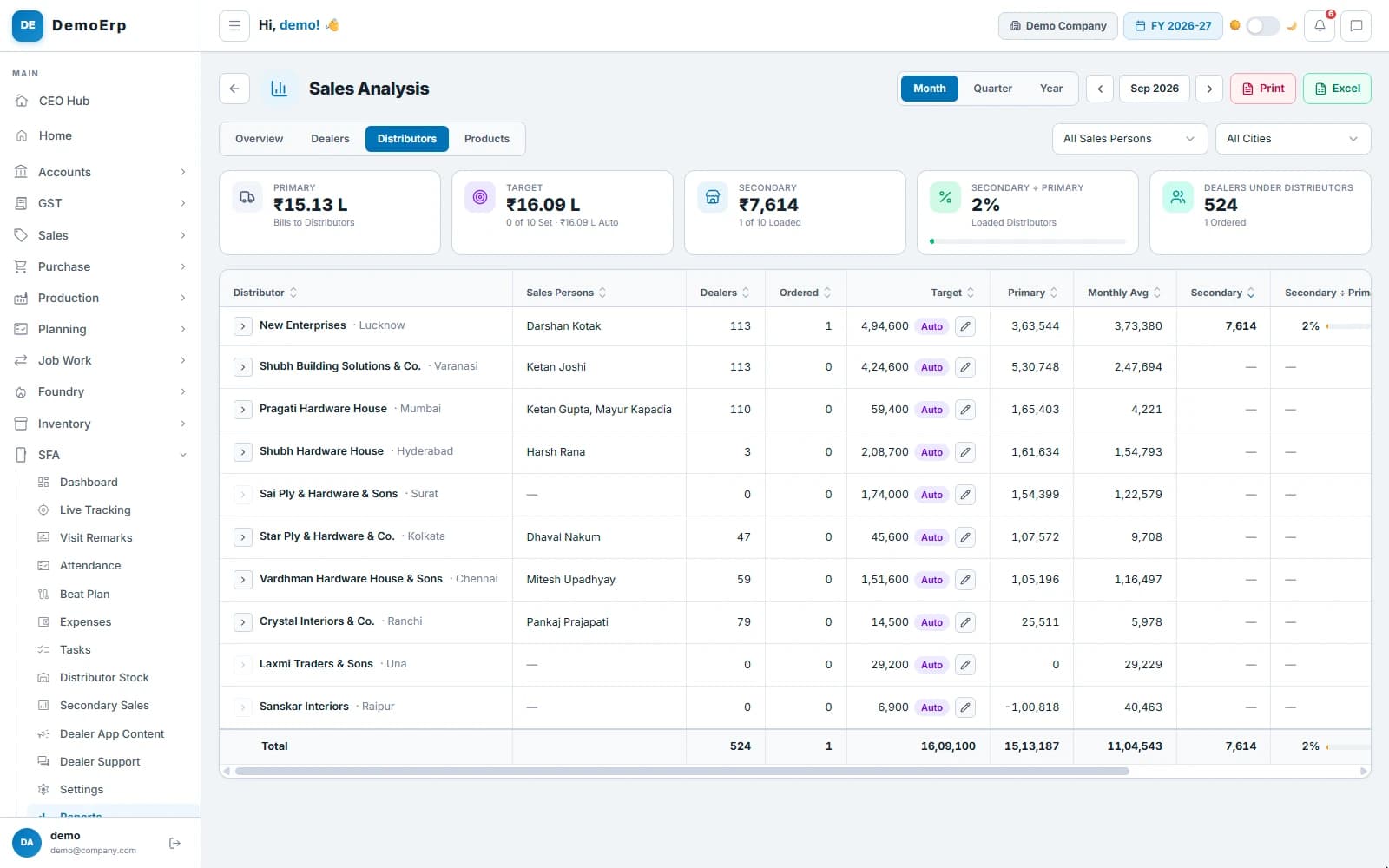
Real Stebly screens, shown with demo data.
This page is for you if…
- Distributors send orders on WhatsApp, and the office types them in again.
- You do not know how much of your stock is lying with each distributor.
- Distributors call the office to ask where their goods are.
- You cannot tell if a distributor received everything you billed.
Used by your distributors, the sales office and the owner.
How a distributor's order runs in Stebly, in 6 steps.
Real Stebly screens, with the demo company's numbers.
- step 1 of 6
Distributors order from your catalog
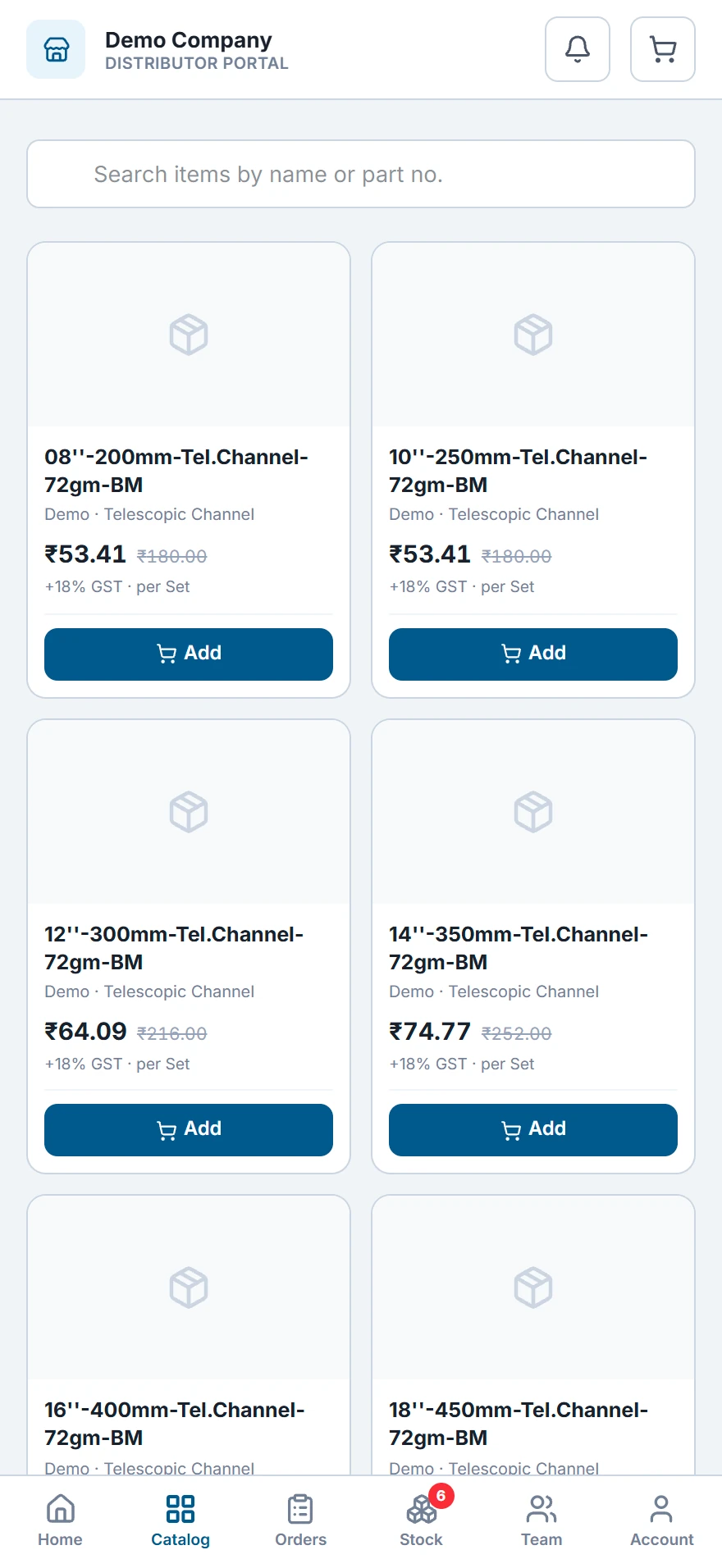
Each distributor opens your catalog on his phone, sees his own rate and places the order himself, without a call or a WhatsApp list.
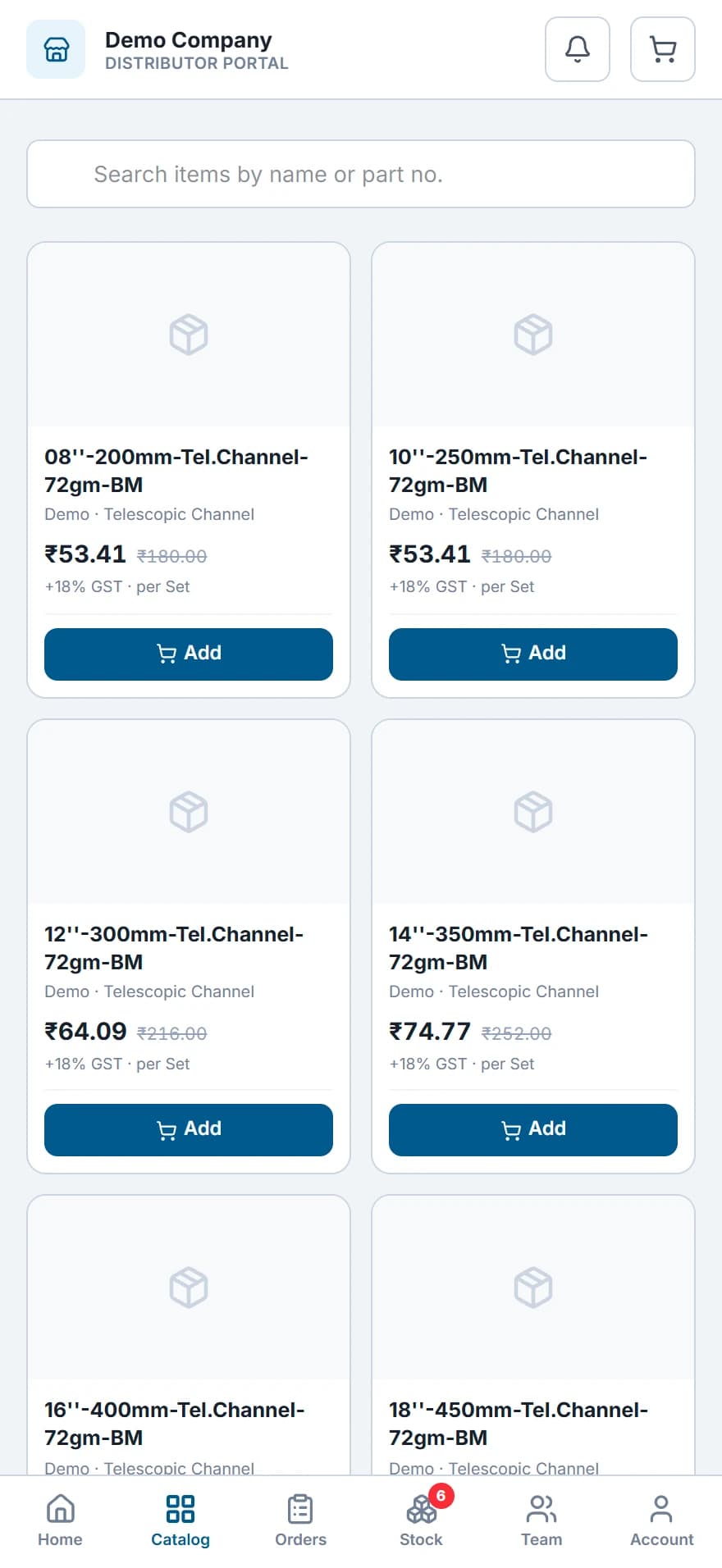 His catalog: his rate beside the MRP, plus GST, and Add to put it in the cart.
- Every item at the rate from his price list, with the MRP beside it.
- Search by name or part number, and add to the cart.
- The order reaches you as a sales order. He can change or withdraw it until you approve it.
- On the web, or as an Android app for distributors.
- step 2 of 6
Approve the order, then ship it
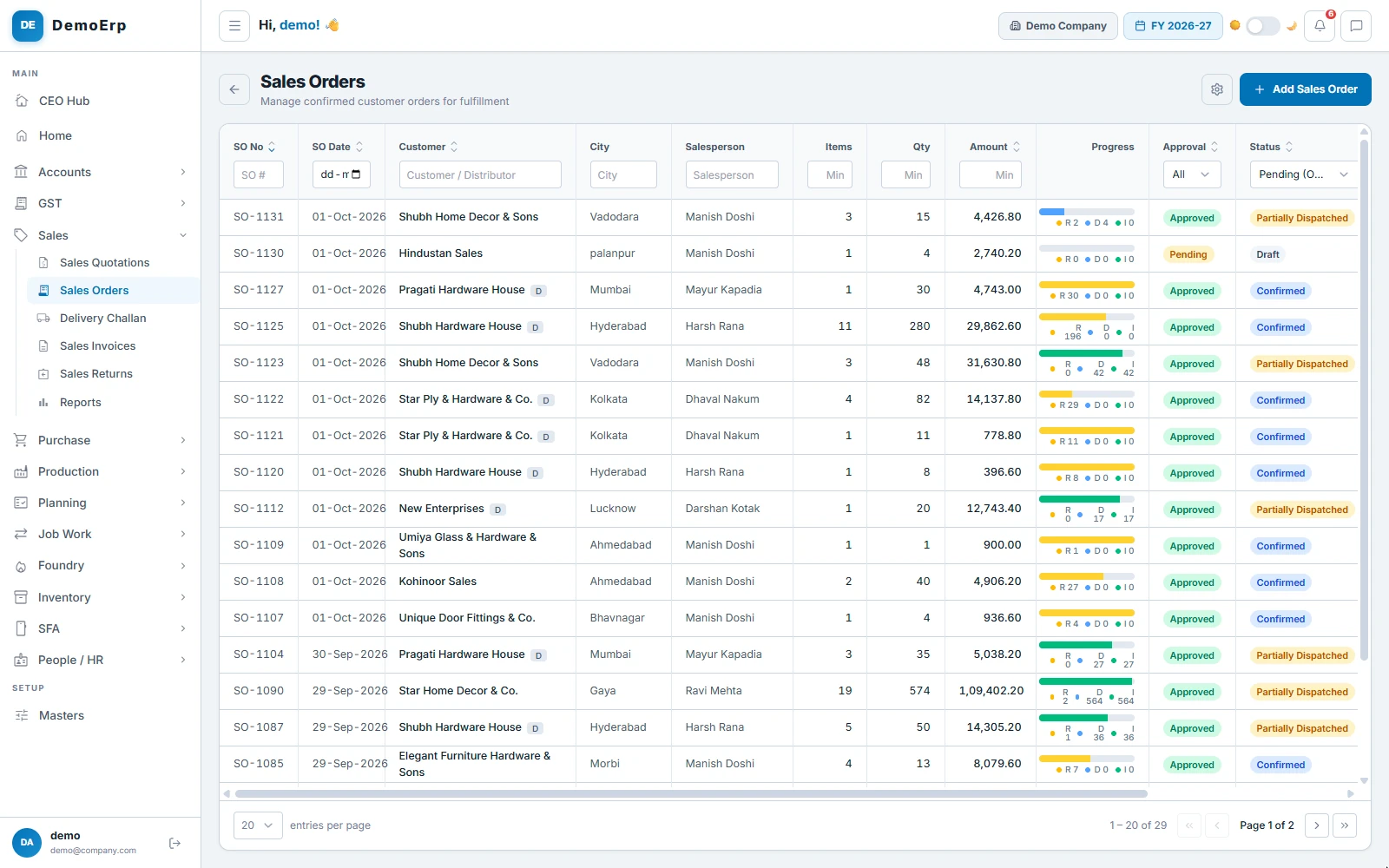
Orders from the portal wait for the office to approve them. Then they are packed and shipped, in parts or in full, and each order shows how far it has gone.
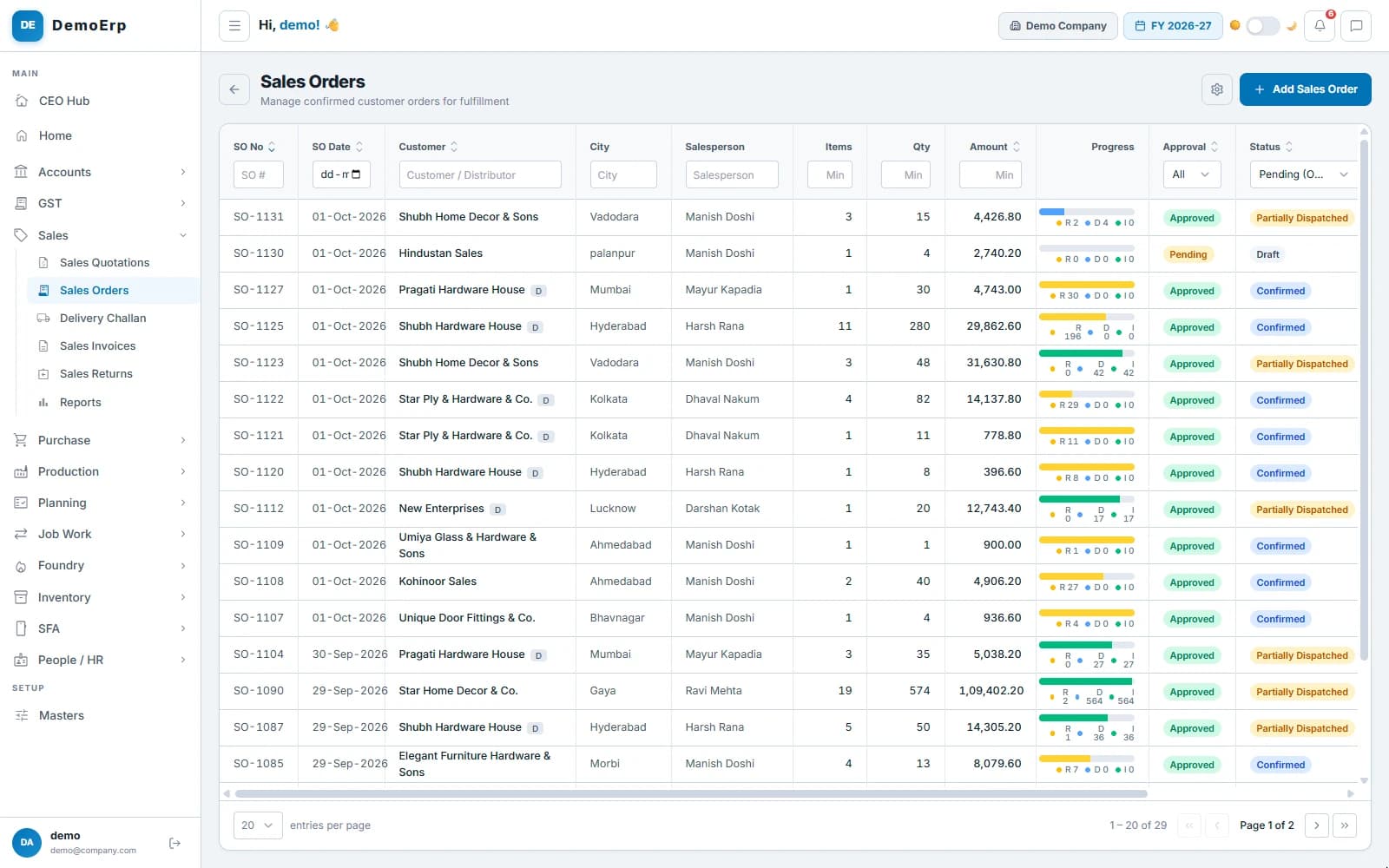 Open orders: each one's approval, and how much is reserved (R), dispatched (D) and invoiced (I). D beside a name marks a distributor.
- Orders from distributors, dealers and salesmen wait for approval.
- Stock is reserved for each approved order.
- The challan is checked by barcode scan, with packing photos and the e-way bill.
- The bill follows the challan, with the e-invoice.
- step 3 of 6
He sees what is still to come
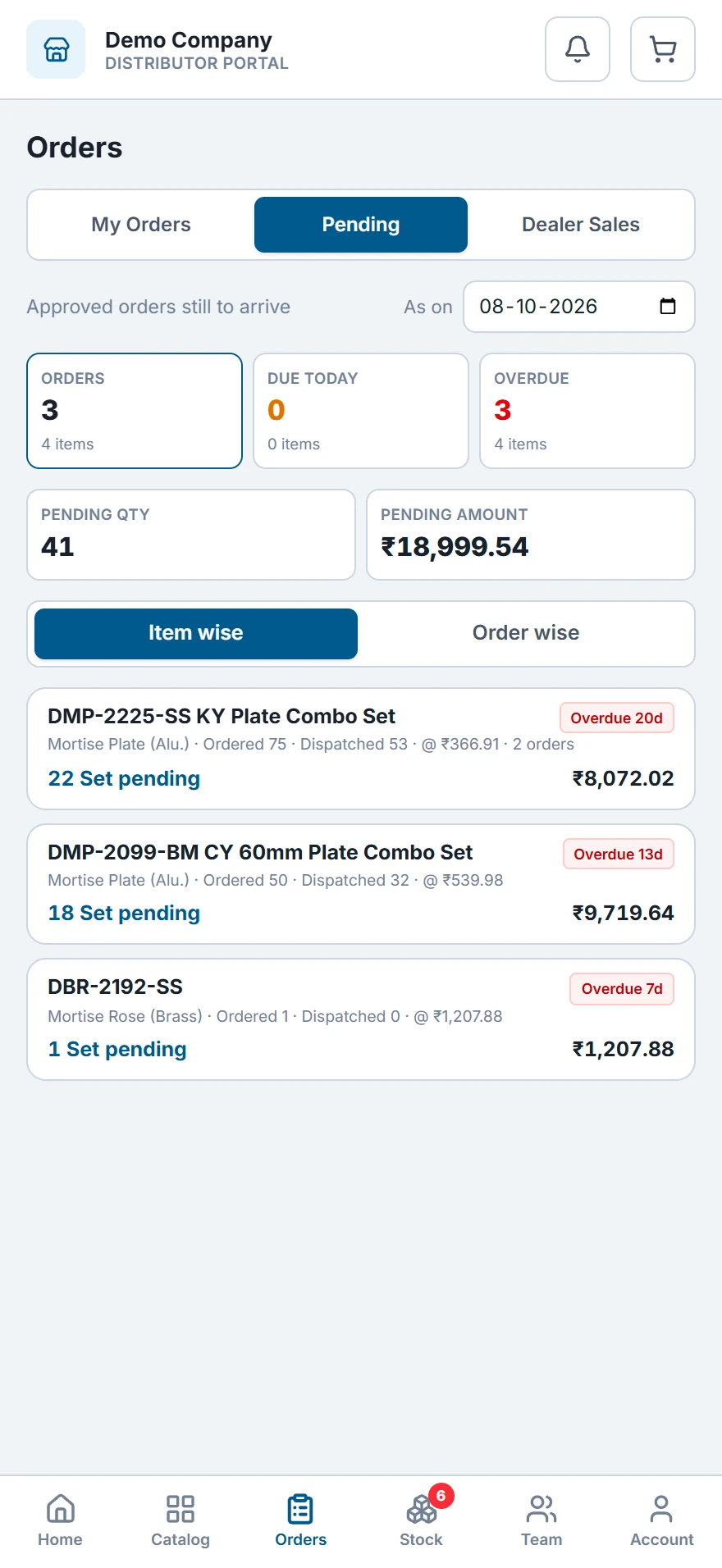
Every order is on the distributor's phone with its status, so he does not need to call the office to ask where his goods are.
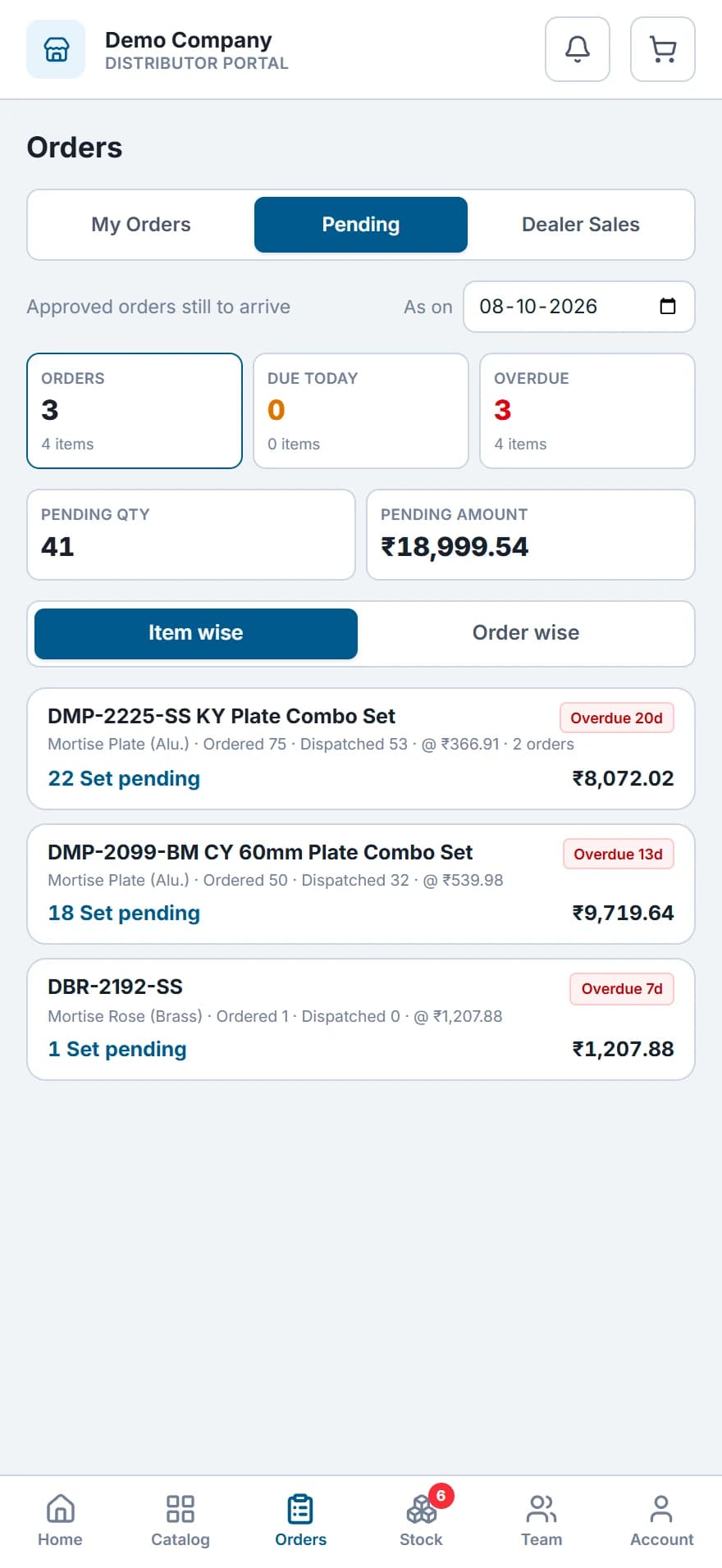 Still to come: 3 orders and 41 sets, each line with its days overdue.
- Each order from approved to fully dispatched, with its sales order number.
- Pending items, with how many days each one is late.
- Goods on each bill are marked received, or short with a reason.
- What he receives is added to his stock, item by item.
- step 4 of 6
Know what reached each distributor
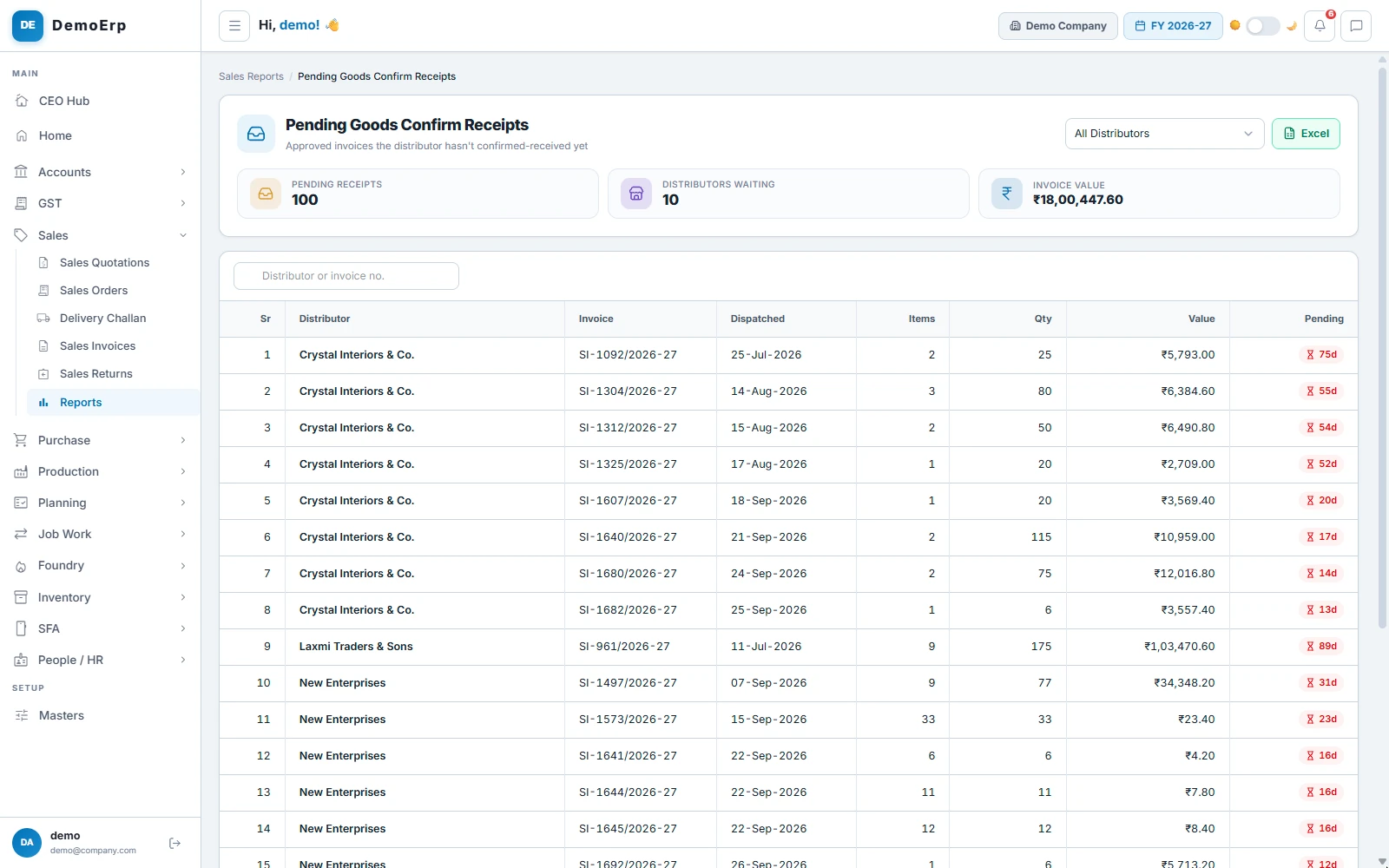
Stock enters a distributor's books only when he marks the bill received. You see every bill still waiting, and every shortage he reports.
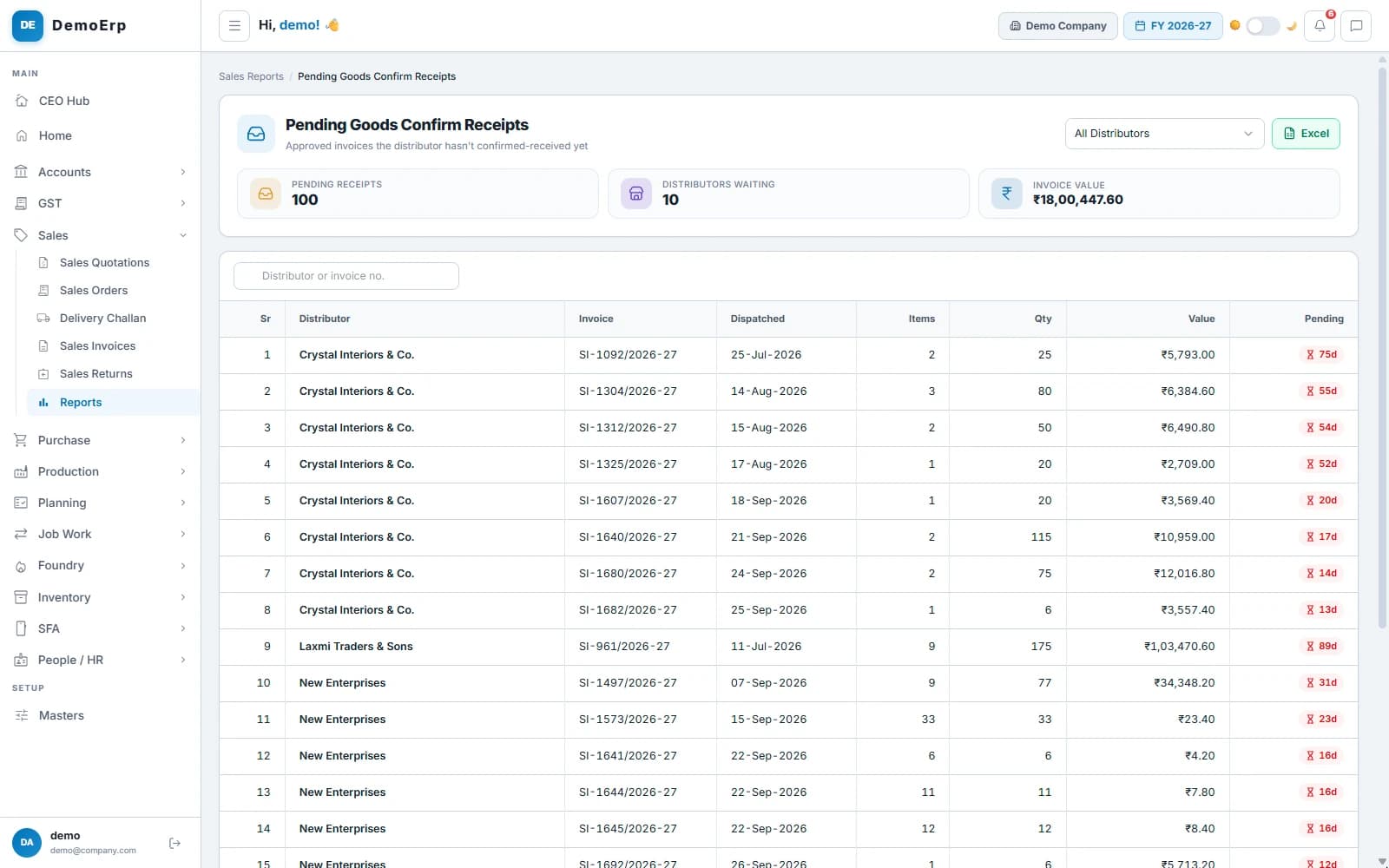 Bills worth ₹18.00 L that 10 distributors have not marked received, with the days each has waited.
- Bills not yet marked received, with the days each one has waited.
- A short delivery is reported item by item, with a reason.
- Settle a shortage with a top-up or a credit note.
- A return from a distributor takes the stock back out.
- step 5 of 6
Each distributor's stock and sales
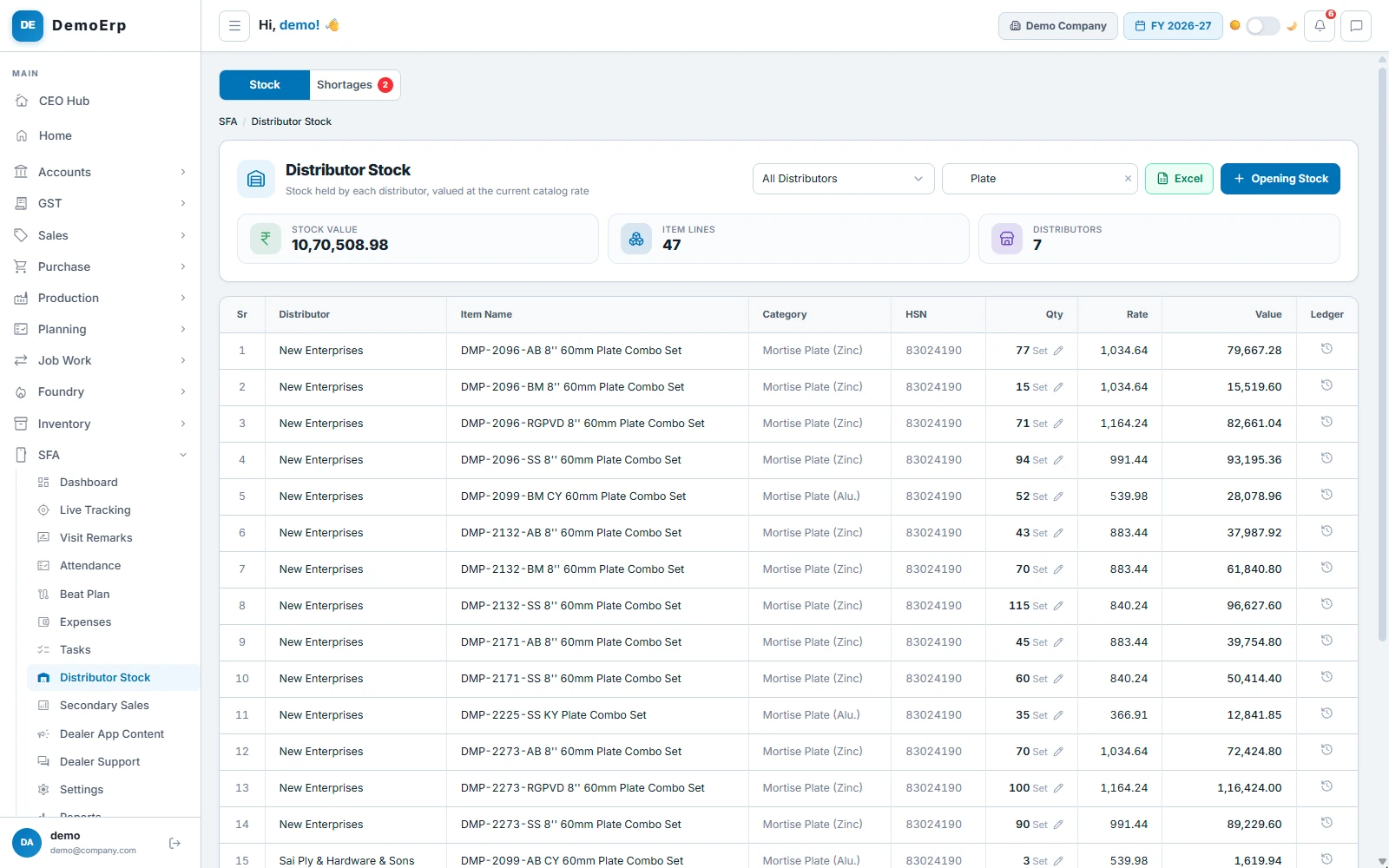
See the stock with every distributor, valued at today's rate, and his sales each month: what you billed him against his target, and what he sold on to dealers.
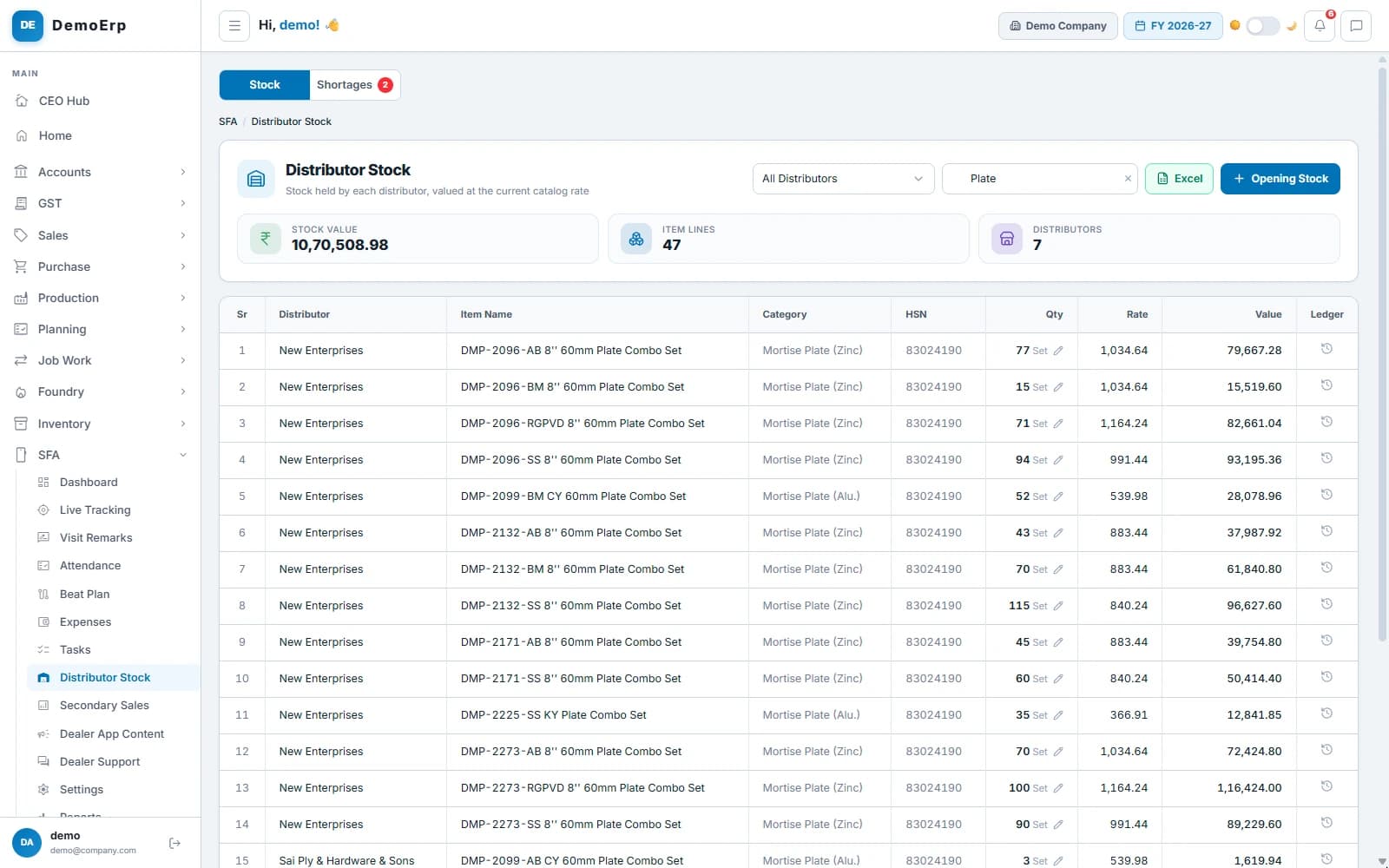 Plate sets with 7 distributors: ₹10.71 L across 47 lines, at today's catalog rate.
- Stock for each distributor and item, with its movement ledger.
- Opening stock from Excel, and corrections when a count is off.
- What you billed each distributor, against his target, month by month.
- His sales to dealers, from the portal or loaded from his own Excel file.
- step 6 of 6
Dues and ledger on his phone
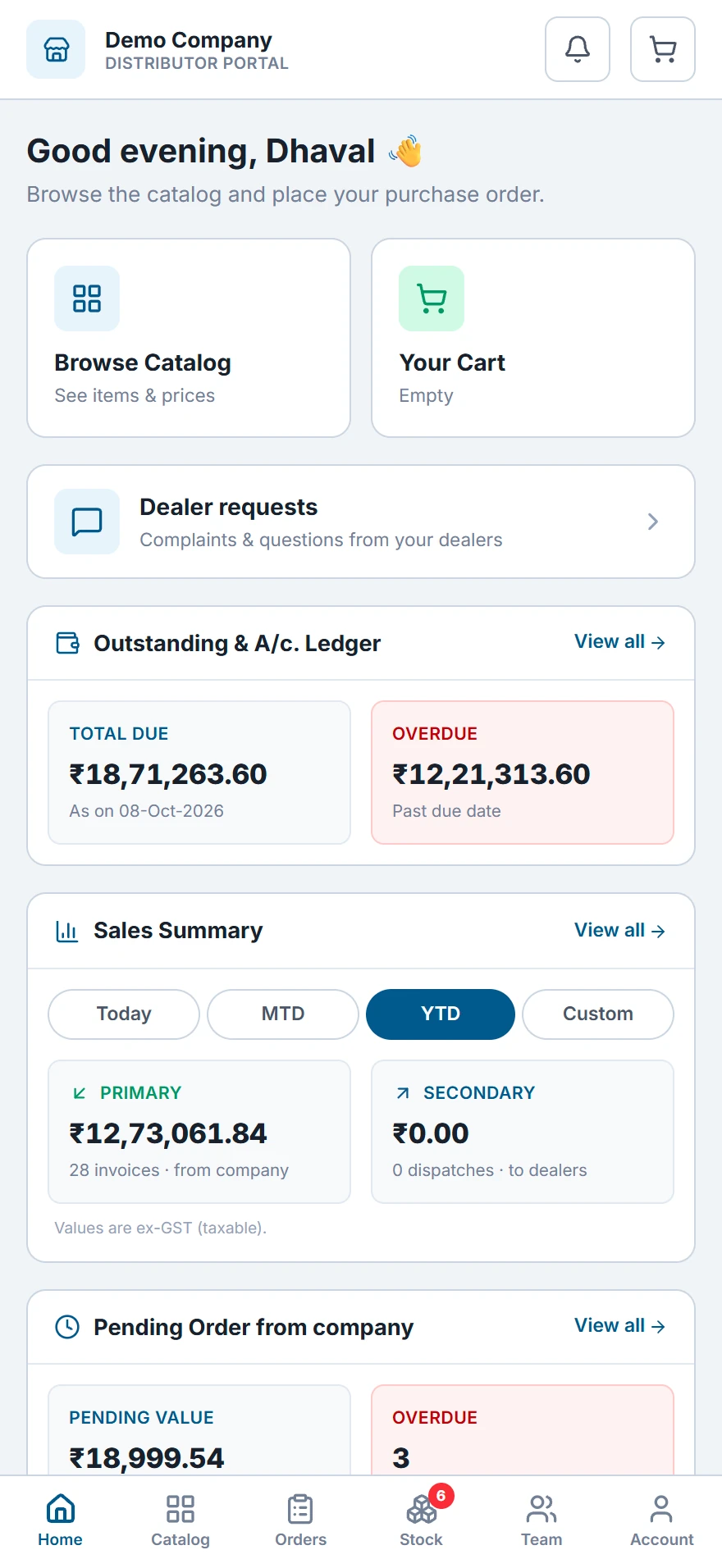
The distributor sees what he owes, what is overdue and every entry in his ledger, so the month does not end with a round of calls.
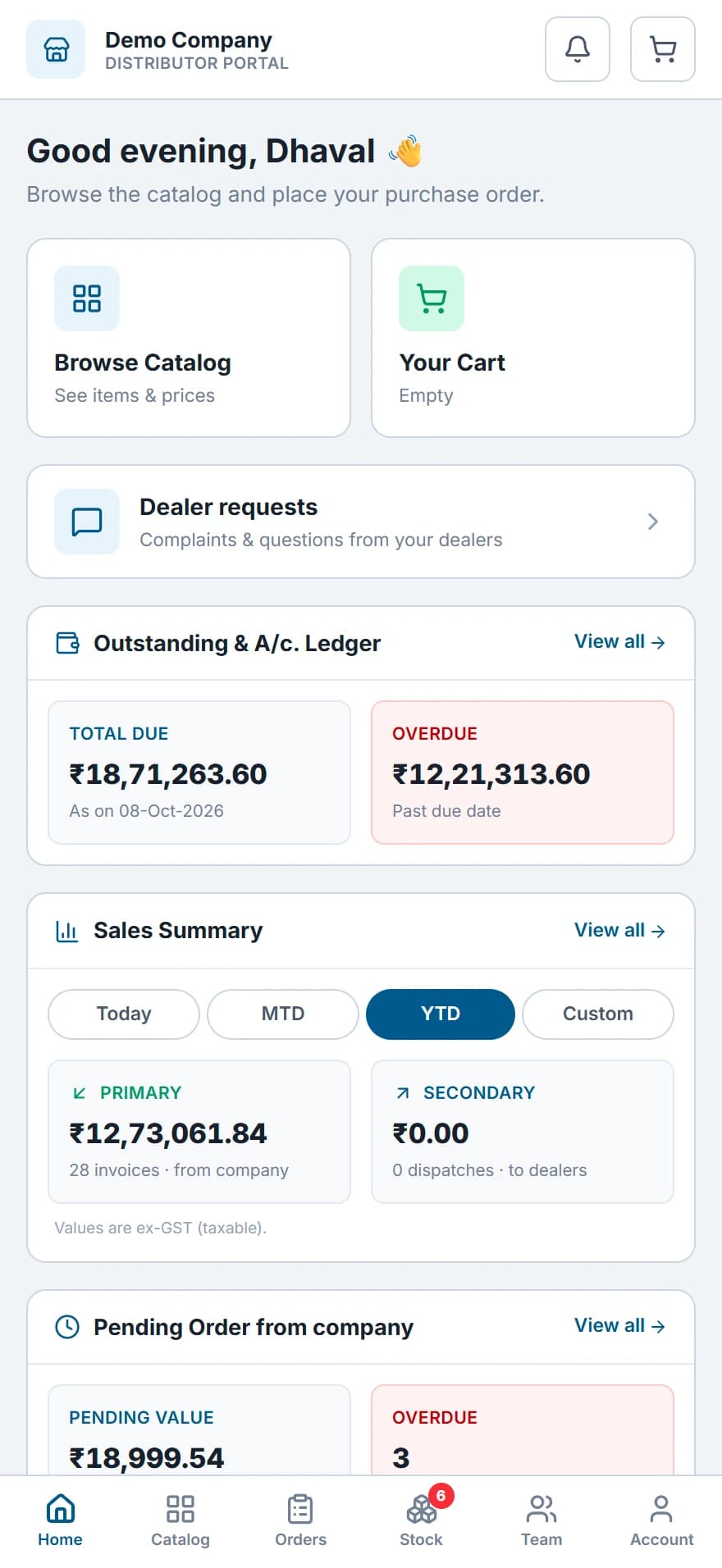 His home screen: ₹18.71 L due, ₹12.21 L of it overdue, with the catalog and dealer requests a tap away.
- Total due and overdue, as on today.
- His ledger, statement and bills as PDF, ready to share.
- His sales from you and to his dealers, for a day, a month or the year.
- Questions and complaints from his dealers, answered in the portal.
Everything in Distribution.
- Distributor portal on the web
- Android app for distributors
- Catalog at each distributor's price
- Orders straight from the portal
- Quotations that turn into orders
- Approval before an order ships
- Reserved, dispatched and invoiced, per order
- Barcode check on the challan
- E-way bill and e-invoice
- Goods received in the portal
- Shortages settled by top-up or credit note
- Stock with every distributor
- Opening stock from Excel
- Sales to dealers from his stock
- Dealer sales loaded from Excel
- Billed and sold on, by distributor
- Targets for each distributor
- Price lists by party, group or city
- Each dealer's discount, set by his distributor
- Dues, ledger and statement in the portal
- Dealer requests, answered in the portal
- Dealer app: orders, bills and dues
Every module is in one plan, and they all work on the same data.
Questions about Stebly Distribution.
How do distributors order in Stebly Distribution?
Can I see the stock lying with each distributor?
What happens when goods arrive short?
Are the distributor portal and dealer app in the plan?
See your distributors order on their phone.
We walk you through the distributor portal and the office screens, set around how your channel sells. Send your item list on WhatsApp and we'll run it on your own data.