
for bigger teams
More people in the system. Every change on record.
Rights for every role on every screen, a log of who changed what, approvals on the phone, and a backup to your own drive every night.
- Every roleits own rights on every screen
- Audit logwho changed what, and when
- Every nighta backup to your own drive
Roles and rights
Decide who can do what
Each role gets its own rights on every screen, so people see and change only what their job needs.
- Rights for each screen: view, create, edit, delete, approve, cancel, export and more.
- Start from a preset (full access, read only, data entry or approver), or copy another role.
- An accountant can raise and approve vouchers but not delete them, if that is your rule.
- As many roles as you need, each with its own people.
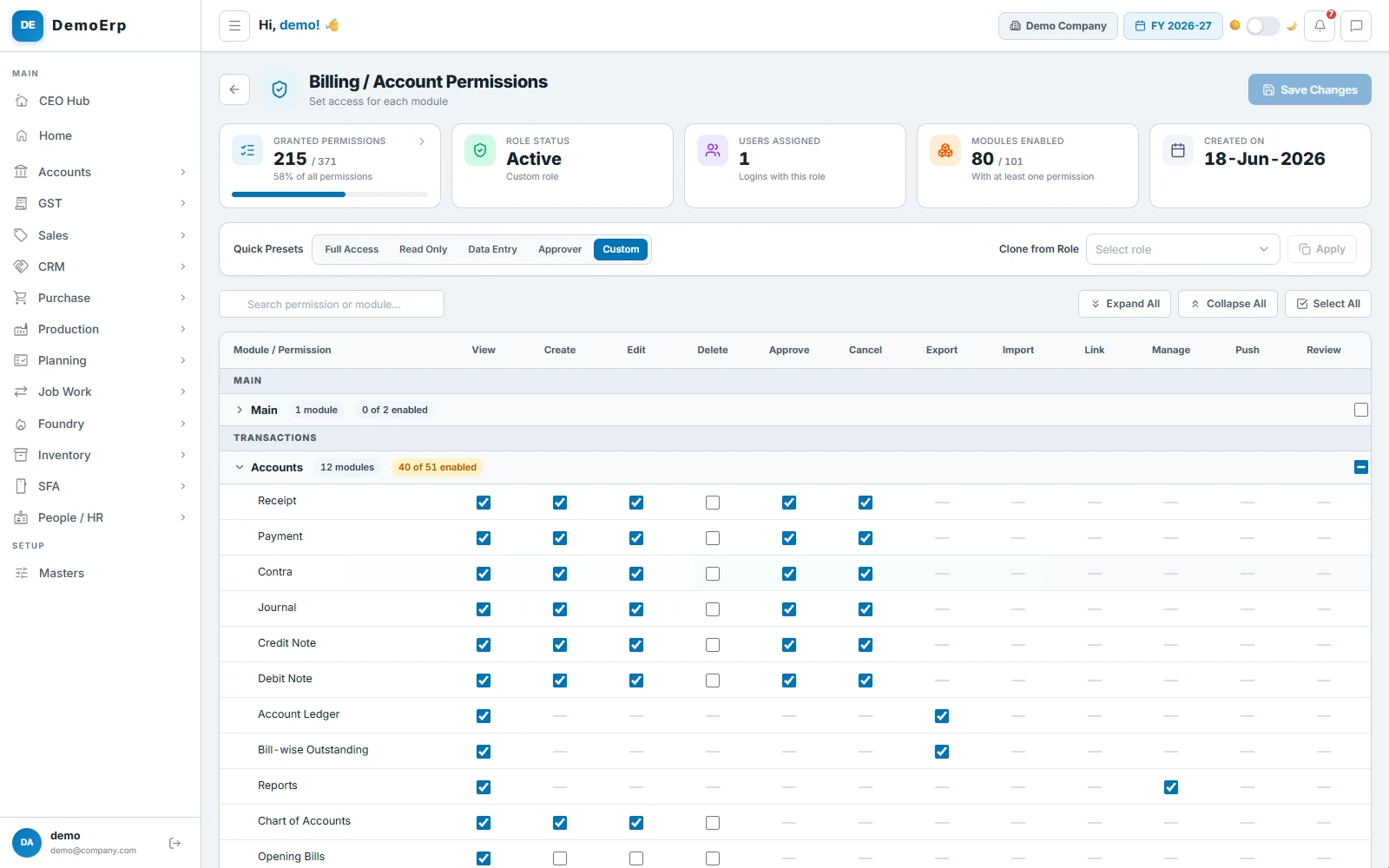
The accounts role: 215 of 371 rights, with vouchers it can create, edit and approve but not delete.
no delete for accounts
Audit log
Every change, on record
Saves, approvals and changes across the system are logged with who made them, when, and what they were before.
- Who changed what, and when, for documents and masters alike.
- The old value and the new one, side by side.
- Search by record, person or value, and filter by module, action and dates.
- Open the document behind any line.
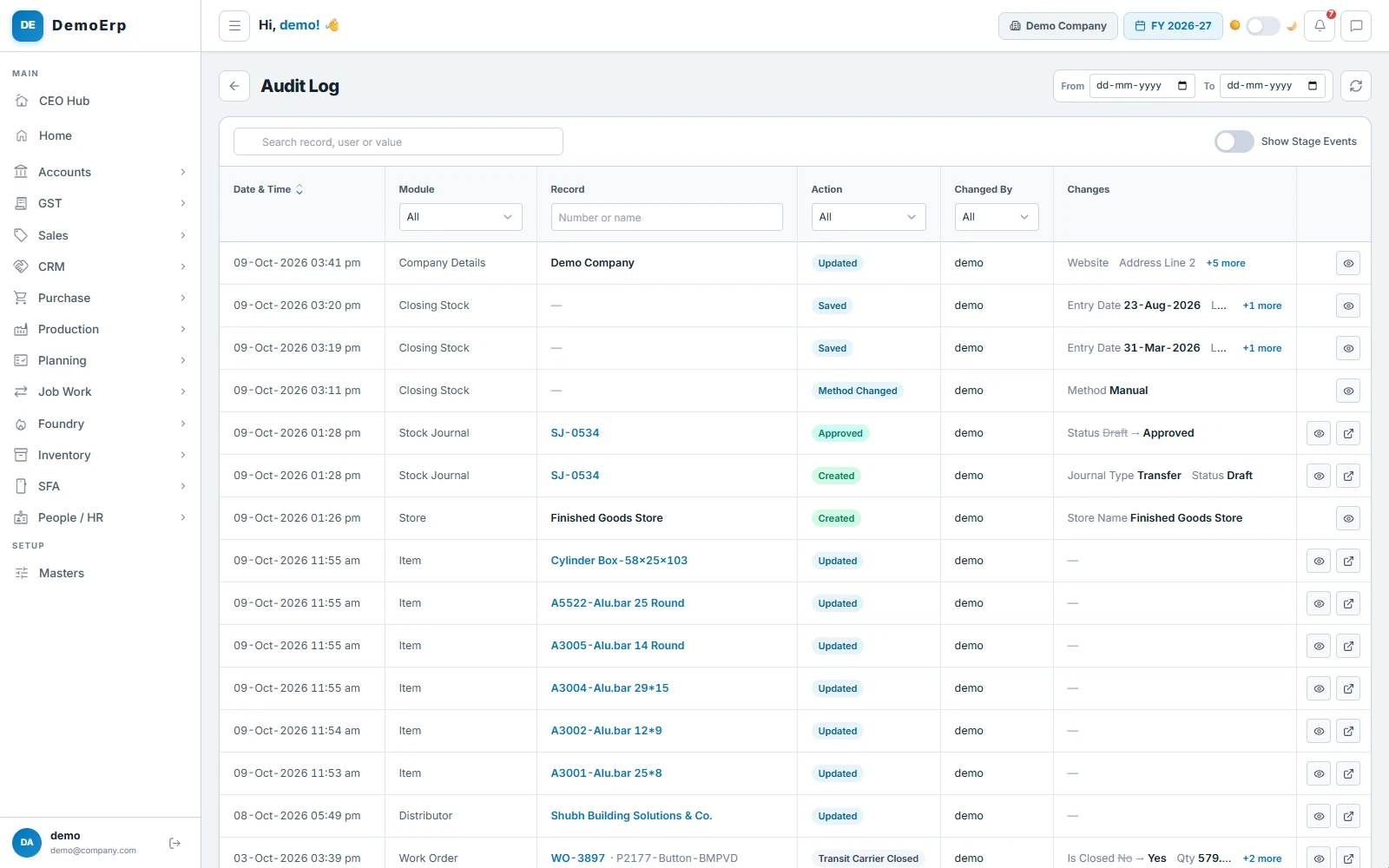
Today's log: a store transfer approved, items updated and closing stock saved, each with who did it.
who, what, when
Approvals
Approvals reach the right person
Documents wait in one inbox for the people allowed to approve them, on the computer or on the phone.
- Orders, purchase orders, invoices, vouchers, masters, leave and expense claims, in one inbox.
- Each person sees only what they are allowed to approve.
- Approve or reject from the phone, with nothing to install.
- How long each one has waited, so nothing sits for days.
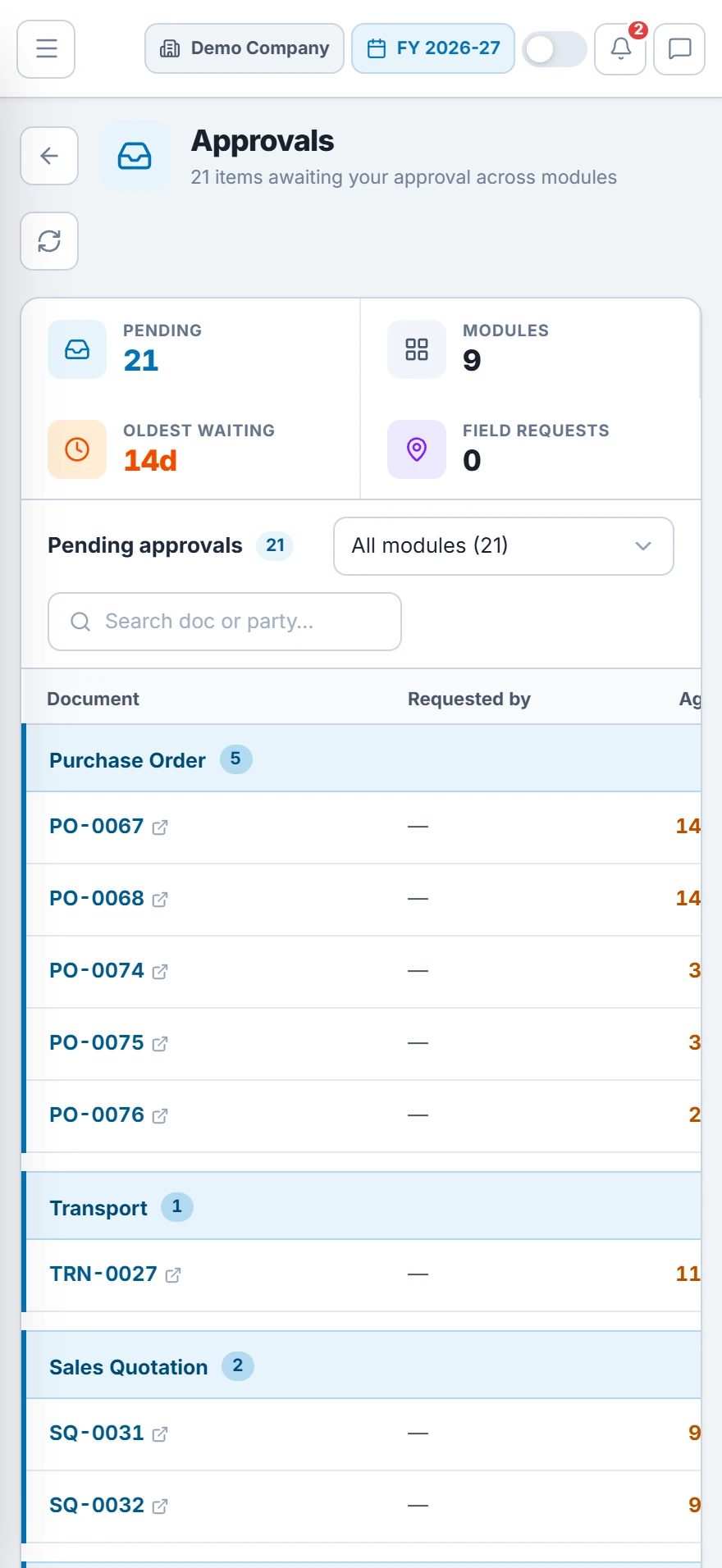
On a phone: 21 approvals across 9 modules, grouped by document, the oldest waiting 14 days.
the oldest waited 14 days
Backups
Your data, backed up nightly
Connect your own Google Drive or OneDrive, and a copy of your data goes there every night. A full backup can also be downloaded whenever you want.
- A backup every night at the time you pick, kept for as many days as you choose.
- Your data and your documents, in a folder for each day.
- Download a full backup to your own computer at any time.
- Every run listed with its size and result, and a backup can be restored if you need it.
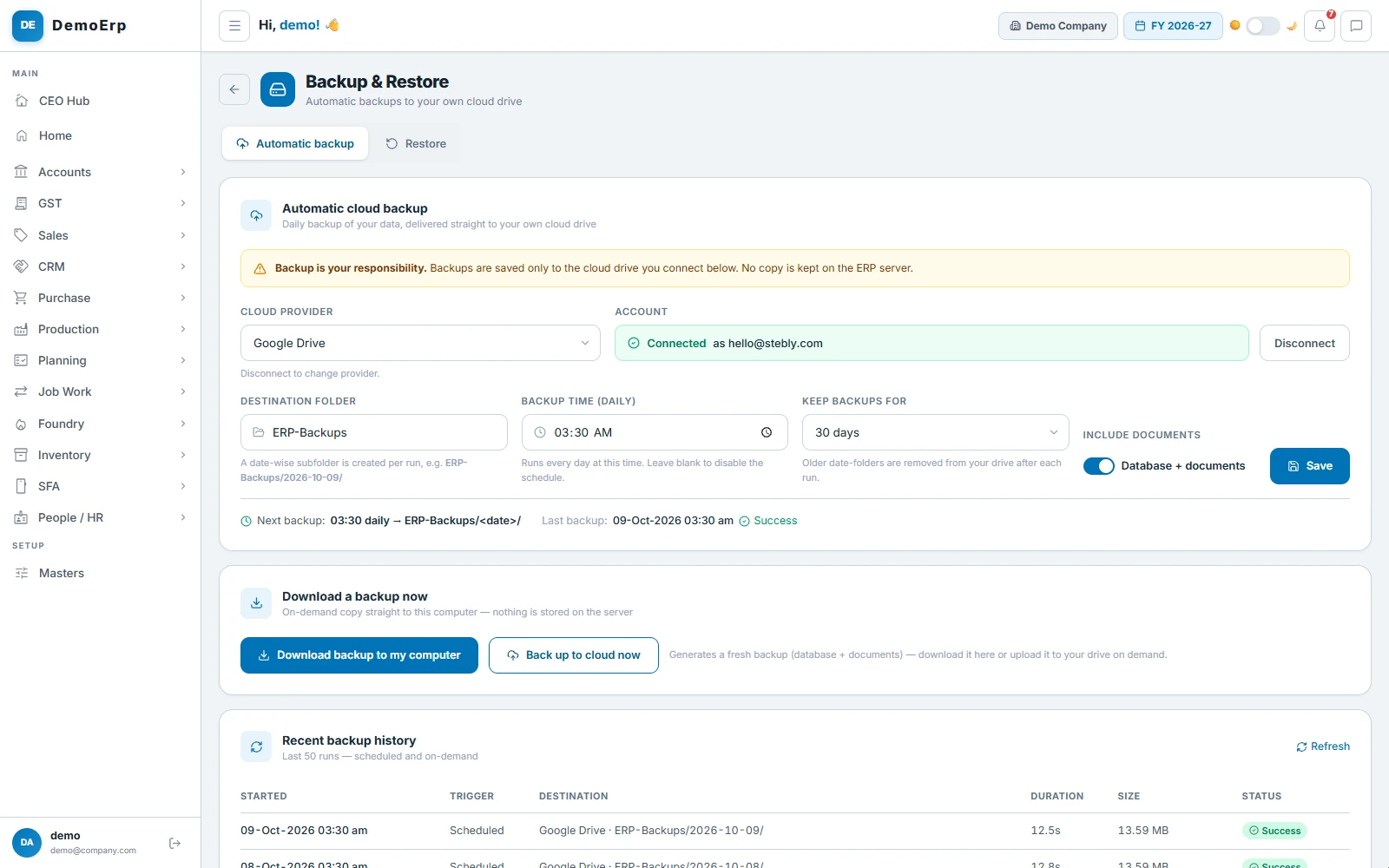
Backed up to Google Drive at 3:30 every morning and kept for 30 days; the last run worked.
last run: worked
Built in for a bigger business.
all in the same plan
- Several companies, each with its own books and users
- Financial years and voucher numbering per company
- Rights by role, with presets to start from
- One approvals inbox for orders, bills, vouchers and masters
- Approval switched off where a document needs none
- Audit log with the old and the new value
- Month-wise period lock
- Stock in many stores, with transfers between them
- Barcode scan before goods are dispatched
- Excel import and export of masters
- Excel export on reports
- A full download of your data at any time
- Nightly backup to your own Google Drive or OneDrive
- Your name, logo and colours on the system
- Android apps for the field, the floor and dealers
- Your data kept apart from every other customer's
Let's map Stebly to your team.
We walk you through roles, approvals and backups, set up around how your people work.