
Your business on one screen, every morning.
Stebly CEO Hub puts sales against the target, what needs you today, every approval waiting, your money and stock, and the factory floor on one screen for the owner.
- Updates every 3 minutes
- One approval inbox
- Works on your phone
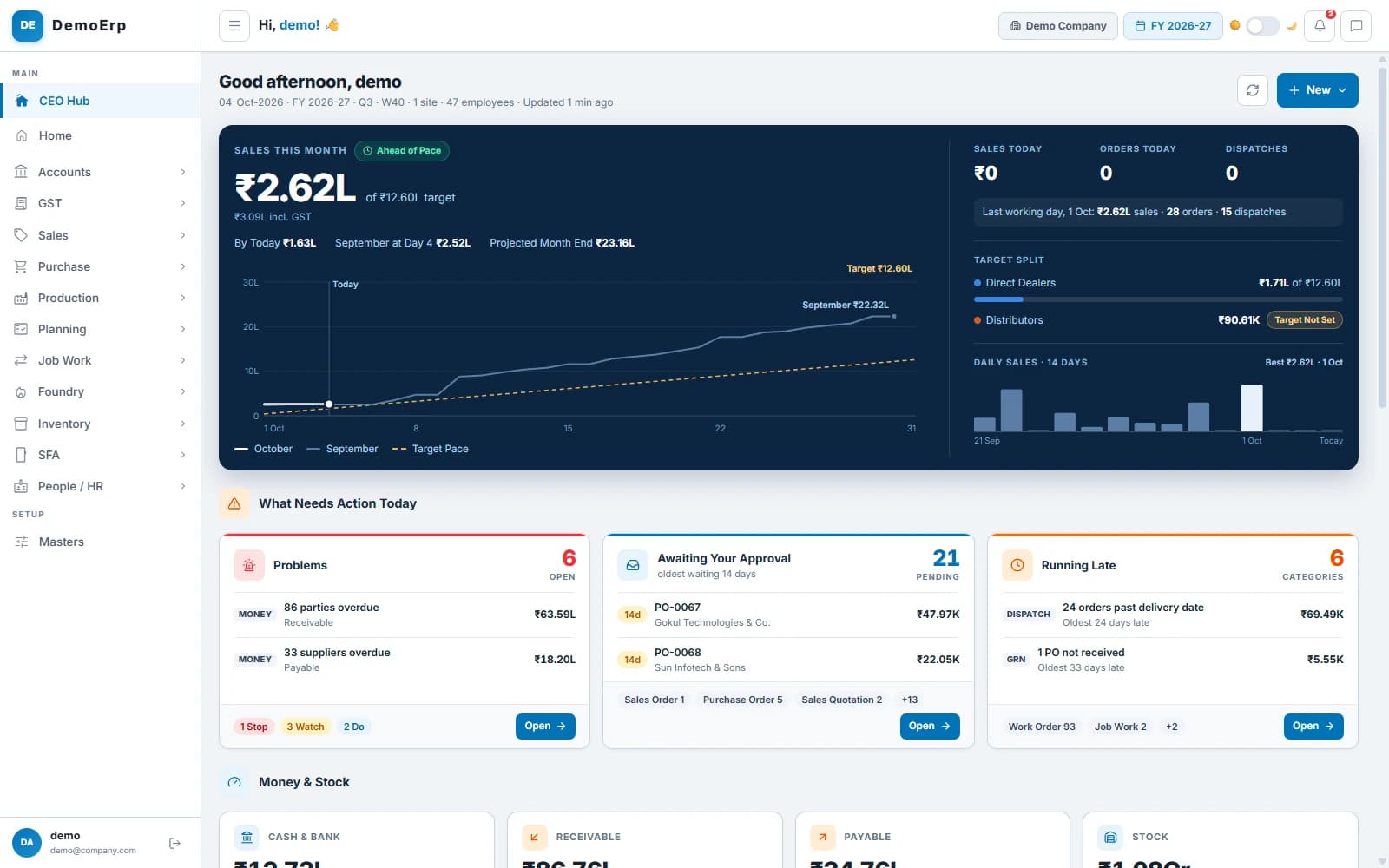
Real Stebly screens, shown with demo data.
This page is for you if…
- Numbers reach you a week late, from five different people.
- Nobody can say if this month will meet its target.
- You hear about a problem after it has cost you.
- Approvals wait until you are back in the office.
Made for owners and directors. Each person sees only what their role allows.
How an owner's morning runs in Stebly, in 6 steps.
Real Stebly screens, with the demo company's numbers.
- step 1 of 6
Check sales against the target
The day opens on this month's sales: the pace you are on, and where the month will end at this rate.
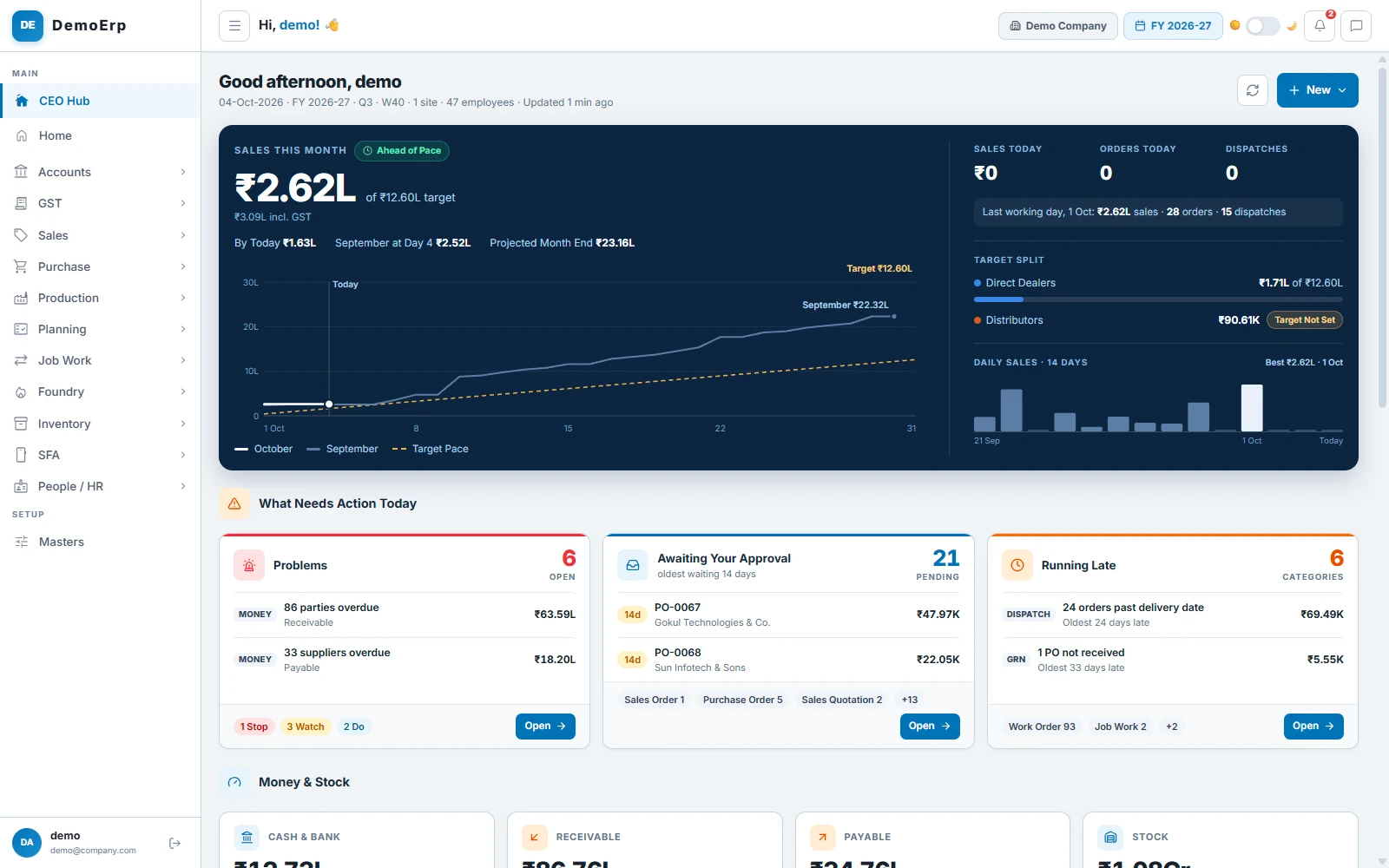
Sales this month: ₹2.62L of a ₹12.60L target, ahead of pace, projected to end at ₹23.16L.- Ahead of pace or behind, against an even pace to the target.
- This month against last month, day by day, with a projected month end.
- Sales, orders and dispatches today, and the split between dealers and distributors.
- Daily sales for the last 14 days, with the best day marked.
- step 2 of 6
See what needs you today
Problems, approvals and late work are sorted for you, so you know where to start before the day gets busy.
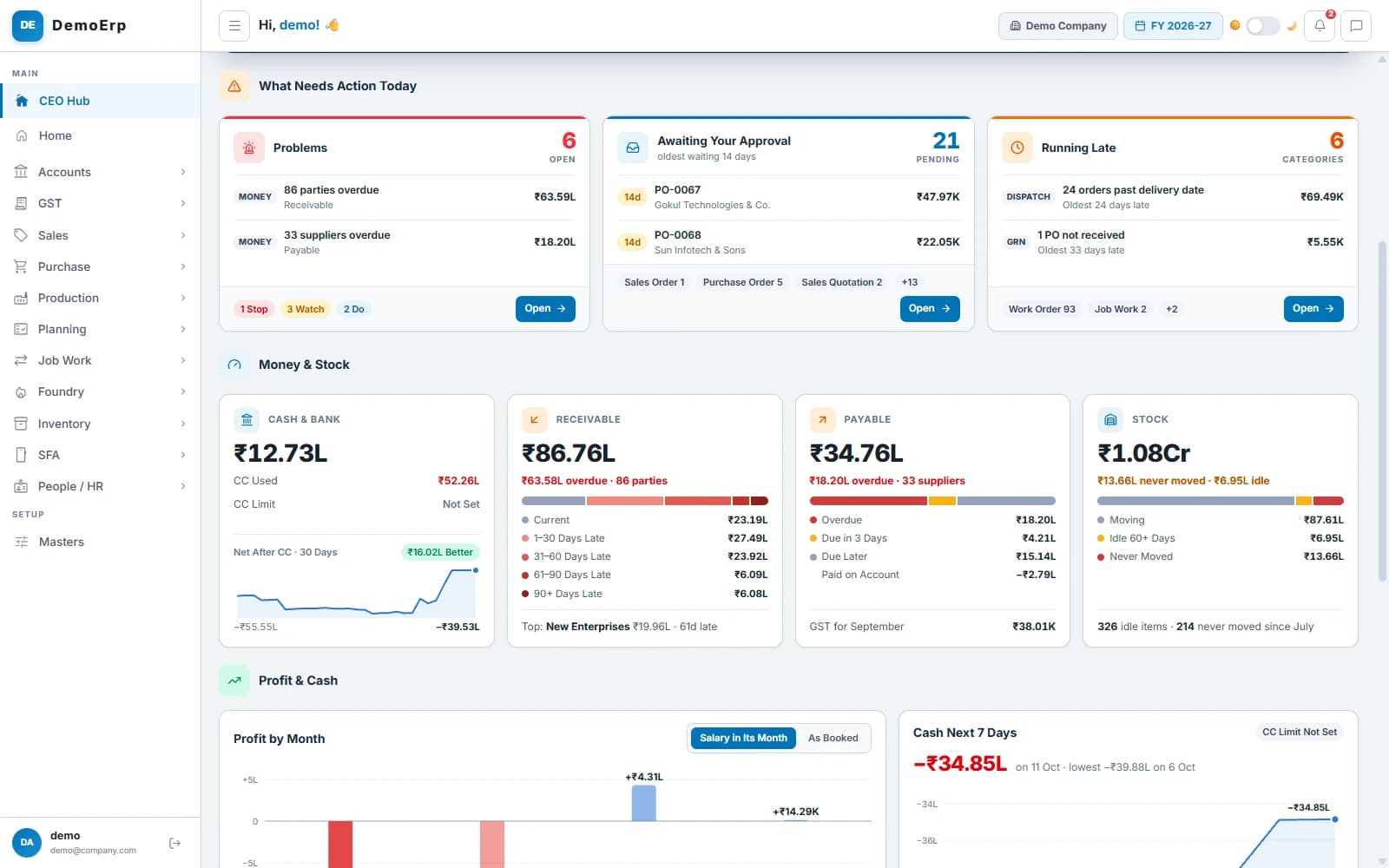 What needs action today: 6 problems, 21 approvals waiting and late work in 6 areas.
- Problems are marked Stop, Watch or Do, with the money at stake.
- Overdue parties, suppliers to pay, stock that is not moving and quotations about to expire.
- Late dispatches, goods not received and job work overdue, with how many days late.
- Every line opens the list behind it, down to the document.
- step 3 of 6
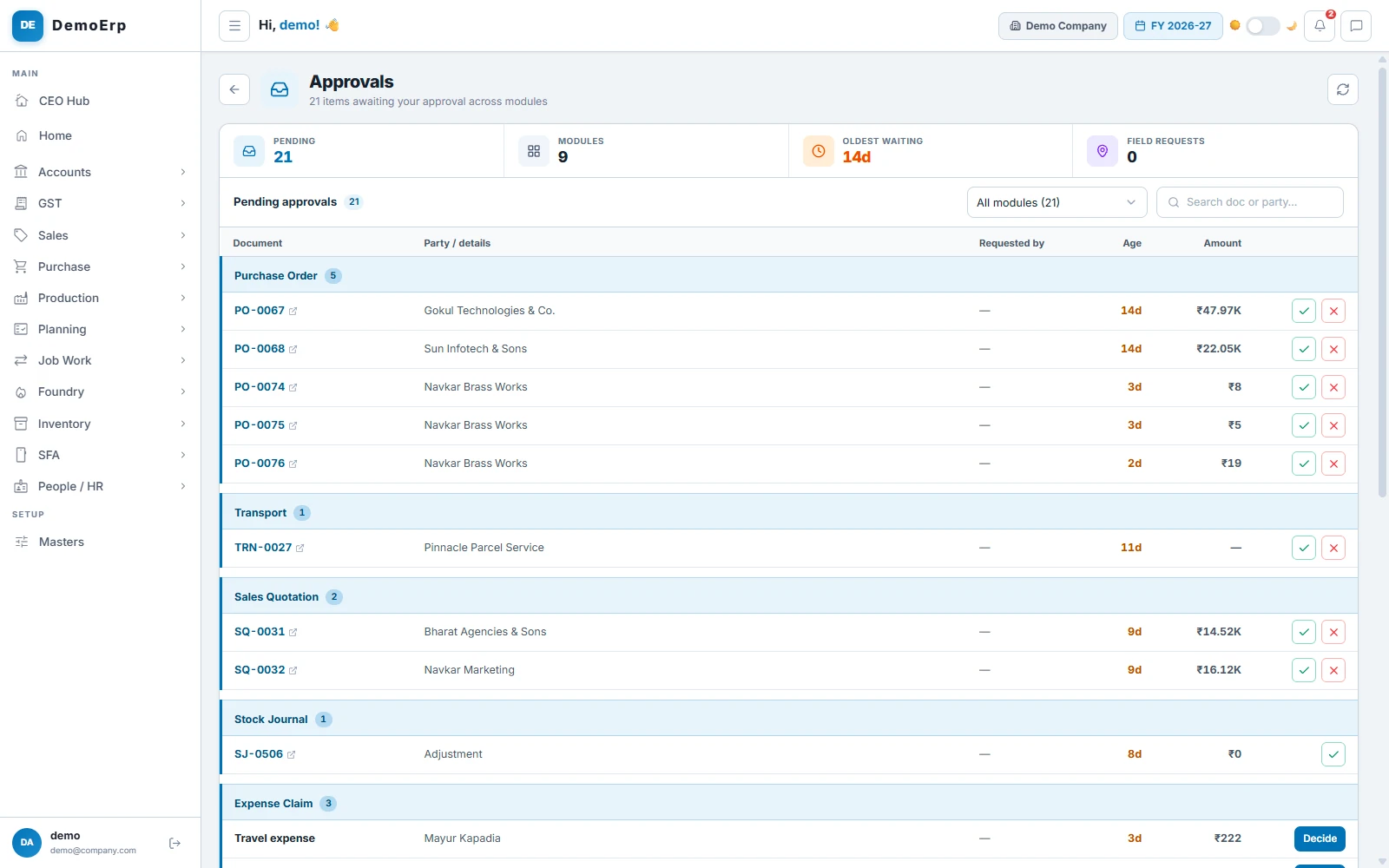
Clear every approval in one inbox
Approvals from across the business wait in one list, with how long each has waited, so nothing sits for days without you knowing.
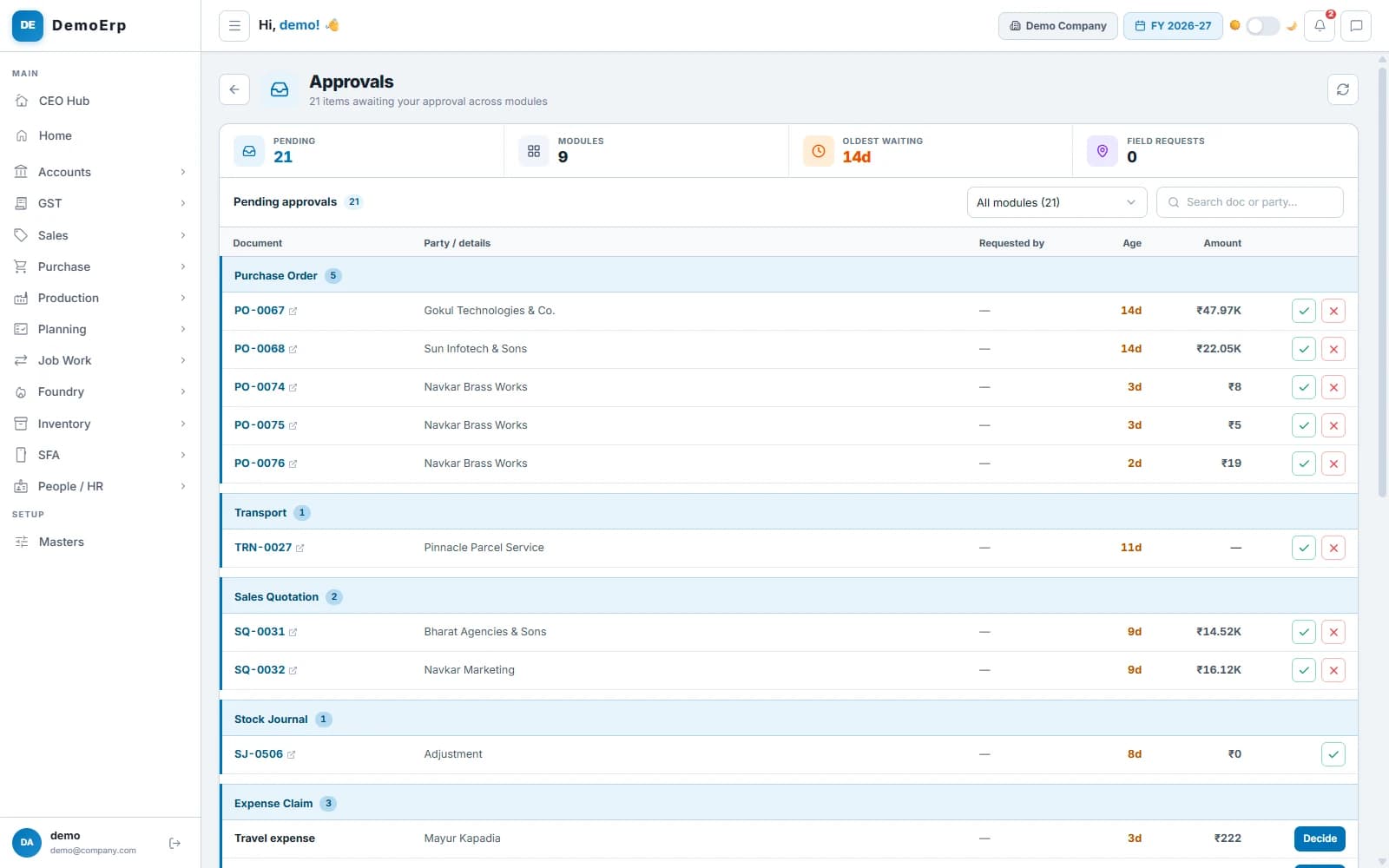 The approvals inbox: 21 waiting across 9 kinds of documents, the oldest for 14 days.
- Orders, purchase orders, invoices, vouchers, masters, leave and expense claims, in one inbox.
- Approve or reject from the list, or open the document first.
- Each person sees only what they are allowed to approve.
- The Audit Log keeps every change, with who made it and when.
- step 4 of 6
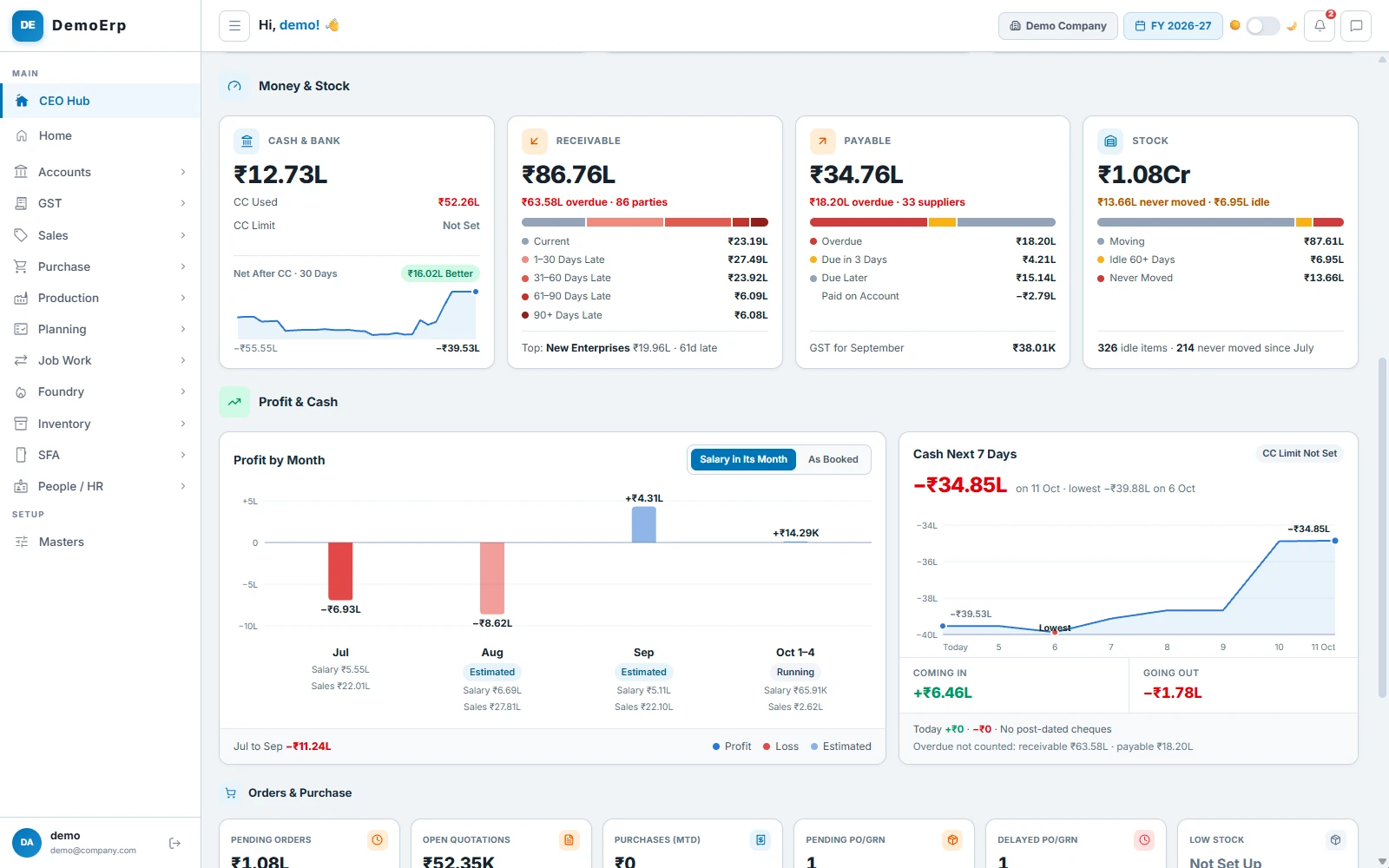
Know your money and stock
Cash, what customers owe you, what you owe suppliers and the stock on hand, each with what is overdue or idle.
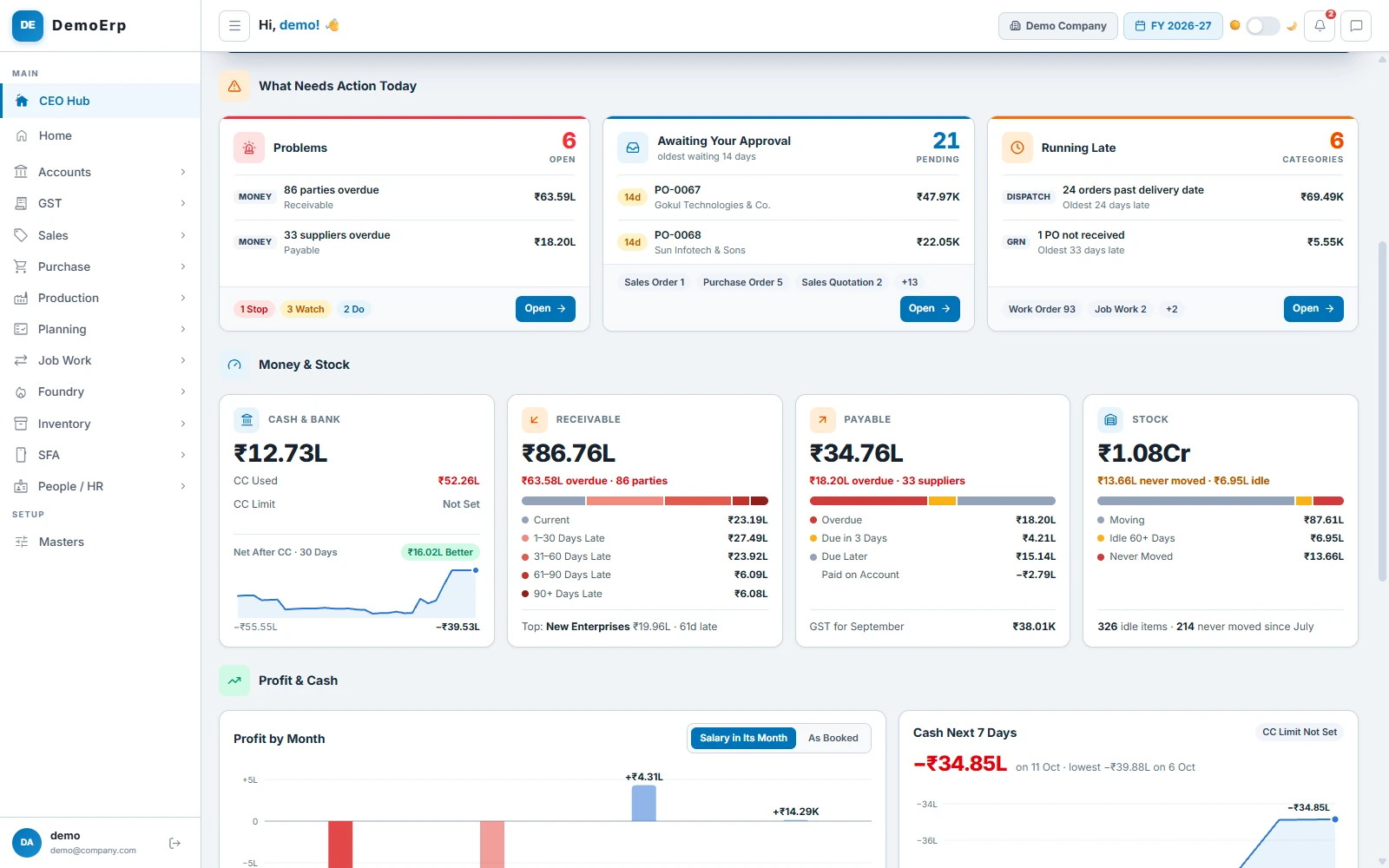
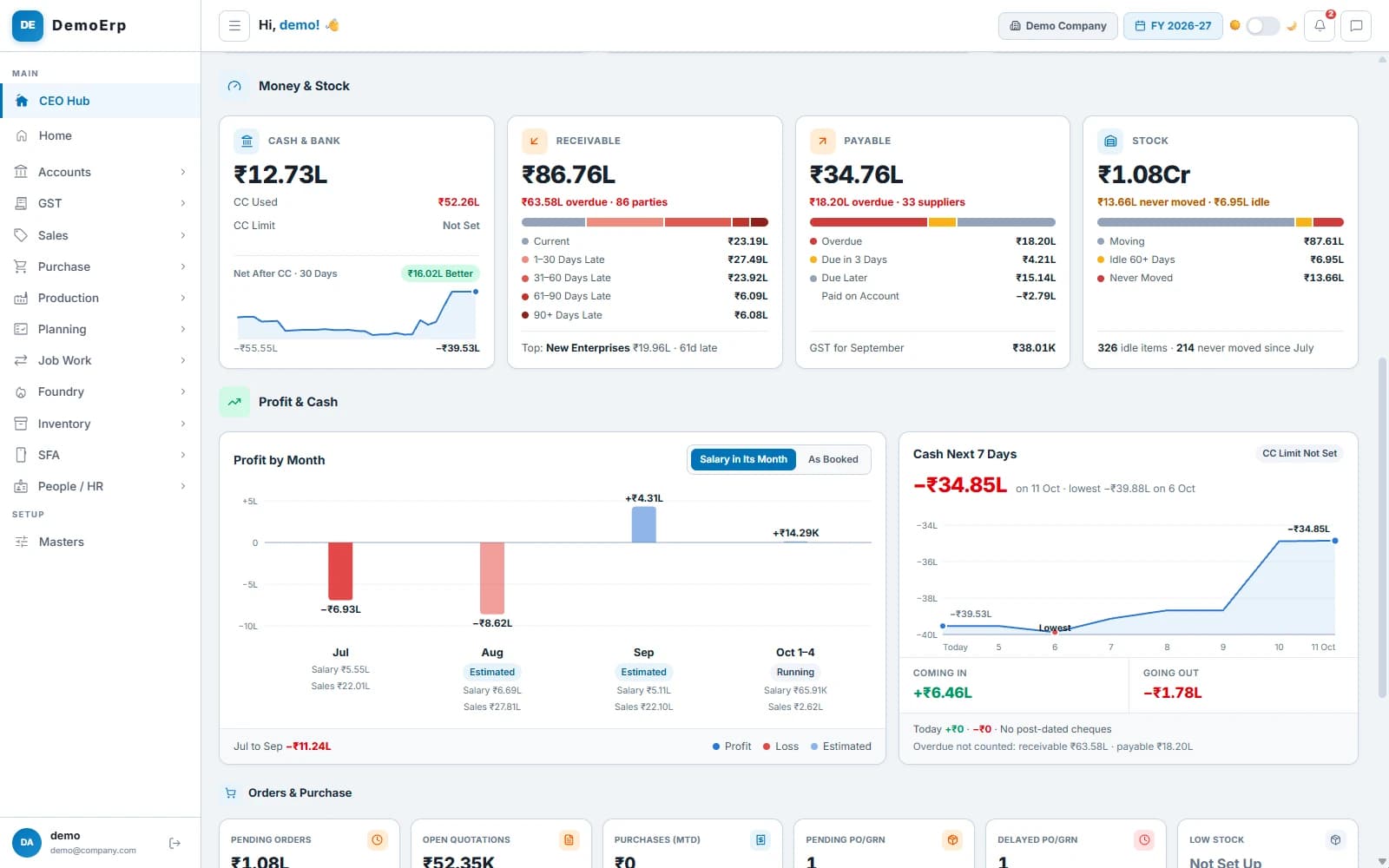 Money and stock: ₹86.76L receivable, ₹63.58L of it overdue, and the cash for the next 7 days.
- Cash and bank, with how much of the CC limit is used.
- Receivable and payable by how late they are, with the top late party.
- Stock split into moving, idle 60+ days and never moved.
- Profit by month, and the cash coming in and going out over the next 7 days.
- step 5 of 6
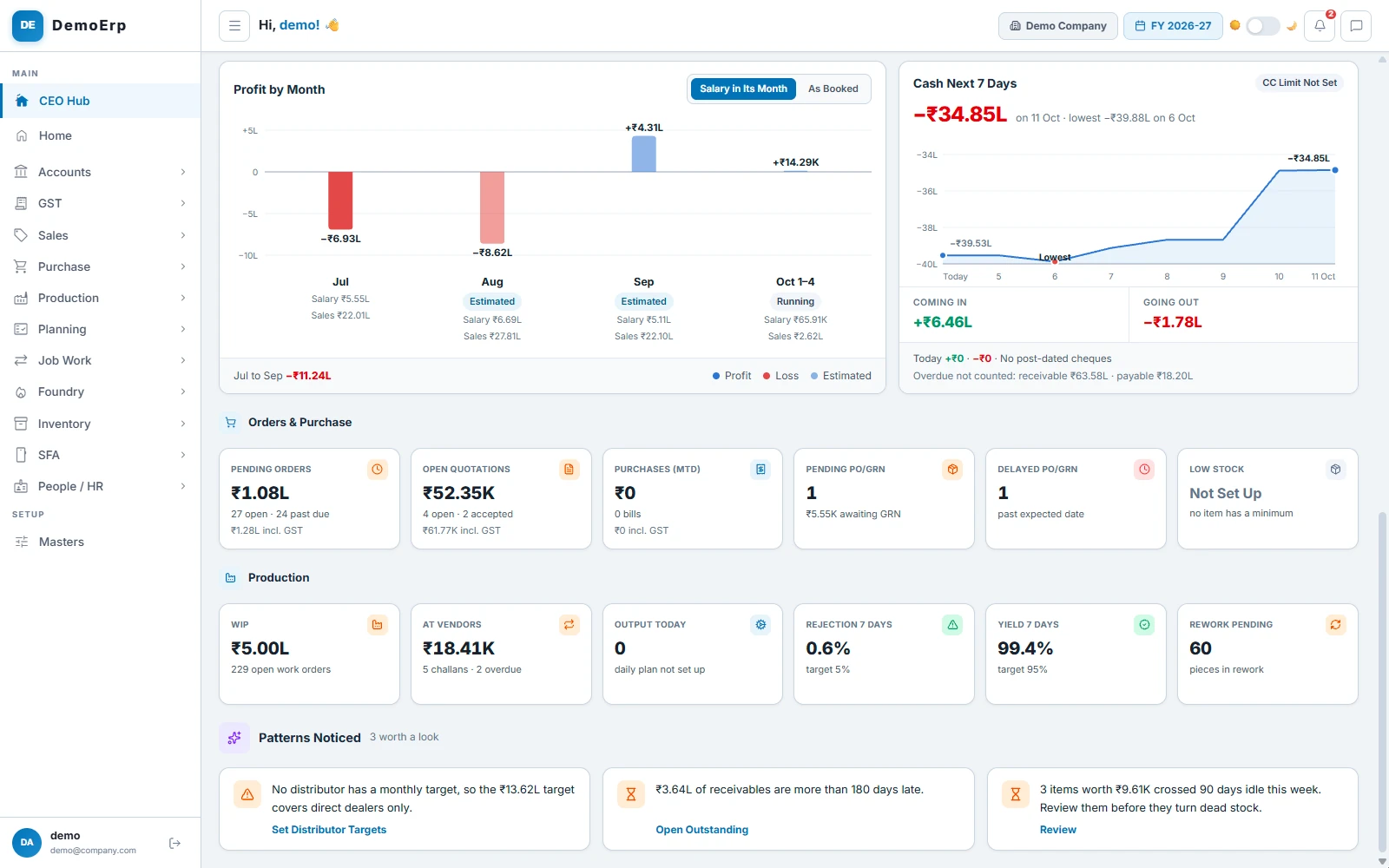
Watch orders, the floor and the patterns
Pending orders, purchases and the factory floor in a few numbers, and the patterns Stebly noticed this week.
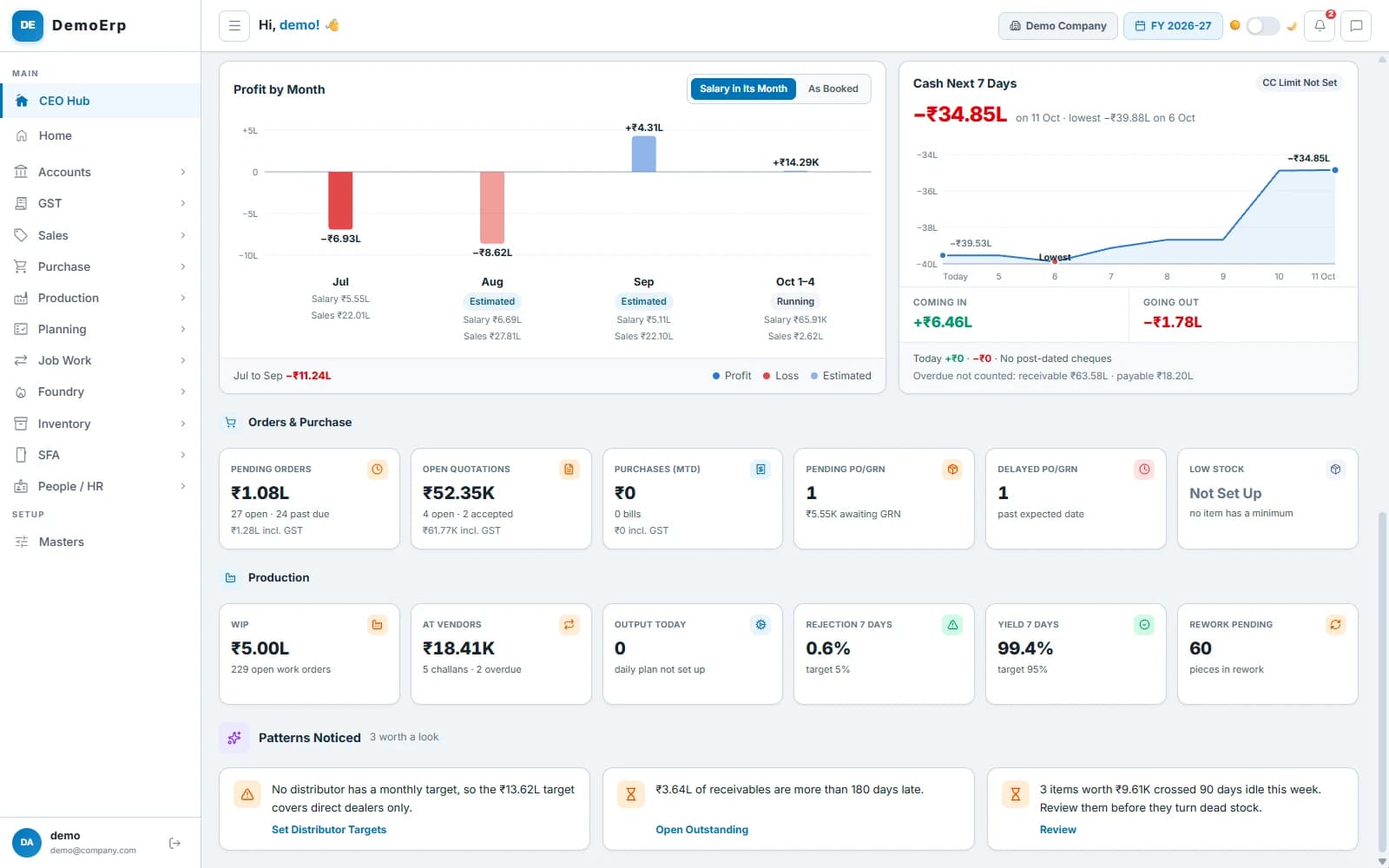 Orders and purchase, the floor in six numbers, and three patterns worth a look.
- Pending orders, open quotations, purchases this month and goods not yet received.
- Work in progress, material at job workers, and rejection and yield for the last 7 days.
- Patterns worth a look, like receivables more than 180 days late or items that just crossed 90 days idle.
- Start a sales order, quotation, purchase order or work order from the New menu.
- step 6 of 6
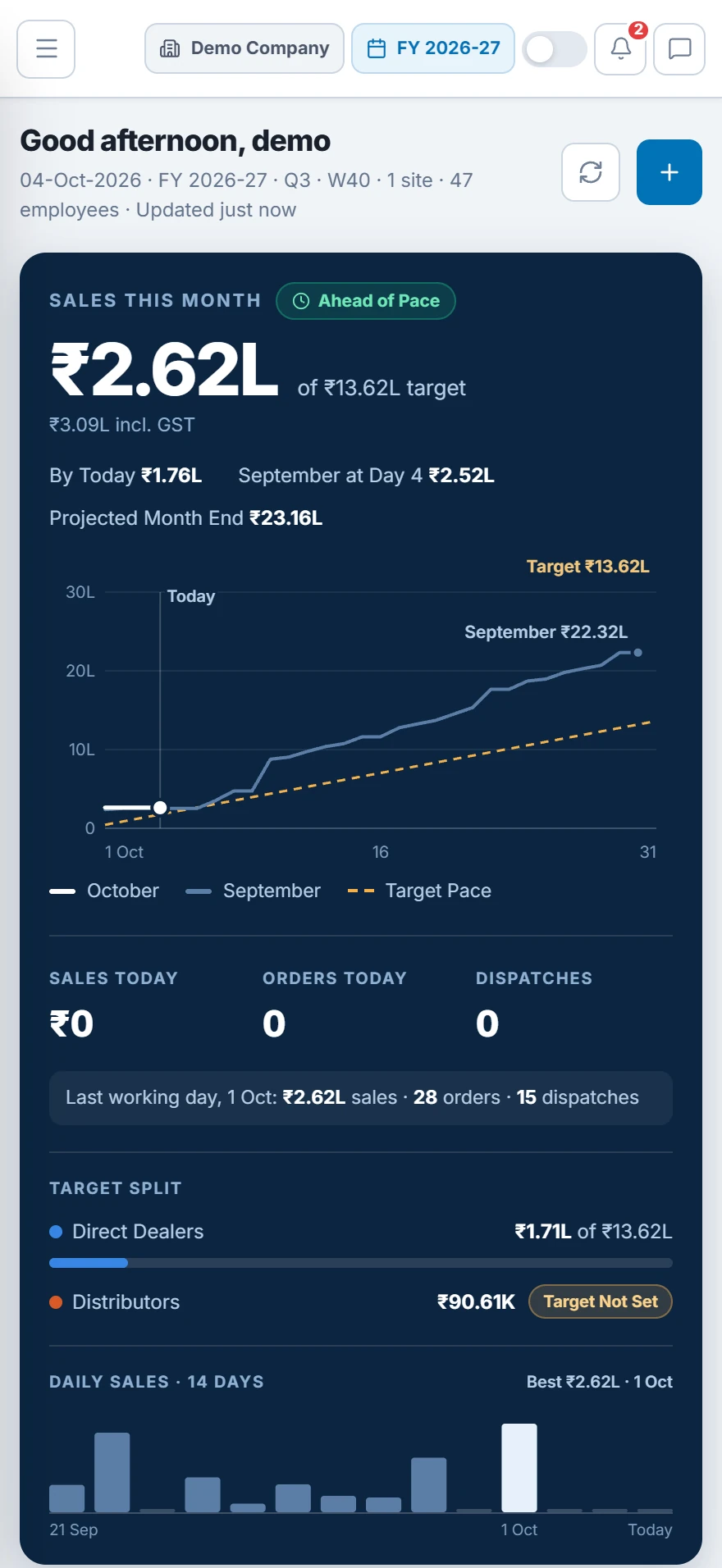
Check it all on your phone
The same CEO Hub works on a phone. Check the numbers and clear approvals from the factory, the road or home.
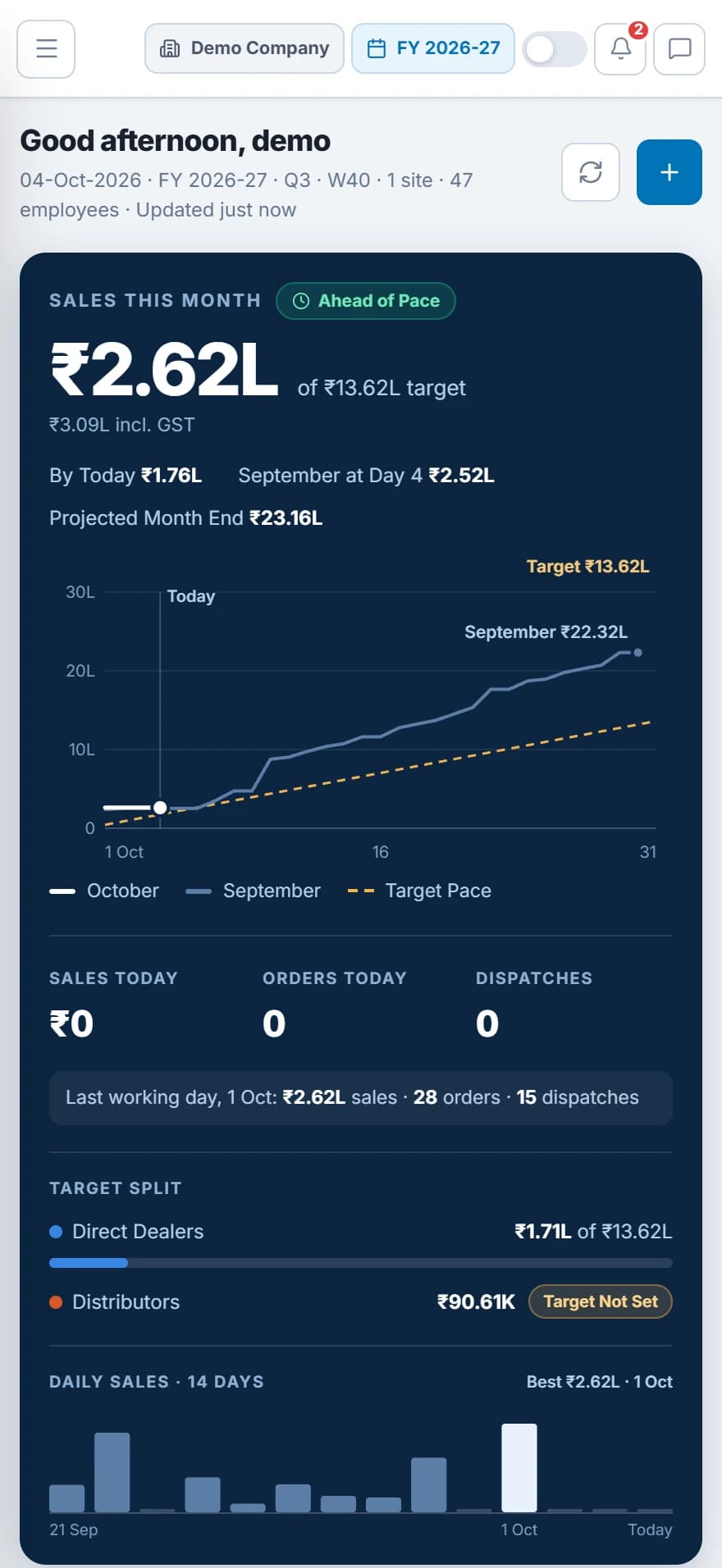 Sales this month on a phone: ahead of pace, with the target split below.
- The same numbers, laid out for a small screen.
- Approve or reject from the phone.
- It updates every 3 minutes while it is open.
- Nothing to install: it opens in the phone's browser.
Everything in CEO Hub.
- Sales against target, with pace
- Projected month end
- Target split by dealers and distributors
- Problems marked Stop, Watch or Do
- Late work by category
- One approval inbox
- Cash and bank, with CC used
- Receivable and payable by age
- Idle and never-moved stock
- Profit by month
- Cash for the next 7 days
- Orders and purchase at a glance
- Production at a glance
- Patterns noticed
- New menu for quick entries
- Audit Log of every change
- Access by role
- Works on the phone
Every module is in one plan, and they all work on the same data.
Questions about Stebly CEO Hub.
What does an owner see on Stebly CEO Hub?
Does the CEO Hub work on a phone?
Which approvals come to the one inbox?
Can I see who changed what?
See the whole business on one screen.
We walk you through the CEO Hub with a business like yours, on the computer and on the phone. Send your item list on WhatsApp and we'll run it on your own data.