
From raw material to finished goods, stage by stage.
Stebly Production plans what to make, runs every stage on the floor, sends work to job workers and shows what every order really gave you.
- Every stage tracked
- Job work on challans
- Loss counted in rupees
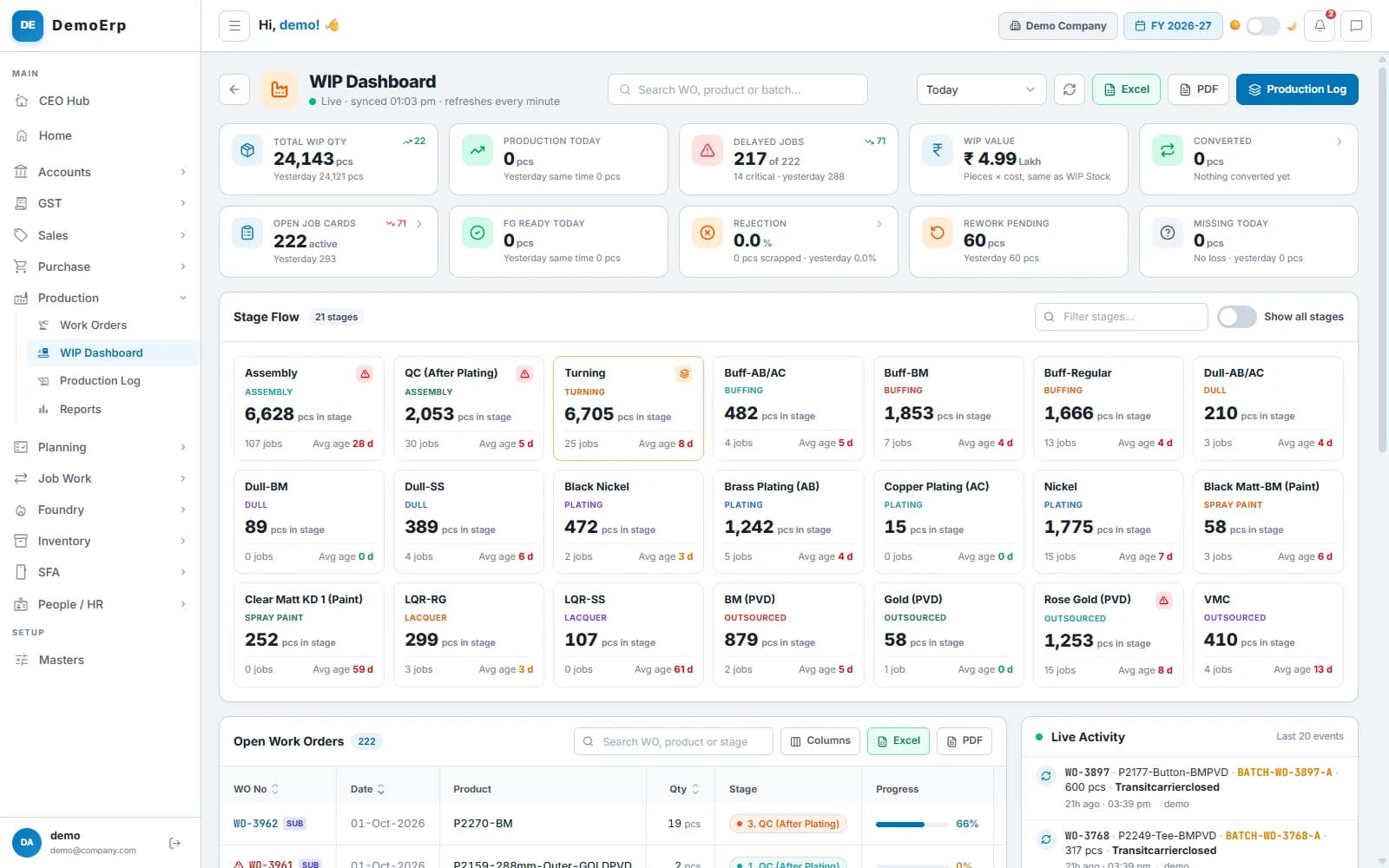
Real Stebly screens, shown with demo data.
This page is for you if…
- Production is planned on Excel or a whiteboard.
- Nobody can say which stage a job is stuck at.
- Job work material goes missing in the records.
- Rejections are counted at month end, if at all.
Used by owners, production planners, supervisors, the store and the shop floor.
How production runs in Stebly, in 8 steps.
Real Stebly screens, with the demo company's numbers.
- step 1 of 8
Set up each product once
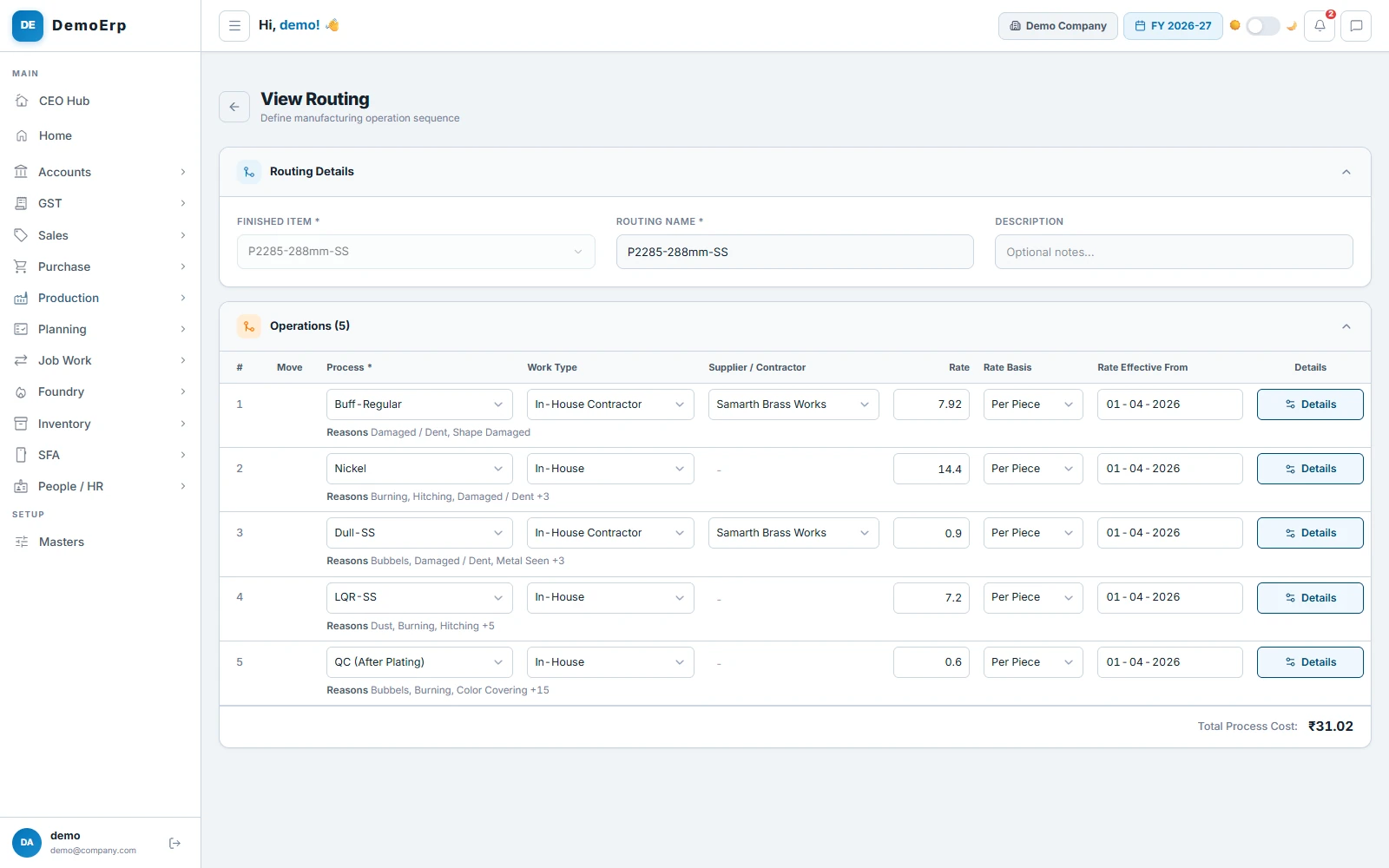
Tell Stebly what goes into a product and the stages it passes through. Every work order then follows it on its own.
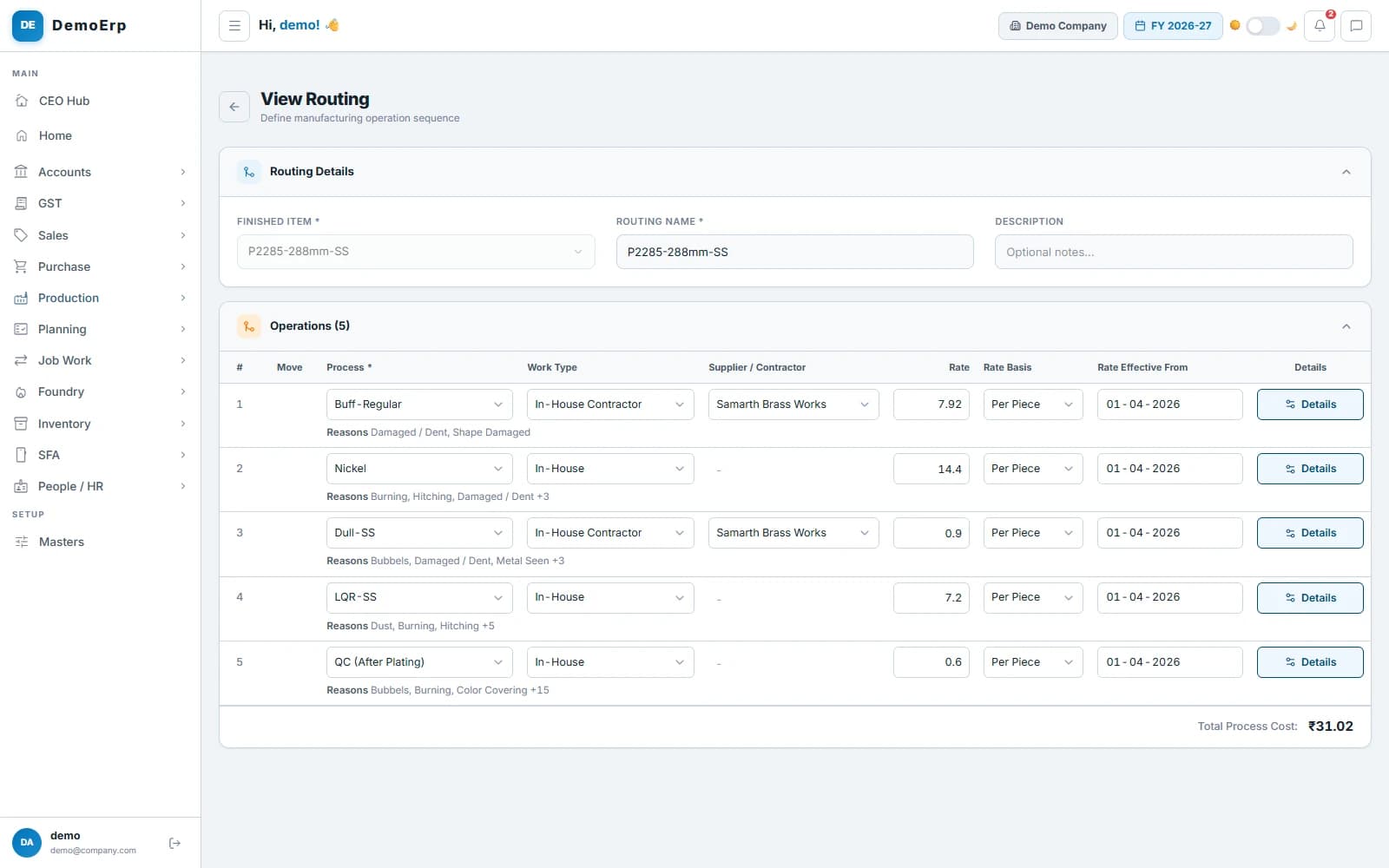 Routing for one product: five stages, each with its contractor, rate and rejection reasons.
- Bill of materials with sub-assemblies, waste % and the stage that uses each part.
- Routing with every stage in order, done in-house or by a job worker.
- Contractor and rate per piece for each stage, with the date the rate starts.
- Rejection reasons set for each stage.
- step 2 of 8
Plan what to make
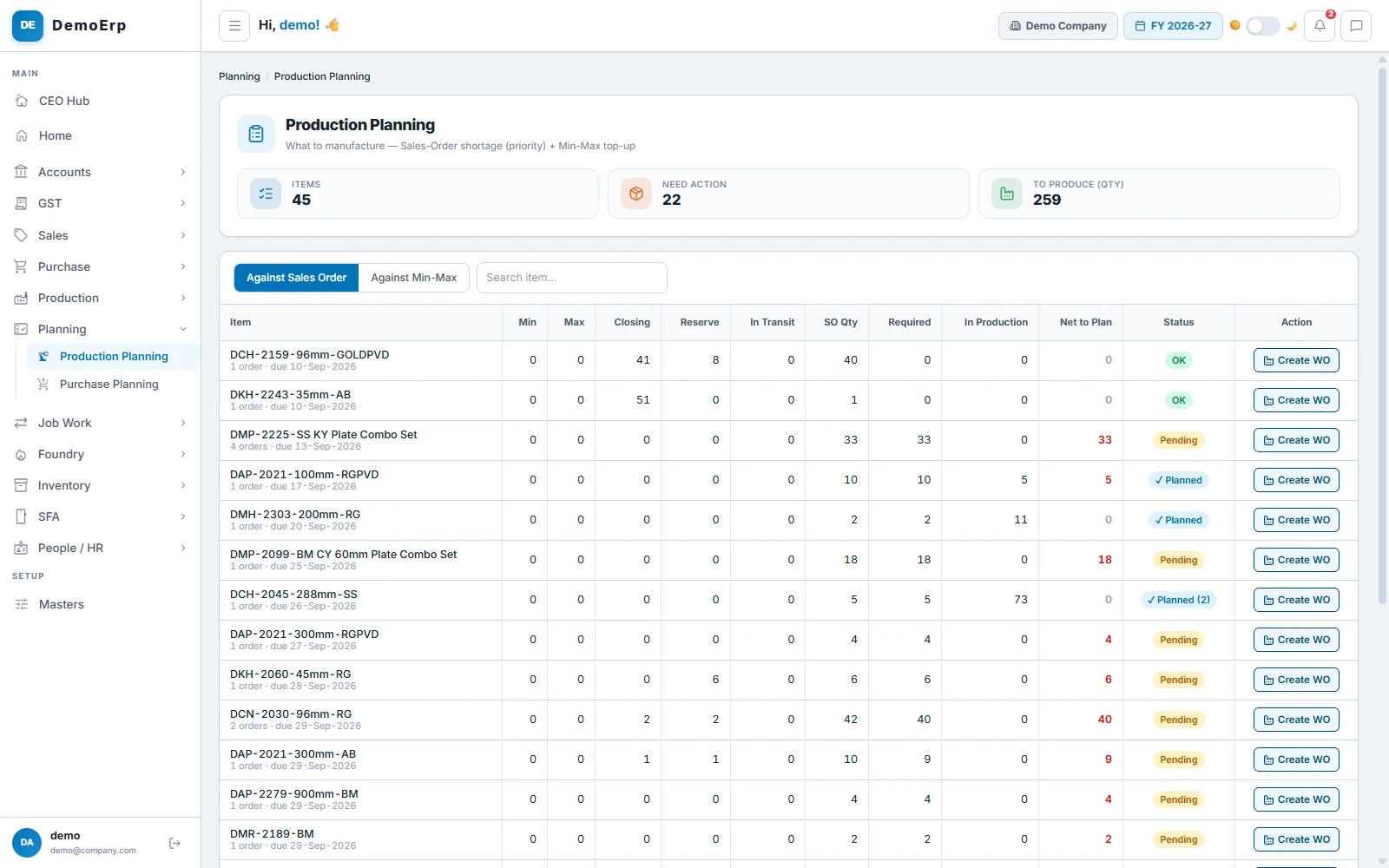
Stebly starts from your pending sales orders, then tops up to the stock levels you set. You see what to start, and how much.
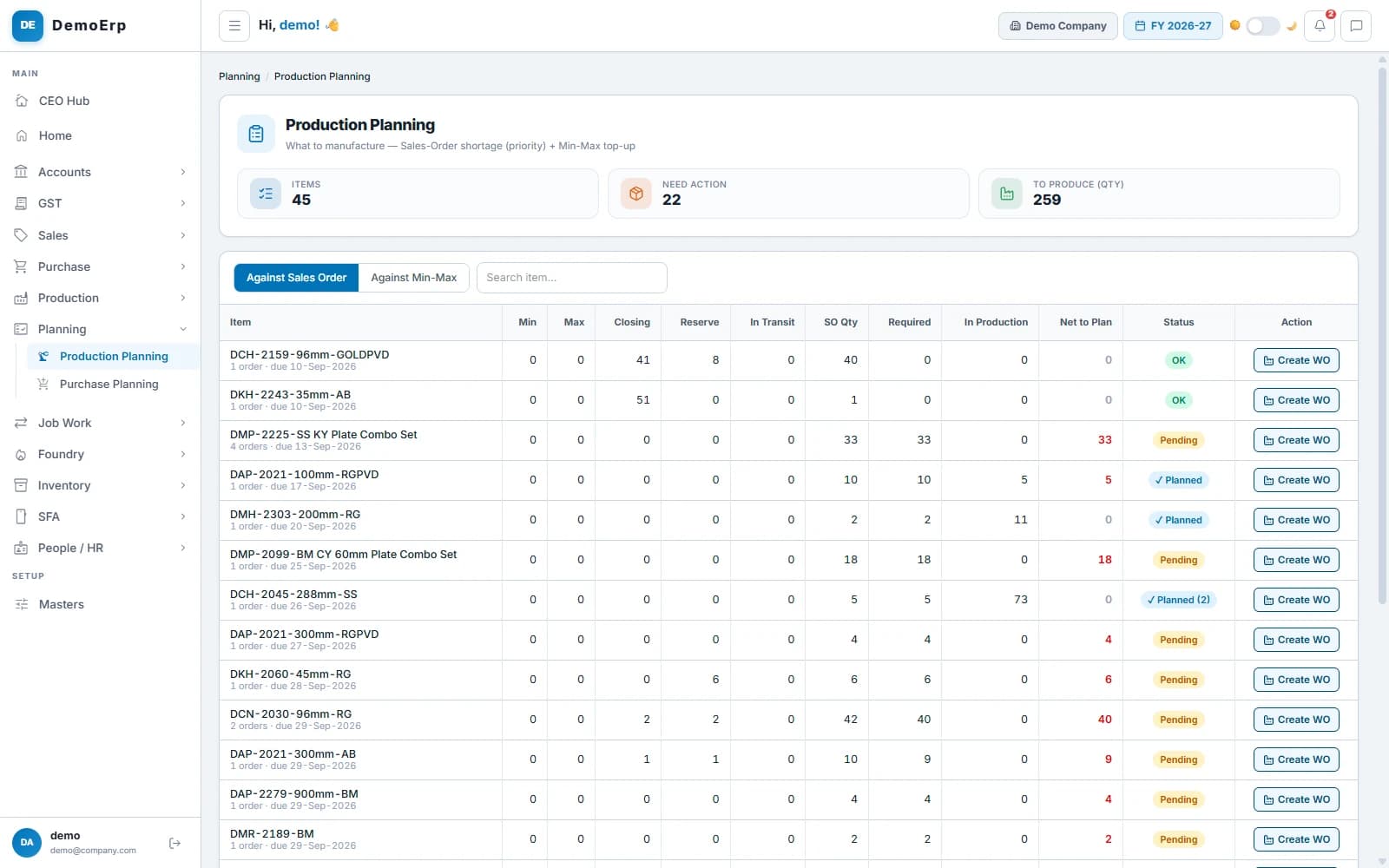 Production planning: 45 items checked, 22 need action, 259 pieces to produce.
- Sales order shortages come first, then min and max stock.
- Stock, reserved, in transit and in production, side by side.
- Net to plan shows exactly how many to start.
- Purchase planning lists the material you need to buy.
- step 3 of 8
Open a work order
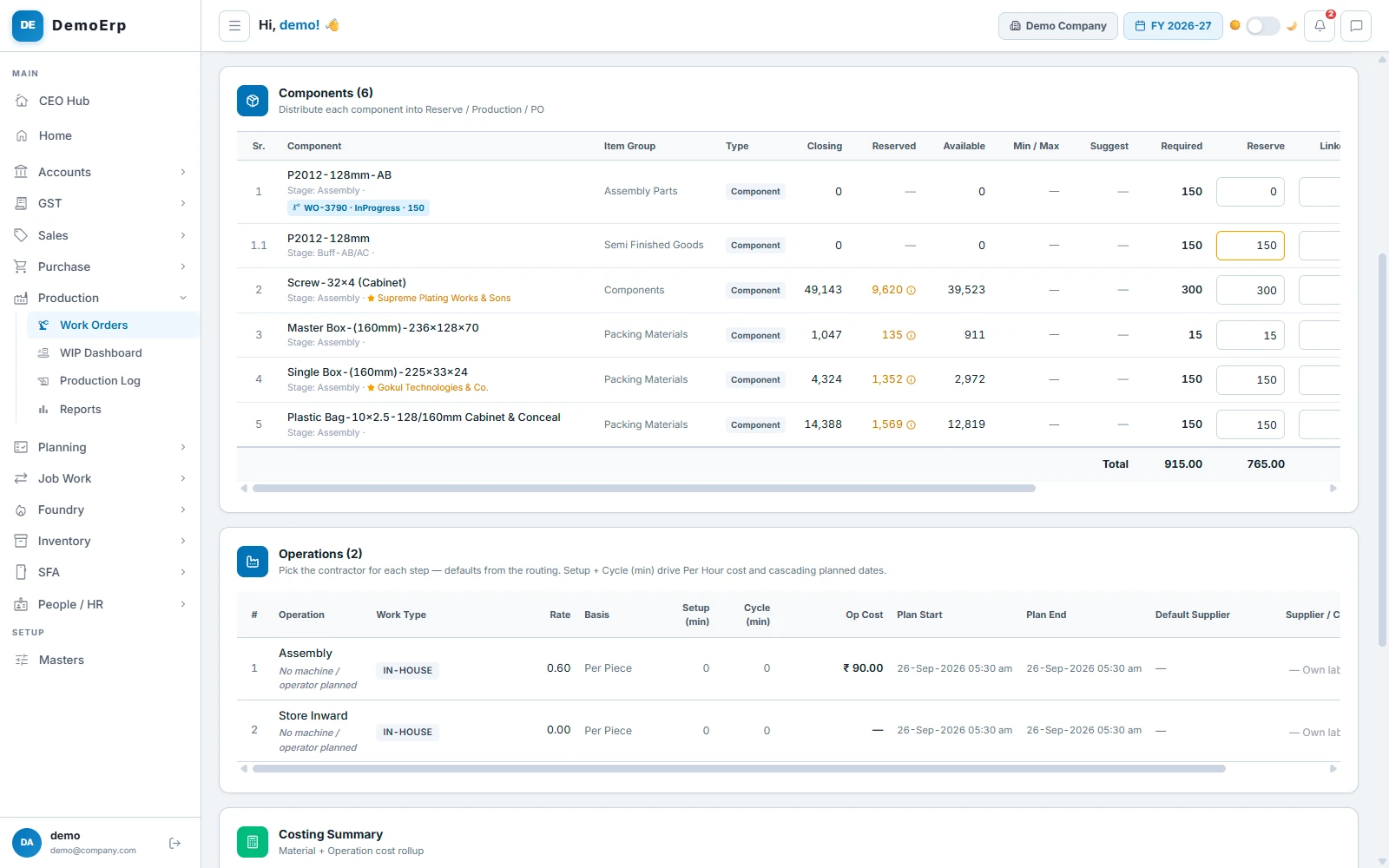
One work order carries the quantity, batch, target date, BOM and routing. Each part is split between stock you hold, parts to make and parts to buy.
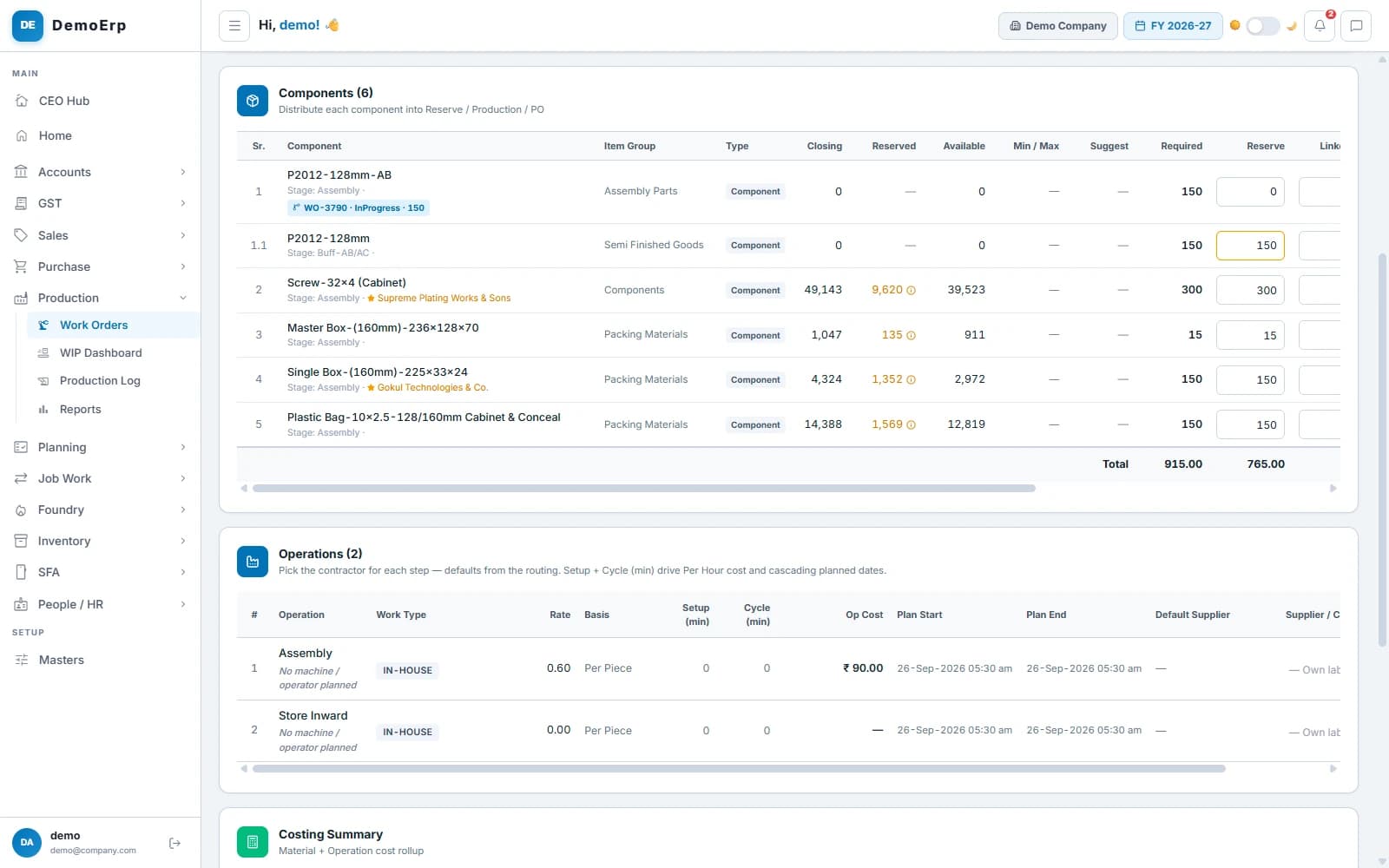 Work order components: a sub-assembly running as its own order, and reserved stock for each part.
- Each component is split into reserve, production and purchase.
- Sub-assemblies get their own work orders, linked to the main one.
- Urgent orders are marked Emergency, and every stage sees the red tag.
- Print a job card with a QR code that opens the order on a phone.
- step 4 of 8
Run every stage on its board
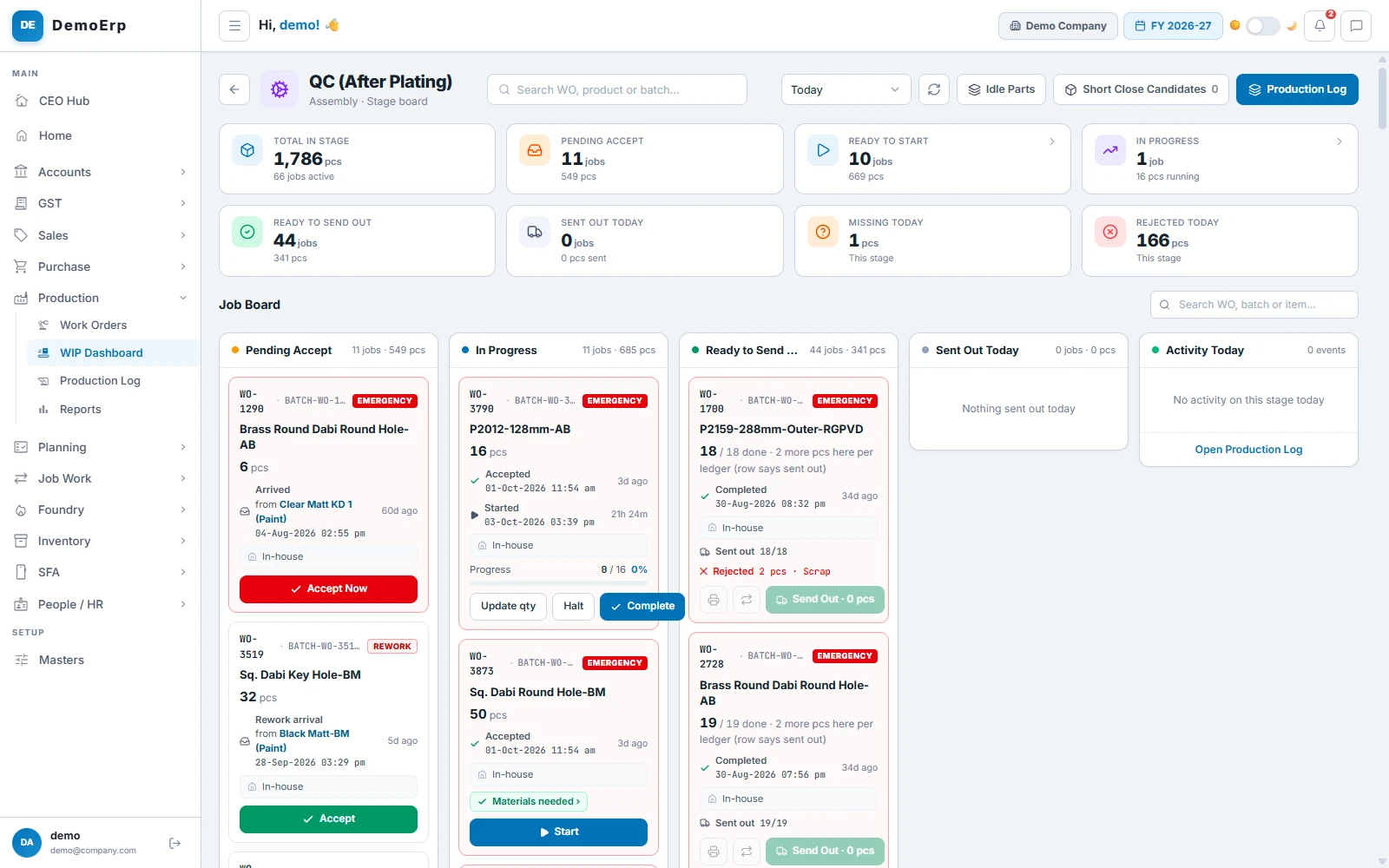
Each stage has its own board. Supervisors see what is waiting, what is running and what is ready to move on.
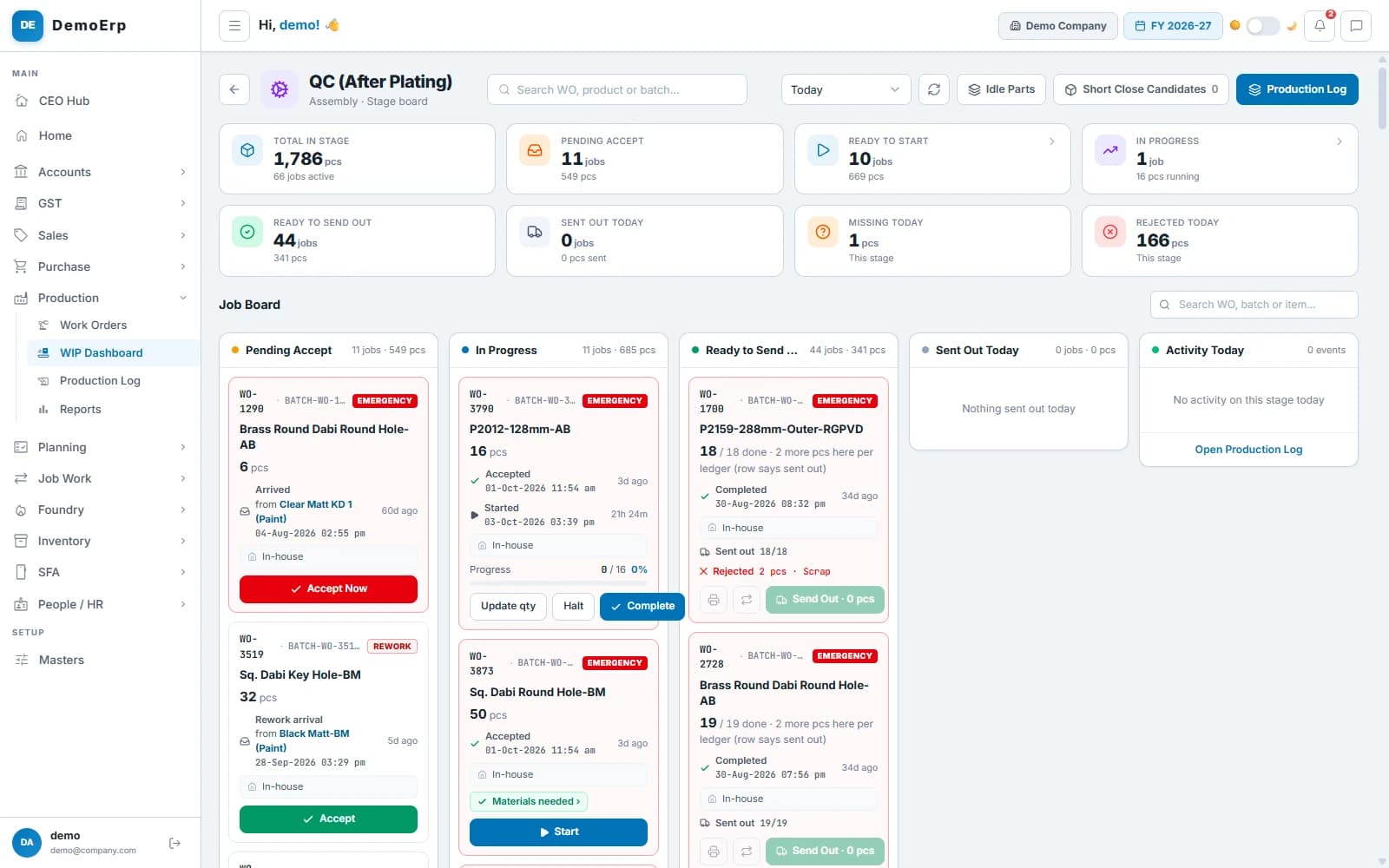 Stage board for QC: 1,786 pieces in the stage, 44 jobs ready to send, 166 rejected today.
- Accept a lot, start it, complete it and send it to the next stage.
- Send part of a lot ahead when it is ready. The rest follows later.
- Rejected and missing pieces are recorded with a reason, at the stage where they happen.
- Plan a machine and an operator for each step.
- step 5 of 8
Workers use their phone
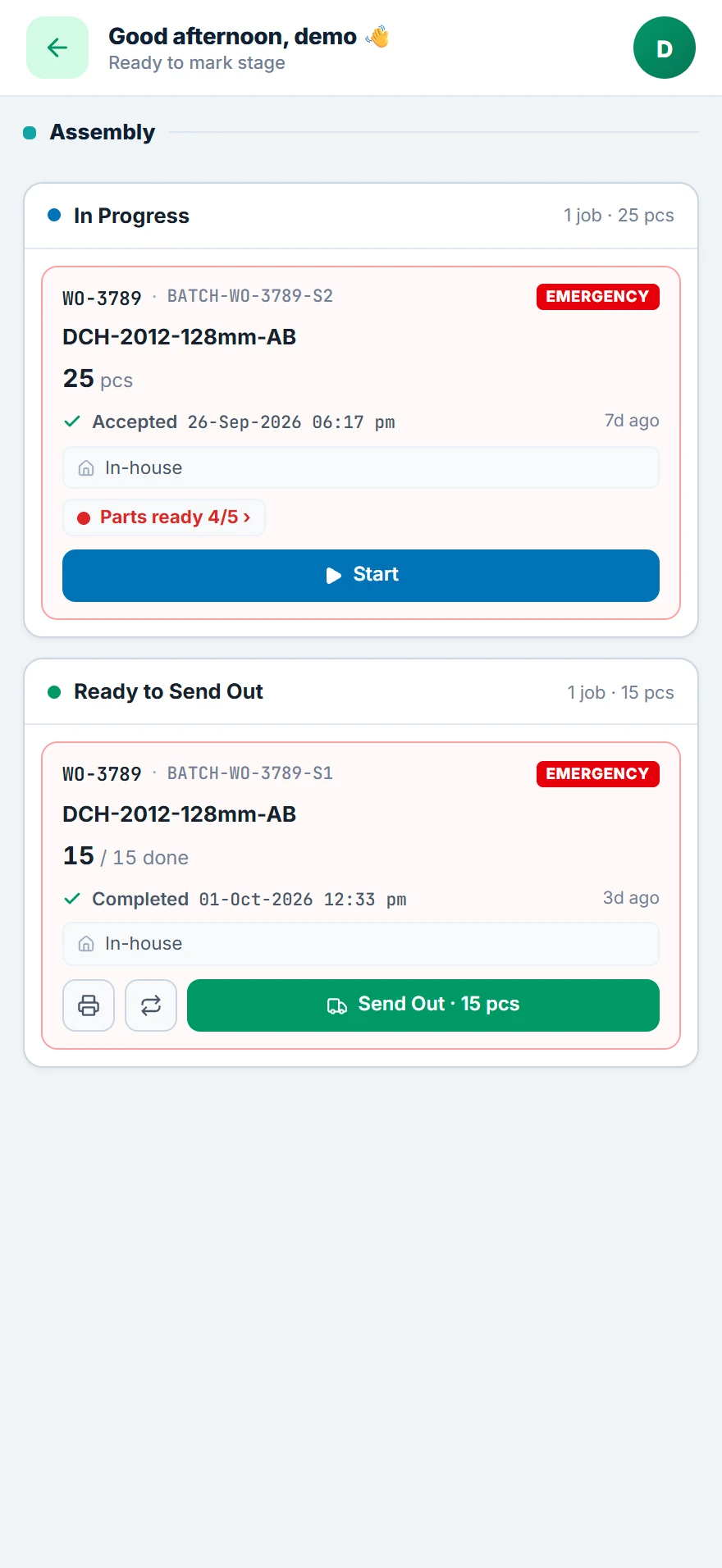
Floor staff do not need a computer. They scan the QR on the job card and mark their work on the phone.
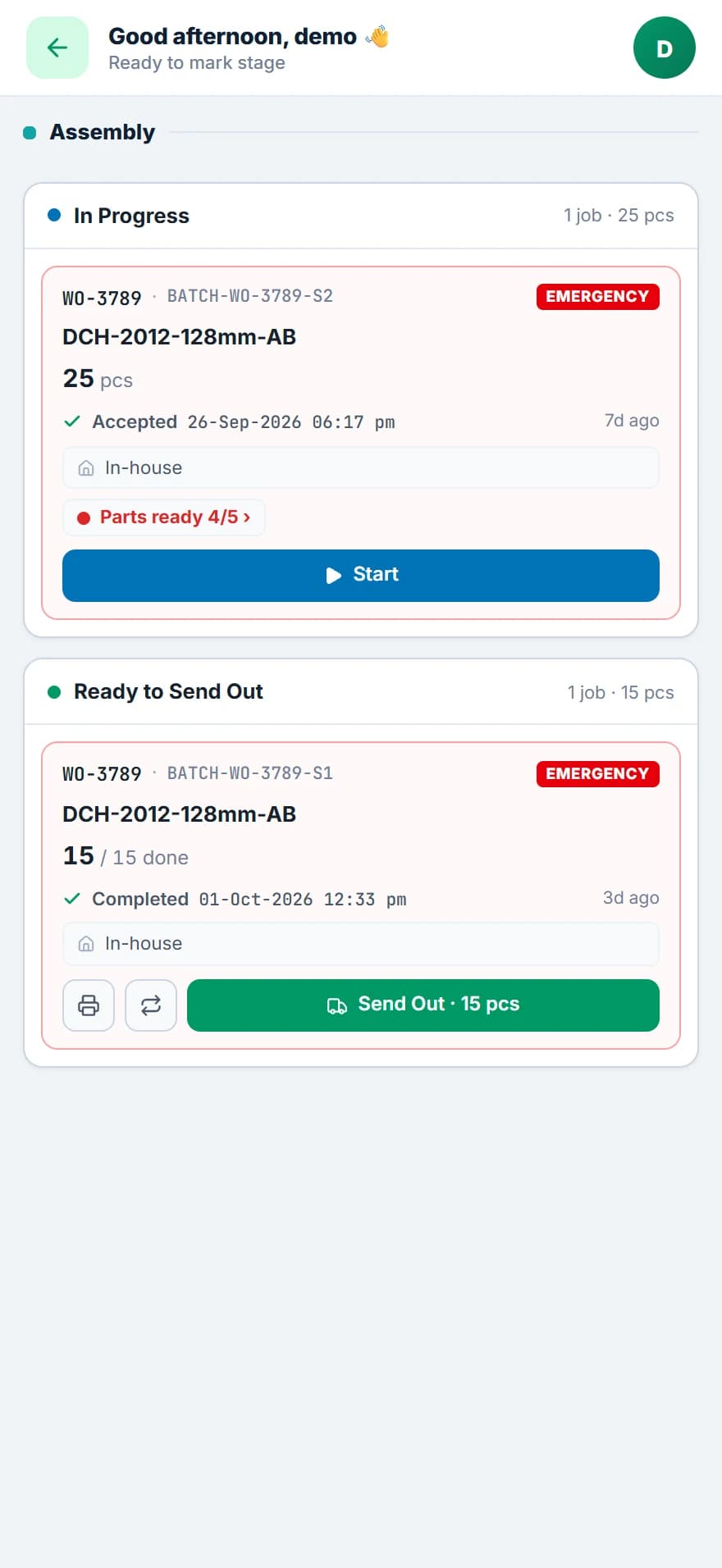 A scanned job card: one lot in progress, one ready to send out.
- Scan the job card to open that order at the stage it is in.
- Start a lot and send it out from the phone.
- Each worker sees only the stages given to them.
- Material used on the floor is booked from the phone, and the office approves it.
- step 6 of 8
Send work to job workers
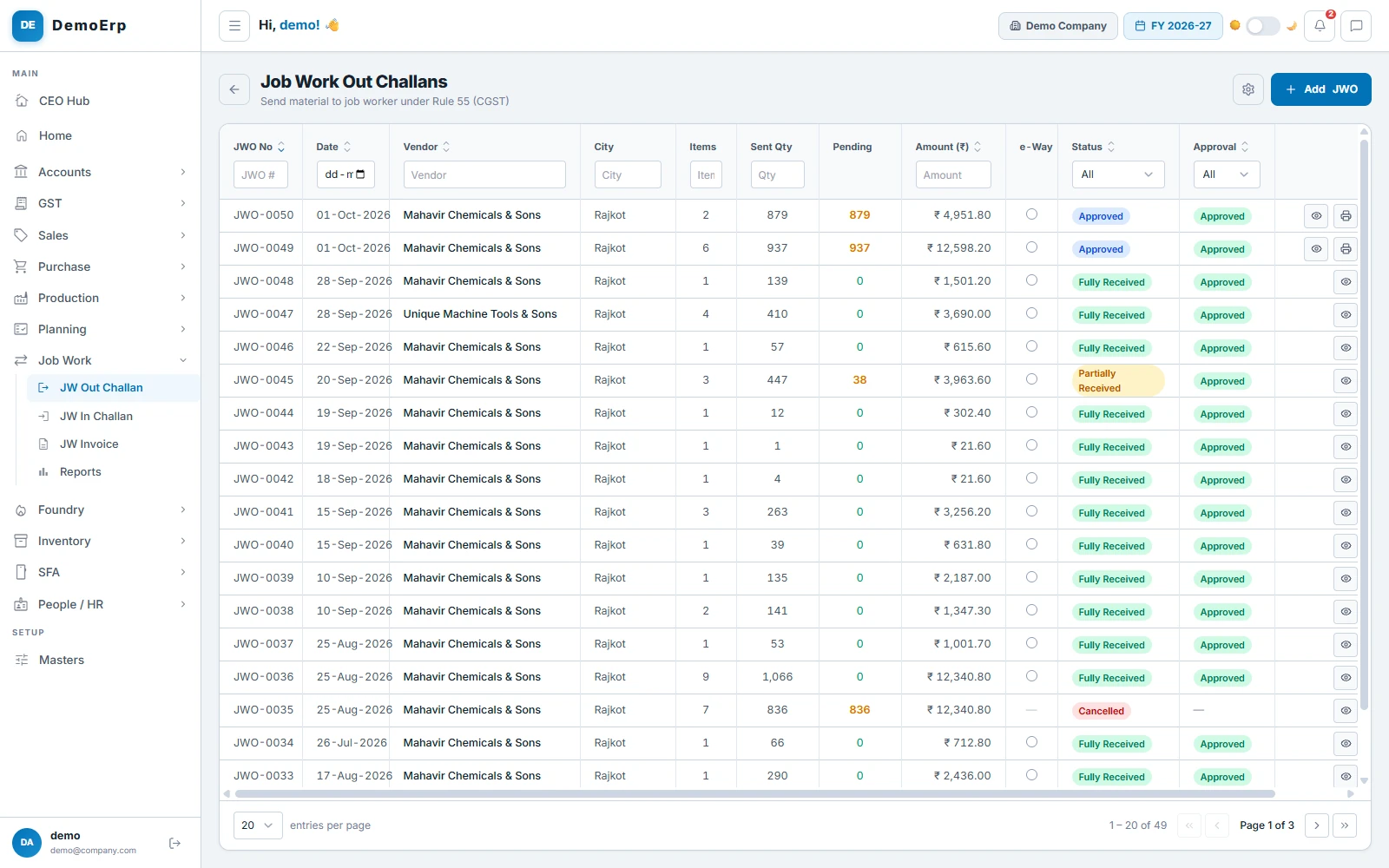
When a stage is done outside, the material goes out on a challan and comes back on one. Nothing leaves the books without a paper trail.
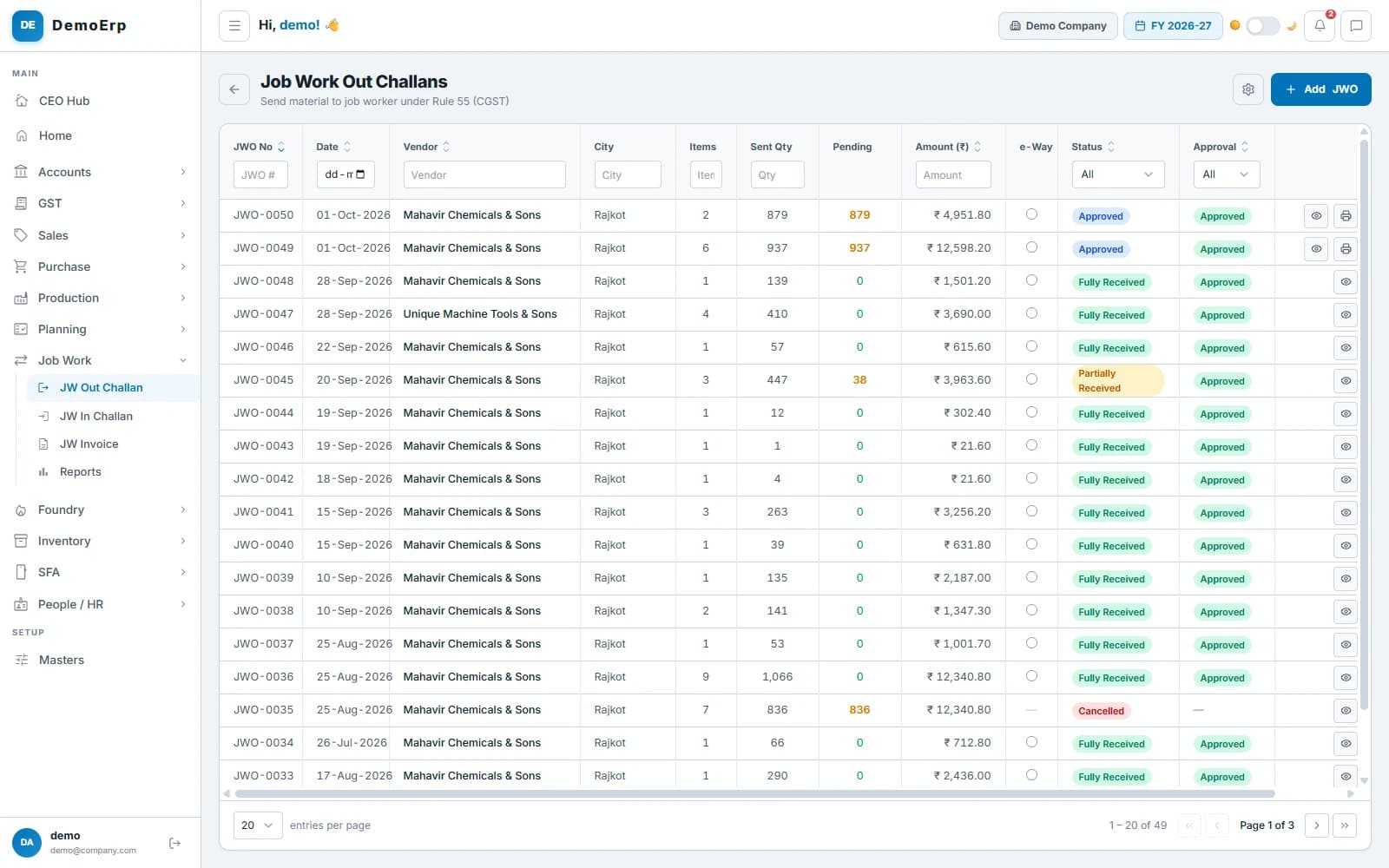 Job work out challans: what went to whom, what is still pending and the e-way bill status.
- Job work out challan under Rule 55, with an e-way bill when the goods move.
- Goods come back on an in challan, with any loss recorded.
- The job worker’s bill is booked against the challans.
- See what each job worker still holds, and what is overdue.
- step 7 of 8
Count every piece
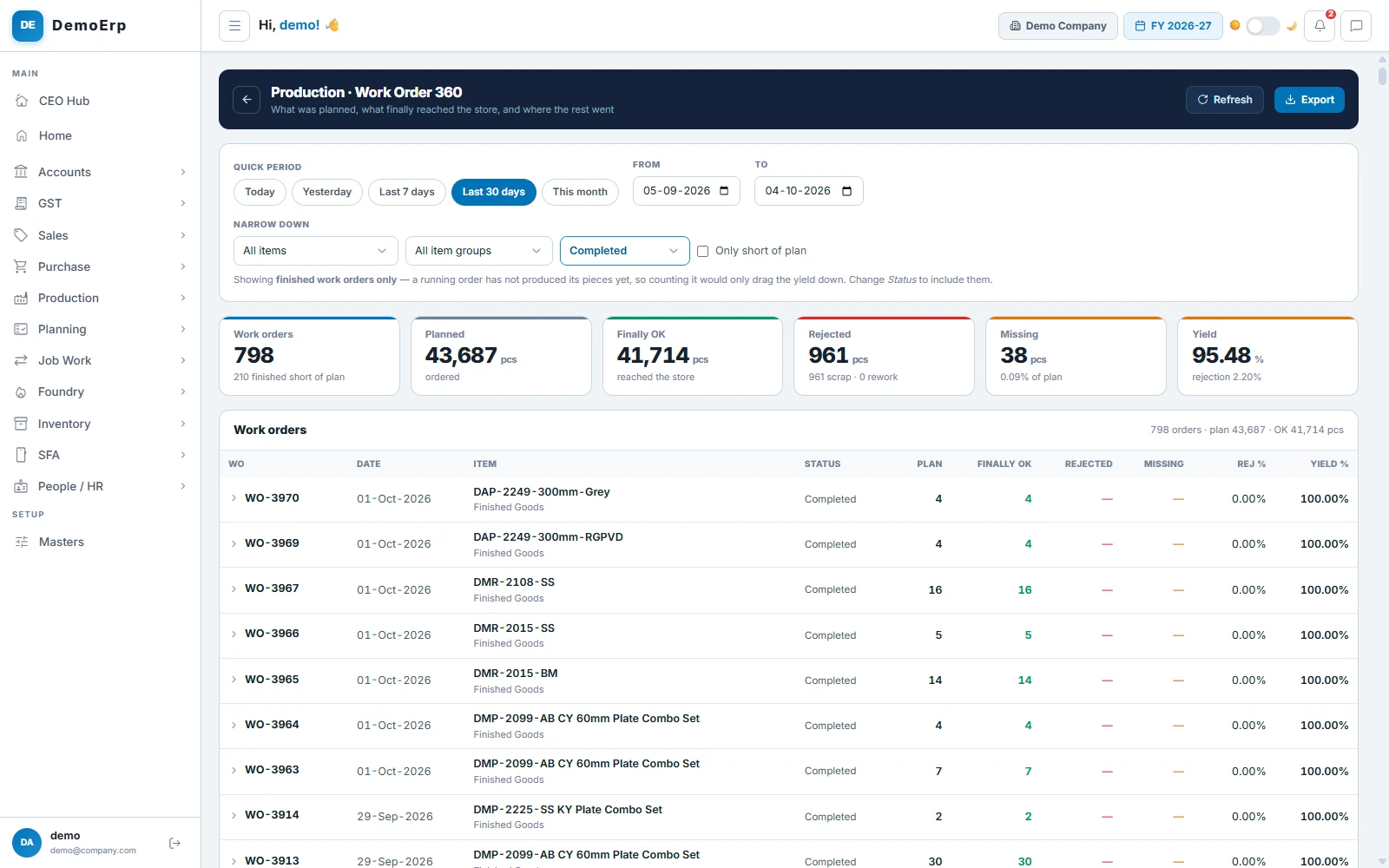
For every work order you see what was planned, what reached the store and where the rest went.
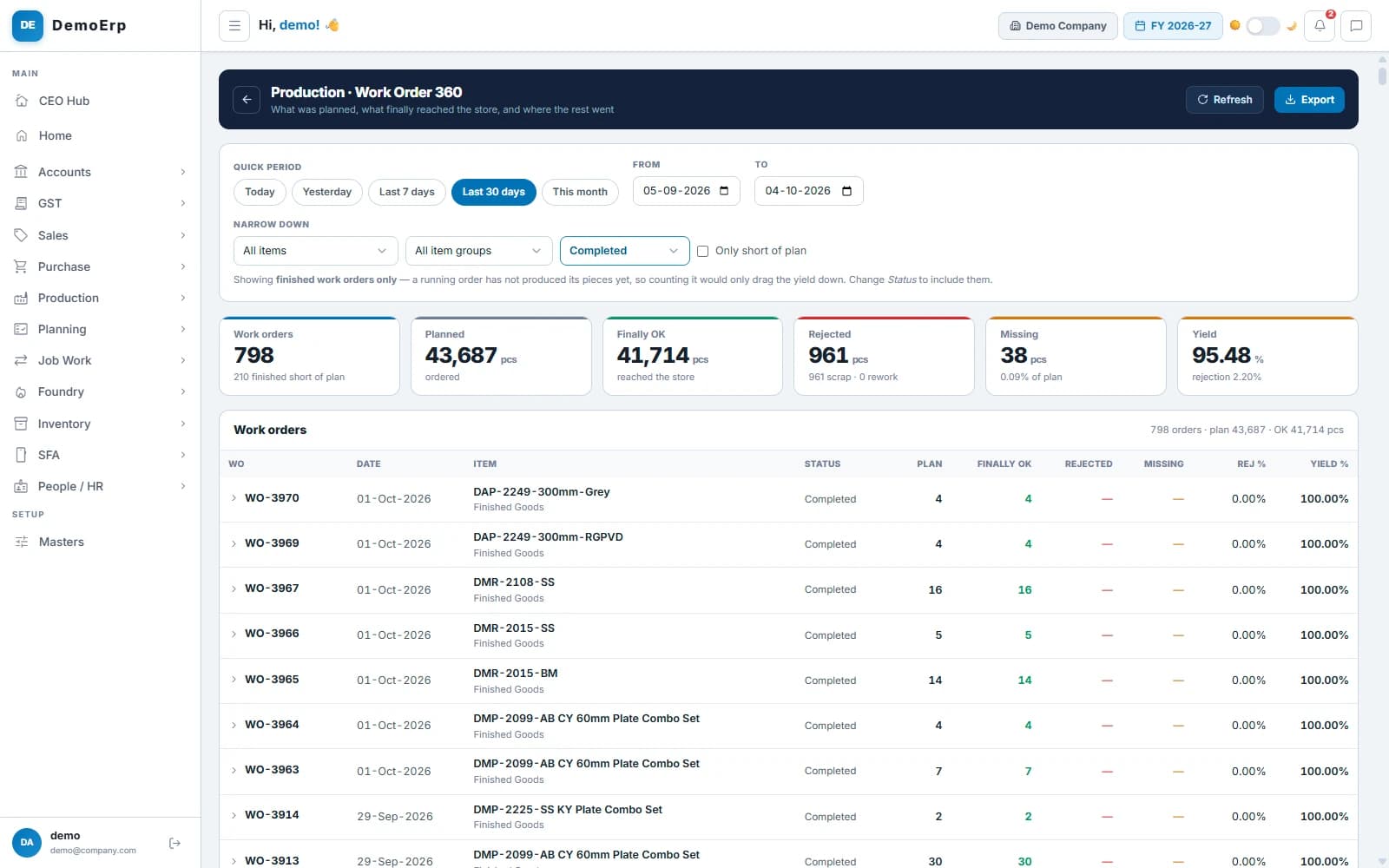 Last 30 days: 798 work orders, 41,714 pieces finished, yield 95.48%.
- Planned, finished, rejected and missing pieces for each order.
- Yield for the period and for each order.
- Each finished lot carries its own share of the material cost.
- The contractor report works out what you owe in-house contractors, per piece and per stage.
- step 8 of 8
Find and cut your losses
Rejections are counted in rupees, not just pieces. The costliest reasons show up first, so you know where to start.
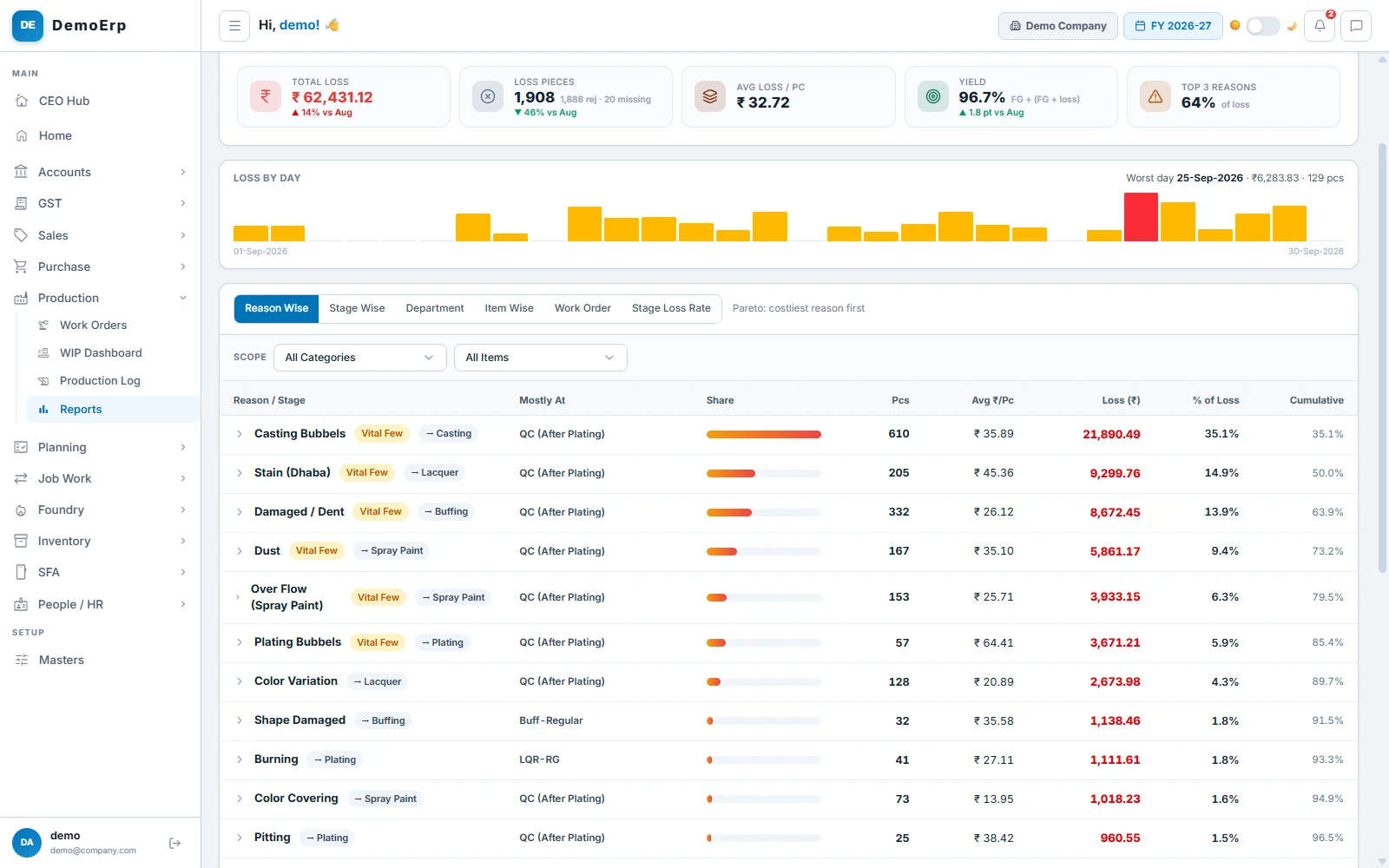
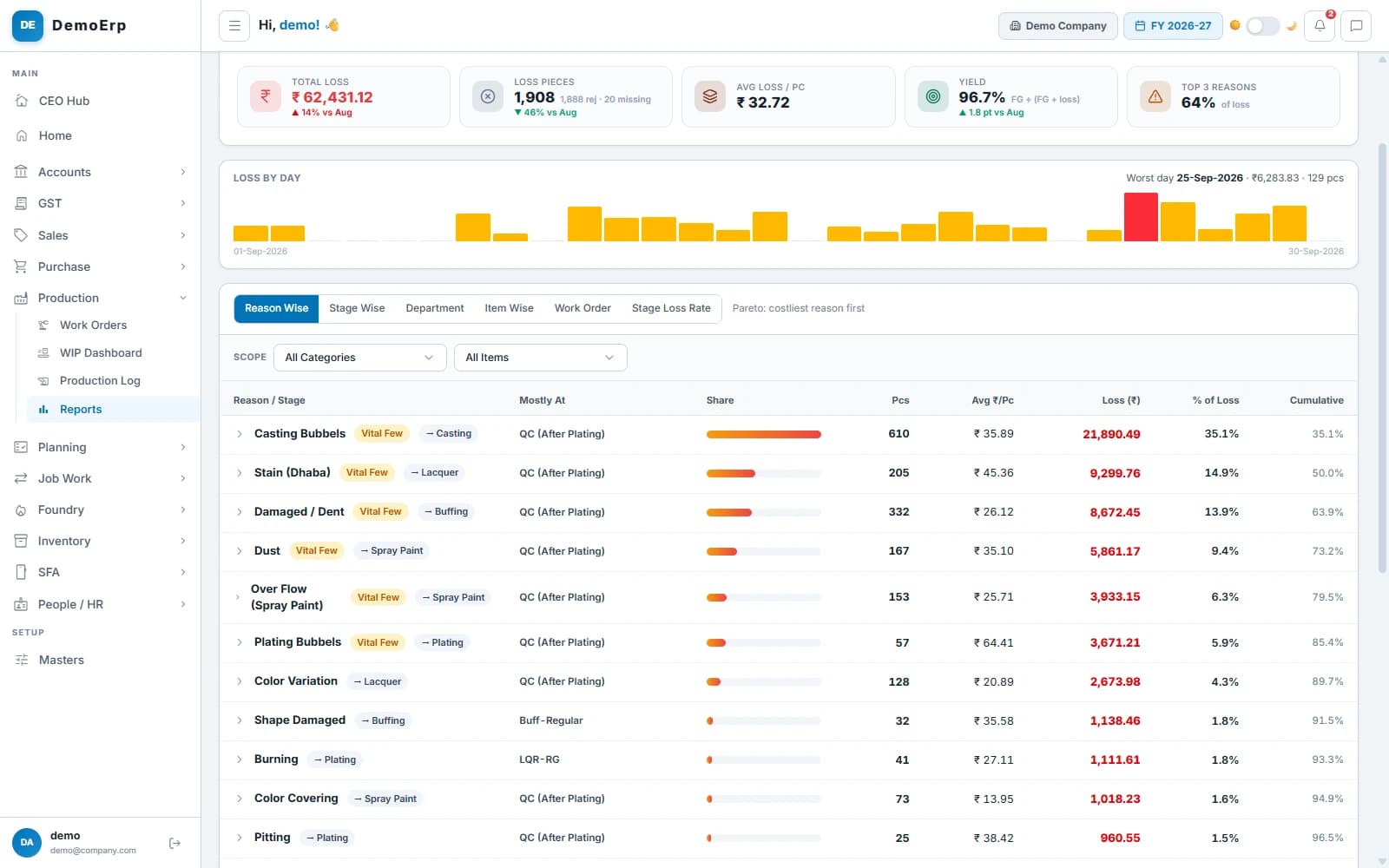 Loss analysis for September: ₹62,431 lost, and 64% of it from the top 3 reasons.
- Loss by reason, stage, department, item and work order.
- The few reasons behind most of the loss are shown first.
- The WIP dashboard shows stock at every stage, its age and its value.
- Idle parts shows made parts that no order is asking for.
Everything in Production.
- Multi-level bill of materials
- Routing with in-house and job work stages
- Production planning
- Purchase planning
- Work orders with batches
- Emergency work orders
- Job cards with QR codes
- A board for every stage
- Phone app for the shop floor
- Machine and operator for each step
- Rejection reasons for each stage
- Lots split between stages
- Job work out and in challans
- E-way bill on job work challans
- Job worker bills
- Contractor payment report
- WIP dashboard with value and age
- Production log
- Loss analysis
- Work order, rejection and conversion reports
- Lot-wise costing
Every module is in one plan, and they all work on the same data.
Questions about Stebly Production.
What does Stebly Production cover?
How does Stebly decide what to make?
Do workers on the floor need a computer?
How is job work handled?
See Production running on a real factory floor.
We walk you through all 8 steps, set around the way you work. Send your item list on WhatsApp and we'll run it on your own data.